Hey @rommelgracias ,
The Lite version of WP Fusion only officially supports the “core” WordPress fields like First Name, Last Name, Email, URL, Role, and User ID. The fields that come with a fresh install of WordPress.
Other fields may sync sometimes, but we can’t guarantee any compatibility with fields registered by other plugins. All of those features are in the full version of WP Fusion.
You could try turning on “Push All” from the General tab in the WPF settings, which will cause the plugin to watch your database more aggressively for changes…. but even then it may not work reliably on WP Fusion Lite.
Cheers
Jack
Hi Jack,
Thanks for that. My problem isnt that its not supporting custom fields. Its that its choosing one or the other. Right now, all my custom fields are showing fine but regular WP fields like email and user_email etc are not showing anymore. They only show when I dont use custom fields.
I dont think I can warrant getting the full version of WP Fusion when the Lite version is giving me so much trouble.
Thanks
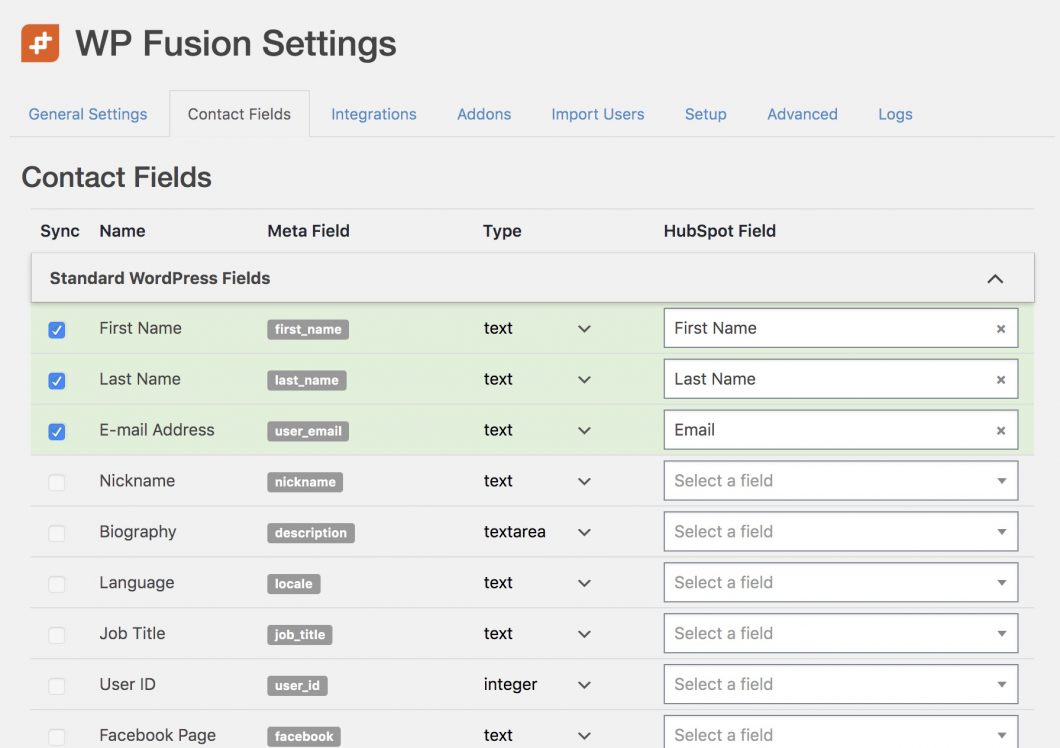
Interesting…. so user_email (etc.) aren’t even showing up like in this screenshot? https://wpfusion.com/wp-content/uploads/2016/01/settings-contact-fields-1-scaled.jpg
That shouldn’t be possible…. but stranger things have happened 🙂
It’s kind of hard to get deep into it here in a public forum, but if you want to drop a line via https://wpfusion.com/contact/ with a login to your site I can check it out and get back to you today.
For the license key just enter LITE.
Hi Jack, sorry I must have explained wrong.
In the list on the Contact Fields tab, all the fields are showing (Standard WP AND custom fields). However, if I tick all of them, only the custom fields are pushed because ive used two filters in my functions.php file. If I untick the custom fields, then the standard fields are pushed correctly (regardless of the filter).
Since my last email, I tried the Push All suggestion of yours again and it seems to be pulling in the data now.
Thanks for the help with all this.
Rommel
Great, glad to hear you’ve got it sorted 🙂