Hi, i create a category and then a service. I use the shortcode to show the services. I have the lite version. I create a provider. If i dont assign the provider to the service, i see the following message: “It seems like there are no employees or services created, or no employees are assigned to the service, at this moment.”
Then, i assign the provider to the service and it return a blank page, nothing to show…
In the other hand, im trying to show events in other page, but i see the events only if im logged…
Please check if you can see the booking form on page when you are logged in?
If this is the case then this can be 1 of 3 issues
1. The reason why the form is not visible for non-logged-in users is not in Amelia, but instead in your security settings. They’re either configured in a Security plugin (if you have any), or they’re on your server’s side.
The best option would be to reach out to your hosting provider, send them the link of the booking page and tell them exactly what you told us – you can see the page when you’re logged in as an admin, but you can’t see it from an incognito window (or when you’re logged out). They should be able to lift the block, so admin-ajax calls are sent for non-logged-in users also.
2. You have some page optimizers so turned them off and purge the cache and see if you can see the booking form then
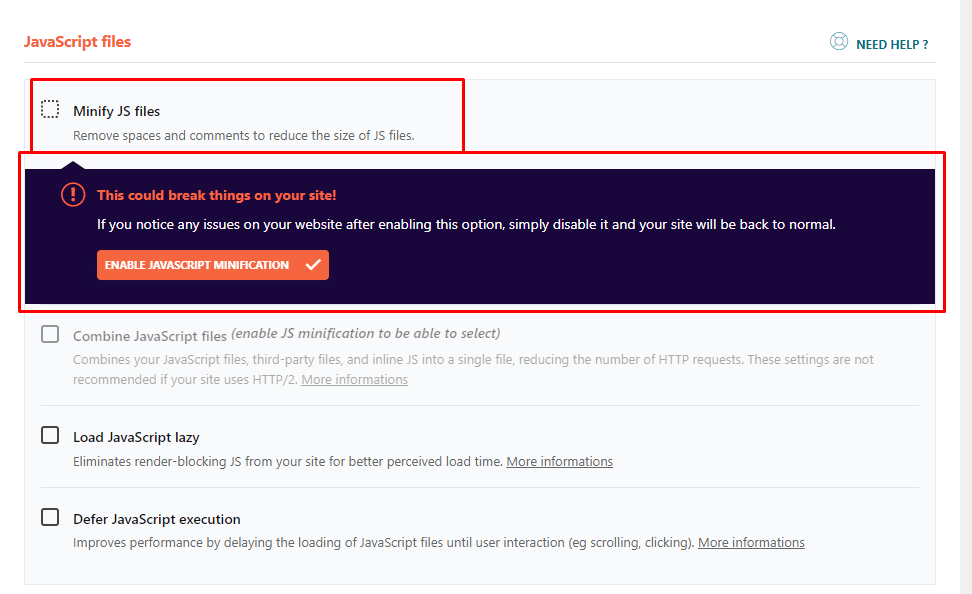
3. The new booking form should be displayed when you clear the cache, if you have a caching plugin or optimize plugin, please disable the minify js files option.
For example, if you have WP Rocket, and you have enabled these JS optimizations, which have a negative effect on our New Step Form, which is based on Vue 3 Framework, the booking form won’t show.
The old Form is based on Vue Framework 2, but the New Form is based on Vue Framework 3;
Once you disable the “minify JS” option in the Optimisations on WP Rocket, or similar, and purge the cache the form should appear.
Also, the issue could be with the Page Optimize plugin. You have these settings
and they should be added to this first input amelia_booking_script_index like this
and then everything will work with the new form.
Hope this helps.
Viewing 1 replies (of 1 total)
The topic ‘Problem with services’ is closed to new replies.