Print issue
-
Hi,
Added a print button – when i click to print all of the options are checked?
Thanks,
The page I need help with: [log in to see the link]

-
Hello @benh123
Thank you very much for using our plugin. However, you’re using an outdated copy of the plugin. The issue you are reporting does not occur in the latest plugin update. Could you please install the plugin updates and clear the browser’s cache?
Best regards.
Hi,
Updated plugin and still doing it.
Also cleared cache/tried different devices/browsers and issue still present.
Thanks,
-
This reply was modified 3 years, 11 months ago by
benh123.
Hello @benh123
Thank you very much. I’ve checked the styles applied to the fields’ tags, and the issue is caused by the style definition below, specifically the CSS rule
color: #000!important;:@media print{ *, :after, :before { background: transparent!important; color: #000!important; -webkit-box-shadow: none!important; box-shadow: none!important; text-shadow: none!important; } }It is defined in the following file in the theme active on your WordPress:
http://bsbi.co.uk/wp-content/themes/hello-elementor/style.min.css?ver=1652276159
Please, remove the
!important;modifiers from the CSS rules:background: transparent!important; color: #000!important;As follows:
background: transparent;
color: #000;
Please, clear the browser’s cache after editing the file’s content.
Best regards.
Perfect working now thanks!
Although doesnt look as pretty any more lol!
Is there a way of exporting it to a pdf (without having to purchase any other plugins?)
Also is there a way to save the data to a dashboard?
Hello @benh123
Browsers include the option for printing to a PDF file. But if you want to generate the PDF file after form submission and attach it to the notification emails, you will need the “PDF Generator” add-on included with the Platinum distribution of the plugin:
https://cff.dwbooster.com/blog/2020/07/19/pdf-generator
In addition, all commercial versions of the plugin include the “Messages” section to access the information collected by the forms:
https://cff.dwbooster.com/documentation#check-submissions
Best regards.
Sorry one last question – great support btw!!
Is there any way to put a border around a particular area?
On my form I want a border around Notes/Special instructions so that it makes it clearer.
Thanks
Hello @benh123
Yes, you can customize the form appearance as you prefer. Please, read the following post in the plugin’s blog:
https://cff.dwbooster.com/blog/2020/01/12/form-design
Best regards.
Thank you!!
One last thing i promise 🙂 – how can i move width & height over so that width is level with the other text? Just cant do it using CSS for some reason!
http://bsbi.co.uk/bifold-door-calc/#f1p0
Thanks!
Ben
Hello @benh123
You should control the fields’ widths through the “File Size” attribute in their settings.
Best regards.
I just can’t seem to move the text over – i can change the field widths but i need to move width & height to the left so the text lines up.
Hello @benh123
I’m sorry, I’m not sure about the appearance you want to apply the form. If you want to display the labels and entry boxes side by side, you should select the “Left Aligned” option for the “Label Placement” attribute in the “Form Settings” tab:
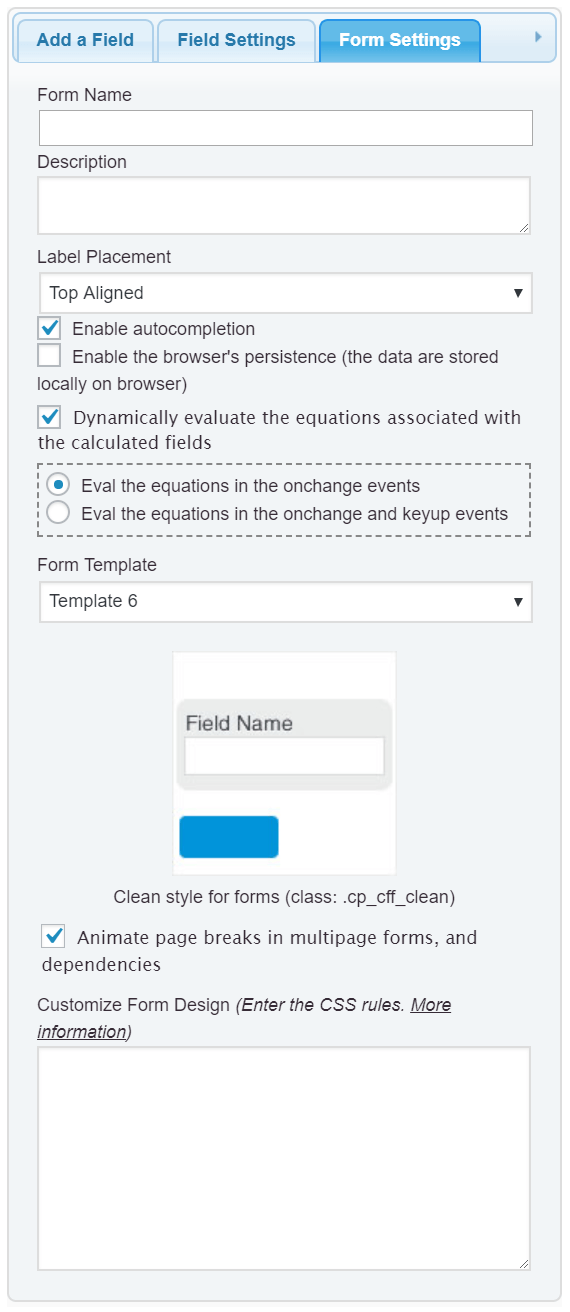
Best regards.
-
This reply was modified 3 years, 11 months ago by

The topic ‘Print issue’ is closed to new replies.
