Hello 🙂
You can increase padding in Customizing ▸ Blog settings ▸ Single post – Title bar ▸ Top/bottom padding https://rifetheme.com/help/docs/customizing-the-theme/blog-settings/single-post/
With kind regards.
Air.
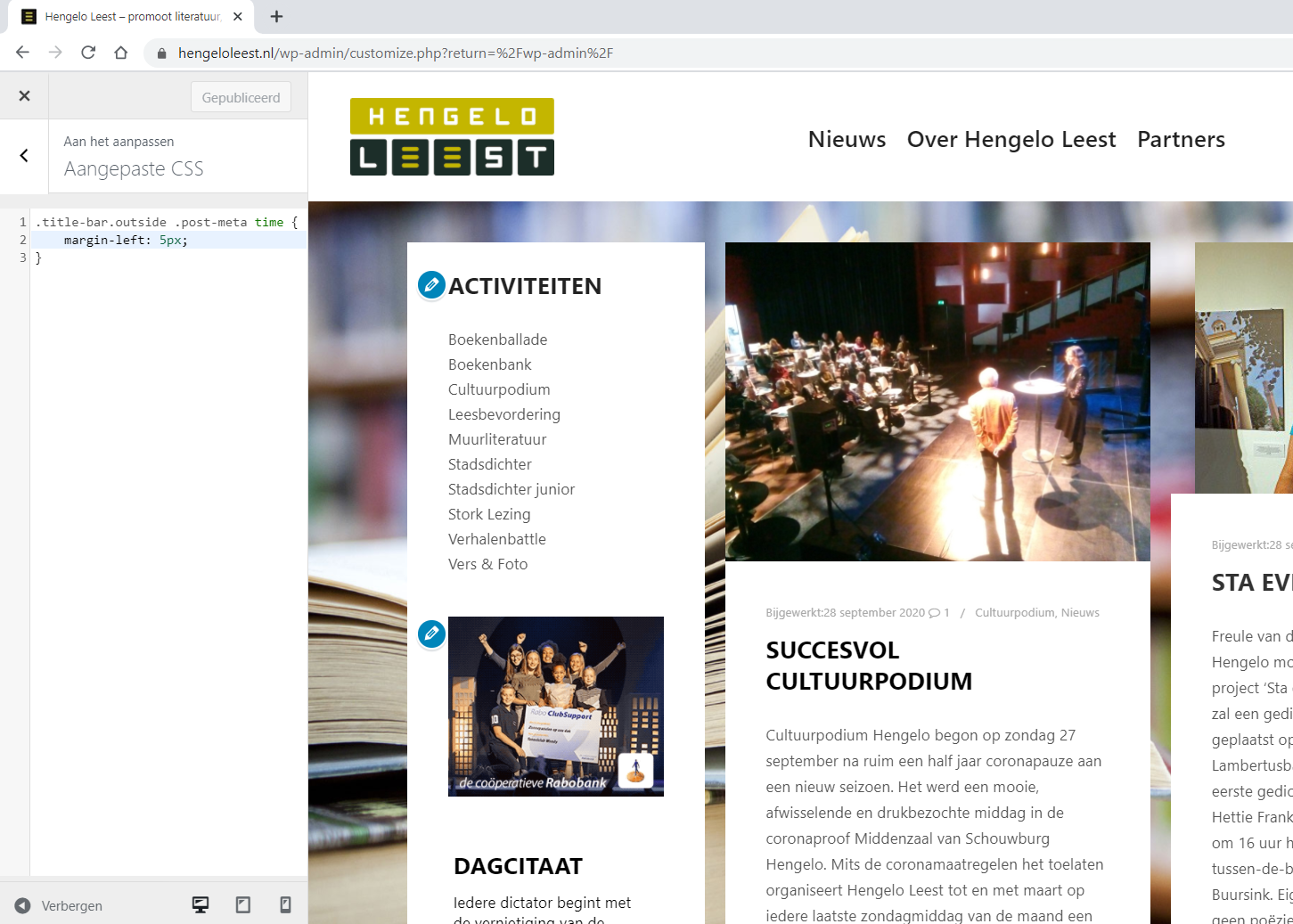
Thanks for the response. But it does not solve my small problem. It is not the padding I want to adjust, but the space between, in the example picture, ‘bijgewerkt:’ and the date ’22 september’.
Greetings,
Remko
Hello 🙂
Now it is clear:-)
Try this custom CSS:
.single-post .title-bar.outside .post-meta time {
    margin-left: 10px;
}
With kind regards.
Air.
Thanks, this does the trick on single posts indeed (https://www.hengeloleest.nl/cultuurpodium-weer-van-start/). But not on our homepage that displays the most recent single posts in the blog layout (https://www.hengeloleest.nl/).
Hello 🙂
Please try less specific CSS selector. Previous CSS was only for a single post:
.title-bar.outside .post-meta time {
    margin-left: 10px;
}
With kind regards.
Air.
Sorry, my bad.
Please add such custom CSS:
.post-meta time {
    margin-left: 10px;
}
This will work 🙂
With kind regards.
Air.