Plugin Author
 Paolo
Paolo
(@paoltaia)
Hi,
if you are losing your customization after each update, it means that you are doing customization the wrong way.
Every single WordPress plugin works like that.
Updates overwrite plugins files, any change made to any file is lost.
So I guess your 1 star review is really for WordPress…
Thanks anyway
Nope. I had something about 40 additional CSS classes in “customization” tool. After update only 6 works. What happened with others? New version of plugin has new css classes, which are not compatible with old classes.
Plugin Author
Paolo
(@paoltaia)
Yes, V2 is completely different software.
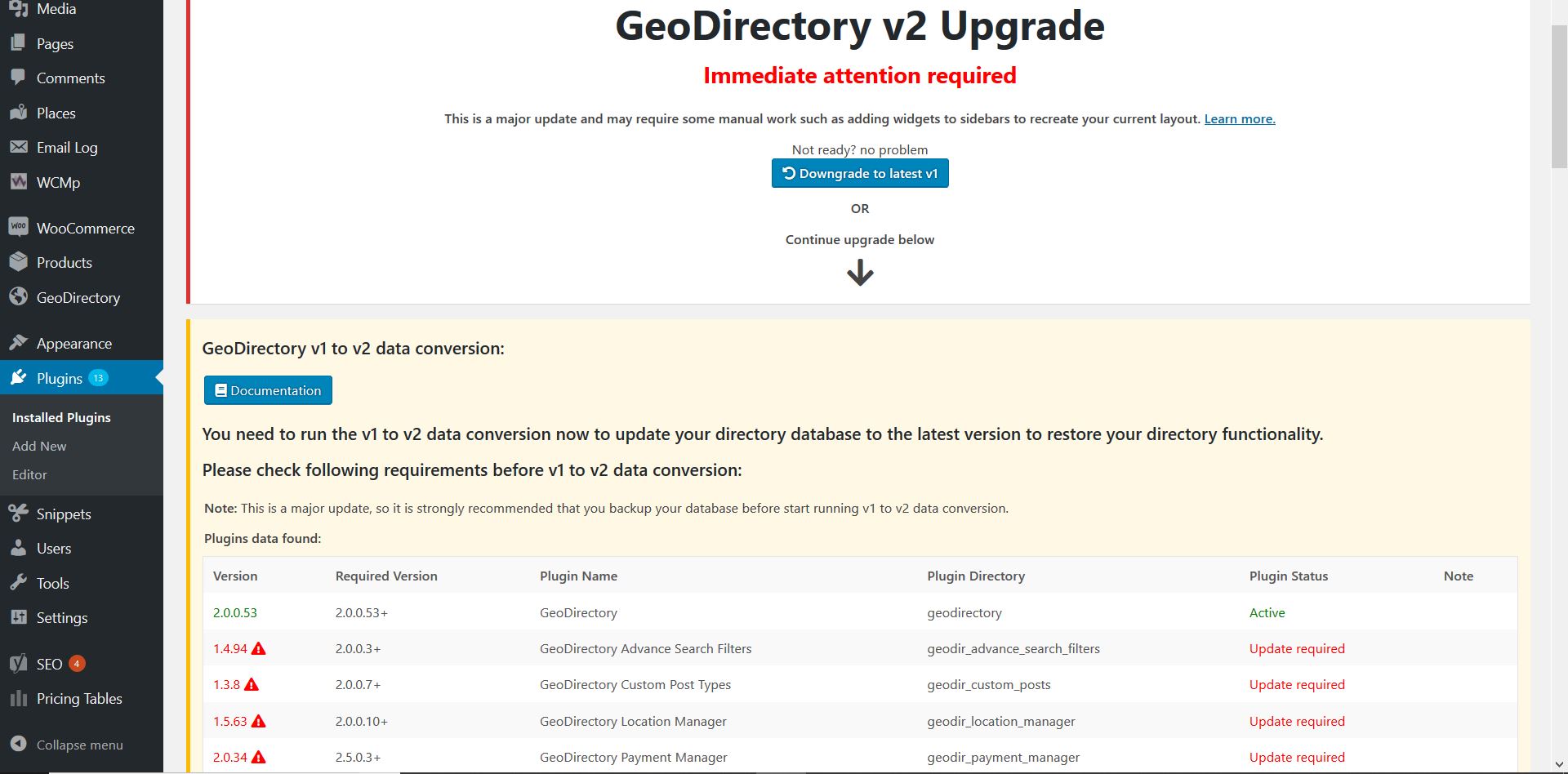
The huge update notice should have raised at least the doubt.
https://wpgeodirectory.com/wp-content/uploads/2019/04/Capture.jpg
If you read documentation, you’ll see:
https://wpgeodirectory.com/docs-v2/geodirectory/upgrade-from-gdv1/#breaking-changes
Breaking Changes
Customization for V1 will not work for V2 in most cases. This includes PHP, HTML and CSS customization.
Basically you are giving us 1 star, because you did upgrade without paying attention to our alerts.
Thank you!
p.s. If this happened after upgrading to v2,
After each update
is an exagerration too… correct?