Dear AliAnne,
Thanks for using the Portfolio Manager.
The issue here is not with the Plugin, but the theme you are using.
The page width set in the theme is used by the plugin to display the projects.
I checked http://www.alijonesdesign.com/portfolio/bproject/ediwrap-branding-1/ and this is how you can increase the page width.
Please not that this will change the page width throughout the website.
Go to Portfolio Manager > Settings > Advanced Tab > Custom CSS Box and paste the following:
.container-wrap > .container{
	max-width: 1440px;
}
This would make the project width 1400px as in Behance.
Let me know if this works for you.
Hey there, I did remove my existing CSS, tried the code above and it did not change anything. The Issuu box was still too thin. Also I had the following CSS already (that you had so helpfully provided in the past). Thank you!
eds-bpm-main{
max-width: 785px;
margin-left: auto;
margin-right: auto;
}

@media only screen and (min-width: 692px) and (max-width: 1253px) {
.eds-bpm-main{
max-width: 525px;
}
}

@media only screen and (max-width: 691px){
.eds-bpm-main{
max-width: 260px;
}
}

.container.main-content{
        padding: 0;
}
#bop-container{
        background-color: #f6f6f6 !important;
}
#bpm-project-footer-wrapper{
        display: none;
}
Adding a note, it is very important that my portfolio stays centered which the current code you provided does.
Hi Ali,
I think there’s a bit on confusion.
In the issue, you said you needed help with this page:
The page I need help with: http://www.alijonesdesign.com/portfolio/bproject/ediwrap-branding-1/
However, it seems like you need help with this one, with increasing the width so that more projects can fit in a row:
http://www.alijonesdesign.com/portfolio/
Let me know if this is the case 🙂
No I am having an issue with the page http://www.alijonesdesign.com/portfolio/bproject/ediwrap-branding-1/
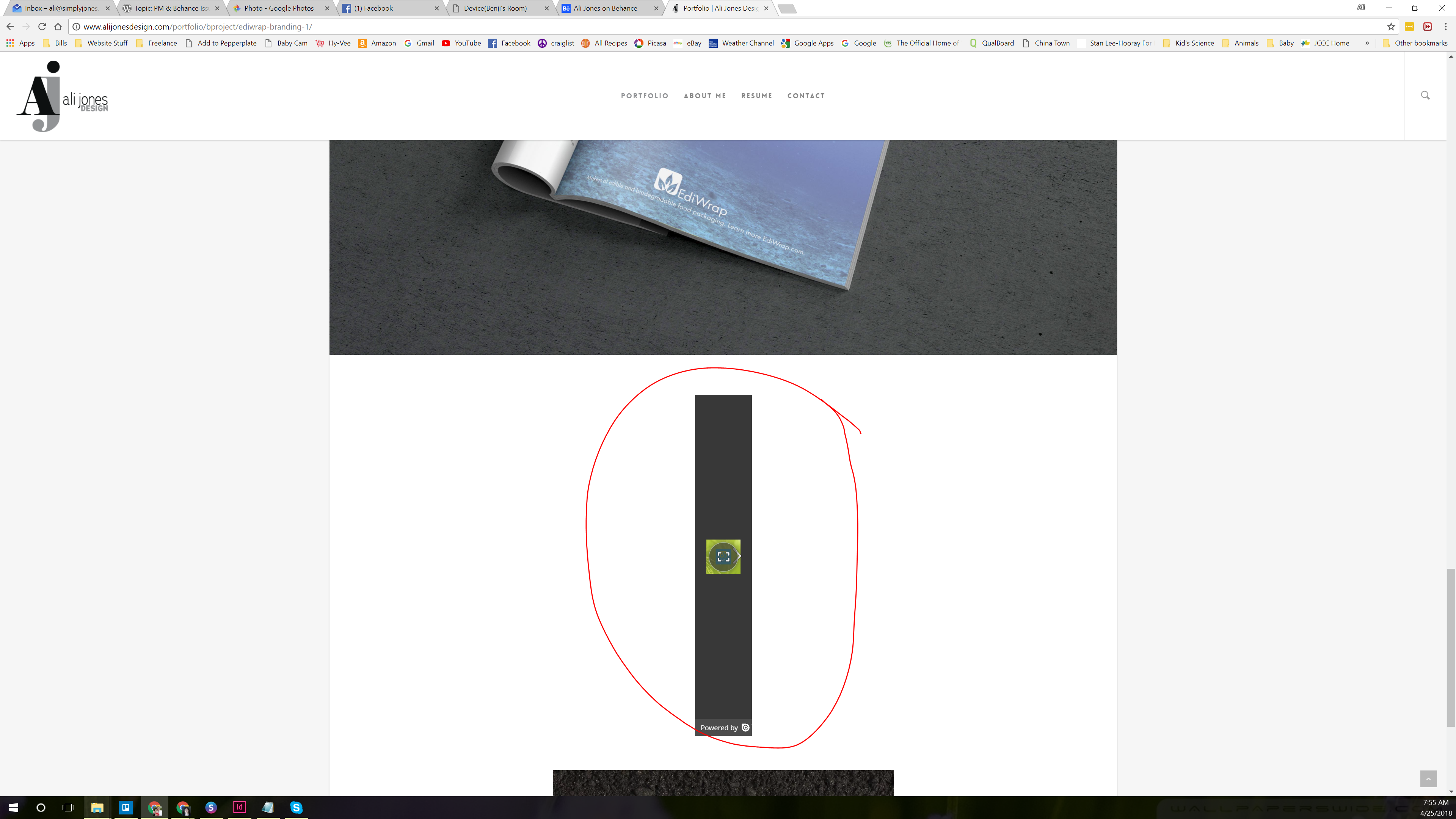
but the problem is with ISSUU which is a site that shows PDFs. Here is a screenshot of the problem circled in red:
http://www.alijonesdesign.com/wp-content/uploads/2018/04/ISSUU-1.png
My main portfolio page is perfect! I don’t want it changed at all, I just want that one ISSUU to show up bigger. Thank you!
Dear Ali,
Finally got the issue 🙂
Please paste the following in Portfolio Manager > Settings > Advanced > Custom CSS Box:
#bop-project-left .bop-text-center > .embed-dimensions{
	max-width: 100% !important;
}
I accidentally read ISSU as Issue 😀
Sorry for that.
Let me know if this works for you.
Also just a suggestion, it would be cool if we could select multiple categories for a project. For instance this one has motion and graphic design 🙂
Dear Ali,
Aw, what a coincidence…I love me too! 😀
Glad to know the issue is resolved now.
Regarding the multiple categories, it is on our to-do list for the future release.
However, it would require major changes in the code, so I can’t say a possible day for when this feature would be available.
Sorry 🙂