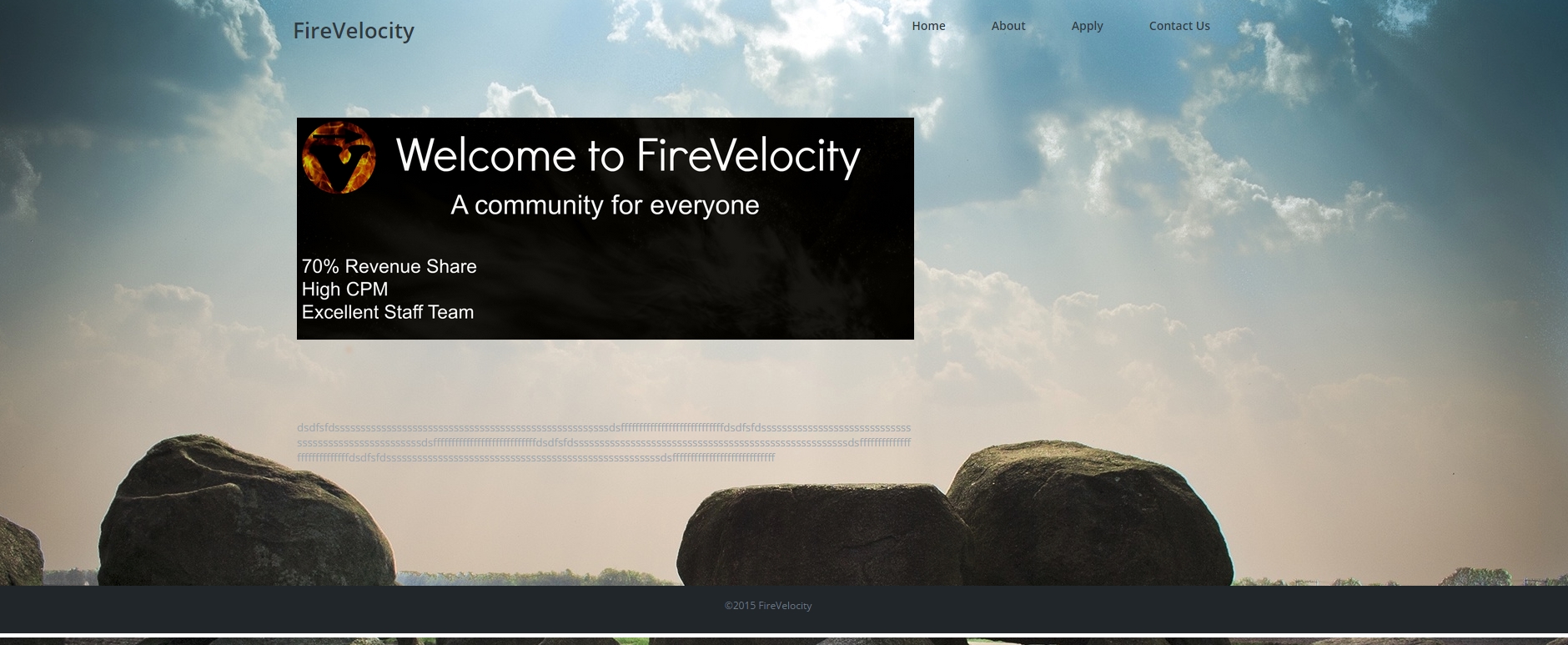
• https://i.gyazo.com/c2e233c21a8622dad3493c1a49c3fd1b.jpg

    here is my website . I cant get that image to cover the screen from left to right because the area to the right of it is reserved for widgets . I deleted all widgets , tried a lot of things but I cant get it to go bigger length wise . If I change the header image , it works but I want every page to have a different image or no image so this image there is inside my home page , it is not a header image .

    I tried looking at the code but I dont really have much knowledge about HTML .

    Basically how do you remove space that is reserved for widgets in a theme ? ( its not in the options , code needs to be edited )

Viewing 2 replies - 16 through 17 (of 17 total)
  • Moderator cubecolour

    (@numeeja)

    It is not good practice to edit theme files as you have discovered. Apart from the risk of WSoD, anytime the theme gets an update, your changes will be wiped out.

    The best way to apply modifications to a distributed theme (as opposed to a fully custom project-specific theme) is to create a child theme: https://codex.wordpress.org/Child_Themes

    Then you can probably get the layout you require by copying the parent theme’s full-width-page.php into the child theme and making it the default page template by renaming the copy as page.php. This may not work as expected as have not tested it, and even if it does work, there may be a better way to achieve the same result. The best place to ask for support specific to any theme is on the theme’s own support forum where the theme developer and other users of the theme are more likely to see your post. In this case the forum is at: https://wordpress.org/support/theme/business-card

    Learning java won’t help. WordPress is PHP code.

    Thread Starter miro011

    (@miro011)

    ok thanks

Viewing 2 replies - 16 through 17 (of 17 total)

The topic ‘Empty widget area takes up space’ is closed to new replies.