Don’t think too hard. No MySQL, no WordPress…
On this page: http://www.streamline.net/wh.php
It says that ‘unlimited’ customers (that’s me) get 5 MySQL databases. So I was under the impression wordpress would work. Is it likely that they are limiting my ability to do things with these deatabases?
Yosemite is correct. However, if you have a certain # of databases, don’t go around making another. You want to find out how to log into a db that you have so that WP can drop tables into it.
I have the login details for phpMyAdmin
I have my:
Mysql username: ###
Mysql password: ###
Mysql hostname: mysql8.streamline.net
Database name: ###
PHPMyAdmin: http://mysql8.streamline.net/phpmyadmin
I have these
Unfortunately I don’t know how to log in to a db that already exists!
I am using mySql 4.1.15
If you have these 4 things:
=======
Mysql username: ###
Mysql password: ###
Mysql hostname: mysql8.streamline.net
Database name: ###
=======
…then what’s the problem? Put that info in your config file and install it. Aren’t you overcomplicating it? 😉
It’s actually this bit that’s got me!
Maybe it’s just me striving to get things perfect?
http://codex.wordpress.org/Installing_WordPress#Using_phpMyAdmin
1. If a database relating to WordPress does not already exist in the Database dropdown on the left, create one:
1. Choose a name for your WordPress database (‘wordpress’ or ‘blog’ are good), enter it in the Create new database field, and click Create.
2. Click the Home icon in the upper left to return to the main page, then click Privileges. If a user relating to WordPress does not already exist in the list of users, create one:
1. Click Add a new User.
2. Chose a username for WordPress (‘wordpress’ is good) and enter it in the User name field. (Be sure Use text field: is selected from the dropdown.)
3. Choose a difficult-to-guess password (ideally containing a combination of upper- and lower-case letters, numbers, and symbols), and enter it in the Password field. (Be sure Use text field: is selected from the dropdown.) Re-enter the password in the Re-type field.
4. Write down the username and password you chose.
5. Leave all options under Global privileges at their defaults.
6. Click Go.
YOu don’t have to create a database. You’ve got one based on what you’ve said. You can pretty much ignore phpmyadmin. You don’t need to go into it at all.
When you install wordpress, it will connect to the database using the information you entered in wp-config.php. WordPress will create *the tables* it needs in the database that already exists.
I think sometimes people misunderstand the difference between a database and a table in a database. WordPress can share a database with countless other programs who each have their own collection of tables in the same database.
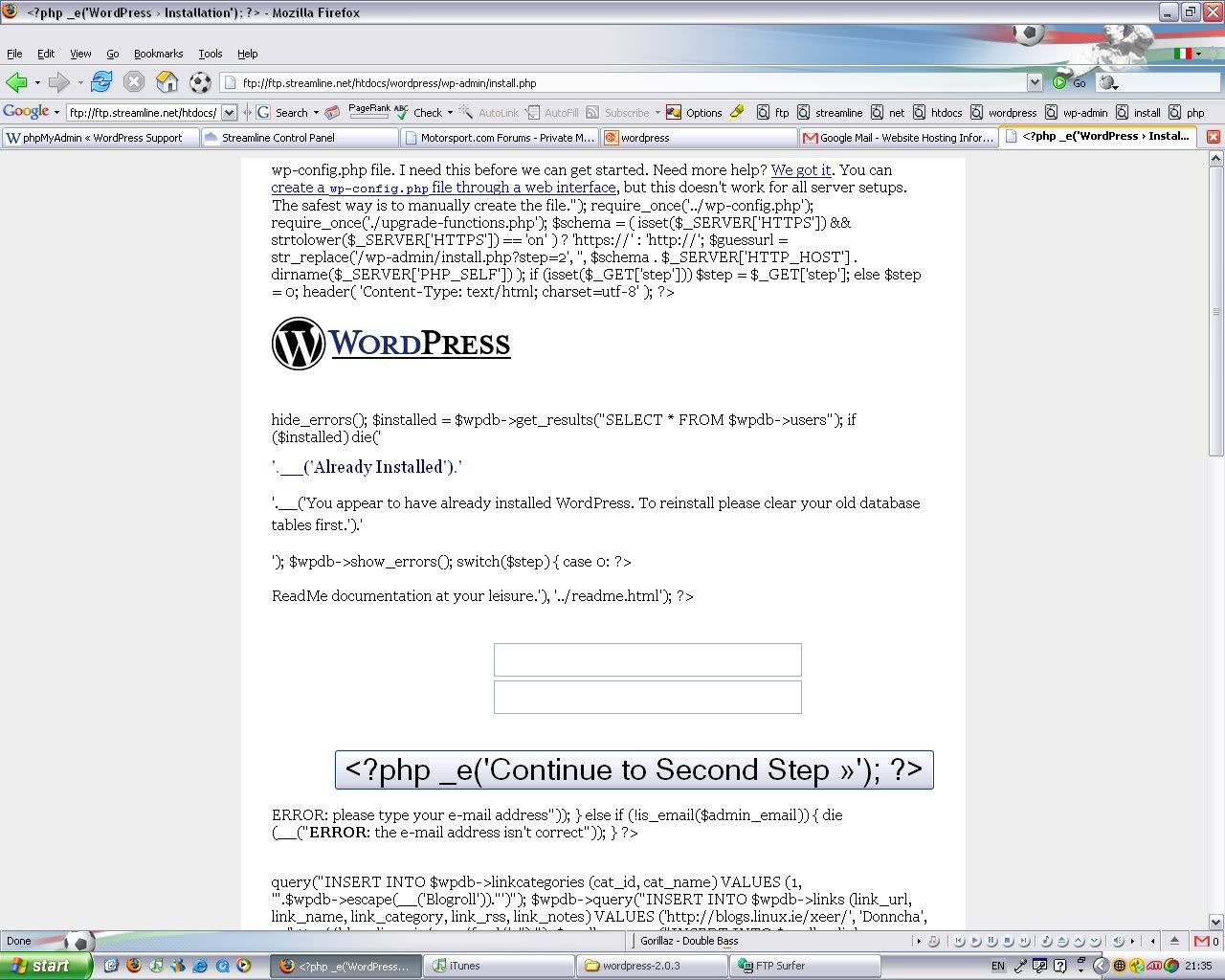
Unfortunately upon running the install.php file I get a screen looking like this:
http://i66.photobucket.com/albums/h280/AndySpeed_photos/screengrab2136.jpg
And the only file that I have modified is the ‘wp-config.php’
Progress: We’re getting there!
That means PHP is not running on your server.
um, I don’t think it’s that moshu. He’s connected to that page through ftp instead of http. If you look in the location bar in the browser, you’ll ftp://…
connect to ht tp://YOURDOMAIN.COM/wordpress/wp-admin/install.php
remove the space between the t’s.
Yeah I think I shall have to wait for my domain transfer before proceeding.
Yes, I would. Although it’s likely possible without waiting through a preview url, it would mean you would need to change a couple settings after the domain transfer. If you can wait, I recommend that. It will be the least trouble for you.
But even after that do NOT try to open the install file through ftp (sorry, I didn’t notice that – I always hope people don’t do that kind of nonsense), but, as manstraw said,use HTTP…