Andrew Nevins
(@anevins)
WCLDN 2018 Contributor | Volunteer support
Thanks Andrew but I can’t even get to the Dashboard of WP in order to change the password…that’s what I was asking for help on. Is there a ‘backway’ into my WP blog or should I just re-install and start over?
Andrew Nevins
(@anevins)
WCLDN 2018 Contributor | Volunteer support
Only 2 of the techniques discussed in that article require you to log in to the dashboard. There are 6 alternative methods.
Ok, so I was able to reset the password via PhpAdmin
However, this doesn’t solve my problem. I still CANNOT access the Dashboard of my blog (www.askviki.com/blog/wp-login.php).
This is why I asked if there was another way of accessing it.
Andrew Nevins
(@anevins)
WCLDN 2018 Contributor | Volunteer support
What is the reason you cannot access the dashboard of your blog? We can only guess otherwise. I guessed it was that you forgot your login credentials.
Nope! I think my blog / site were hacked as ever the 3500 visitors at the same time, when I try to login to askviki.com/blog/wp-login.php, instead of the dashboard appearing my website does. When I click on blog (from the website) it shows some of my blog items but not the way it should look and no way to login from there.
Did you move your site?
When I viewsource on askviki.com/blog it points here for CSS: http://www.askviki.com/wp-content/themes/lupercalia/style-ie.css?ver=4.0
It’s missing the BLOG folder in there.
Thanks for looking Mike, but no I didn’t move the site. However since there’s something wrong with it since the 3500 visitors at one time, I think someone hacked it and did something…
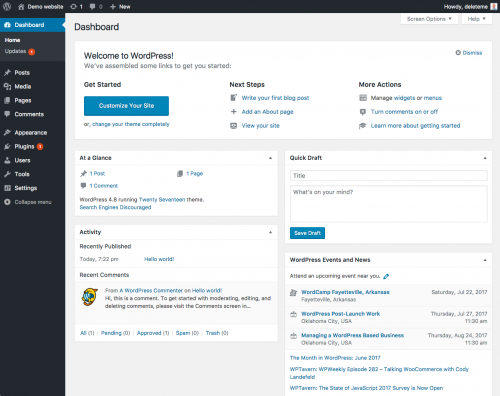
When I log in to: http://www.askviki.com/blog/wp-login.php, instead of seeing the dashboard similar to this image: http://codex.wordpress.org/images/thumb/3/30/dashboard.png/500px-dashboard.png
I see http://askviki.com/
If I click on the word ‘blog’ from the home page, I see the this:
http://www.askviki.com/blog/
And the blog should look similar to this:
https://wordpress.org/themes/lupercalia
So, I can’t even get to the Dashboard to do anything to the blog. I had changed the theme (of the blog), was creating pages and was going to ask my web support person to alter the settings so the blog became the website, but the day I logged in to the web hosting panel to find something I happen to see that askviki.com had 3500 visitors at that particular moment. Little did I know it was some sort of ‘attack’. Why on earth anyone would screw around with my little website/blog I have no idea!
Hence my original question, Is there a ‘backway’ into my WP blog? As I stated in the original question, my login worked, I changed it because everyone kept saying to change the password…still can’t access the dashboard of the blog…
Any other suggestions or should I bite the bullet and start over?
Oh, I have a backup from when WP upgraded to 4.0 but I don’t know the extension so I can’t find it on my computer…
What is : askviki.com/blog/xmlrpc.php??
Right now there are 1300 ‘visitors’ on that link according to my hosting control panel…
Hi Viki
Can’t answer why this has happened, but did note that if you include the wp folder in the url your blog works as I think you intended. i.e use http://www.askviki.com/wp/blog/
If you developed your site under askviki.com/wp/ and then decided to make it public by changing the site address in Settings/General/Site address then this could account for the blog not displaying.
There is an (old) reference to being hacked and xmirpc.php here https://wordpress.org/support/topic/resolving-xmlrpcphp-ddos-attack-with-htaccess-redirect?replies=8 that might help.
Good luck