• note: created a new thread as advised. See below. Going to send the backup log to the link you sent. Thank you

    I’m having backup issues. Been trying to backup on Google Drive (paid so enough space) and Dropbox. It is not backing up to either of these. Last back up was Oct of last year. It worked until then. But now it shows the blue bar, then it stops and no back up. 

Viewing 9 replies - 1 through 9 (of 9 total)
  • Thread Starter loapt

    (@loapt)

    I went to Pastebin and copied the backup log there. but how do I share the link?

    Thread Starter loapt

    (@loapt)

    does this work? Log File

    Plugin Contributor bcrodua

    (@bcrodua)

    Hi,

    Thank you for creating a new thread.

    Could you please send us the UpdraftPlus backup log? You can obtain it by going to UpdraftPlus → Backup/Restore, then clicking View Log next to the failed backup attempt (if available), and copying the contents into a paste service such as Pastebin, or attaching it here if it’s not too large.

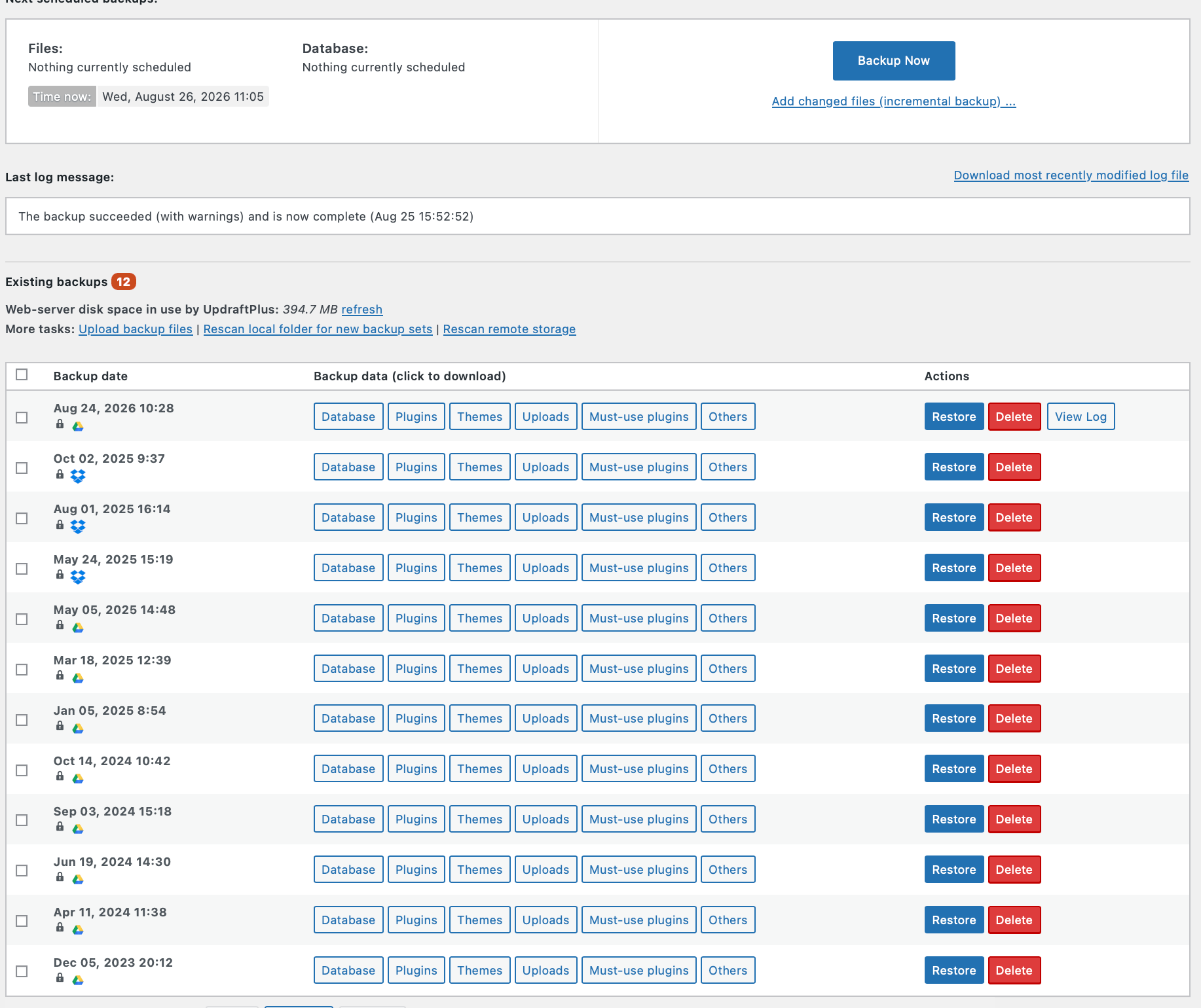
    Also, could you please share a screenshot of the Backup/Restore tab showing the current backup status and any existing backup entries?

    That will help us investigate the issue further.

    Thanks

    Thread Starter loapt

    (@loapt)

    Fyi.. when I sent this I decided to run another one again. From the list it seem to start working again. But I do want to test further as you can see from the list, the last back up was October 2, 2025. I still did as you requested below.

    Let me know if you need anything more.

    Here is the link again. Please let me know if it worked.

    https://pastebin.com/EniSRg8D

    Here is the snap shot

    Plugin Support vupdraft

    (@vupdraft)

    Your last backup shows the backup going to Google Drive. Apologies but could you post the log again? I can’t access it

    Thread Starter loapt

    (@loapt)

    Here is the log again..

    https://pastebin.com/3LvRJCwa

    I did a new backup on Aug 31 and it’s still running.

    Plugin Support vupdraft

    (@vupdraft)

    Hi,

    I think there might be an issue with your site scheduler.

    Can you install the free plugin WPCrontrol and go to the CronEvents tab, are any of the cron events showing as overdue?

    Thread Starter loapt

    (@loapt)

    Hi. I installed WP Control.

    I do see a list of items. None say overdue. On the top there is an error that says:

    There was a problem spawning a call to the WP-Cron system on your site. This means WP-Cron events on your site may not work. The problem was: 

    cURL error 35: Recv failure: Connection reset by peer

    Plugin Support vupdraft

    (@vupdraft)

    The curl error is likely the cause of your issue. You will need to get your cron working again.

    The error you are getting might be a TCP/IP issue but you will need to talk to your hosts and ask them to look at this for you.

    Once it’s resolved, you should find your backups start running automatically.

Viewing 9 replies - 1 through 9 (of 9 total)

You must be logged in to reply to this topic.