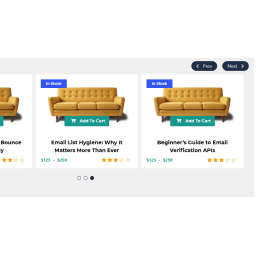
Thanks for your post
#. there is a silly bug, please set large of “Slider Auto Play Timeout ” than “Slider Auto Play Speed” please see the screenshot.
View post on imgur.com
Let me know the result.
Regards
Thread Starter
 petebm
(@petebm)
Thank you for the amazingly quick response – and yes, that does work. Excellent!
In case anyone else looks at this, though, it’s worth pointing out that your screenshot has “Slider Autoplay” set to False, which does rather defeat the object!
Thanks again – I’ve just entered a 5 star review – if only people would contact you before complaining in reviews!
PS – another minor thing – there’s a 404 error if you try the link to ‘Plugin home page’ on the Details tab of the plugin screen
Thread Starter
petebm
(@petebm)
BUT … I’ve just discovered that if you pause the scrolling by hovering the mouse, it doesn’t start up again. I tried giving it a push by clicking on a navigation arrow, but that did nothing other than move it along one.
Over to you!
Thanks for point the more issue,
we are checking the plugin, might be the latest version of owl.carousel.js has some bug.
we will fix and update the plugin as needed.
Regards