Hey,
Thanks for posting,
I can’t seem to recreate this. But on your site I see that no image tags are being output. It’s odd. Have you tried reselecting images? When you select are you selecting through the button?
Ben
No, when I clicked on the Upload button in the Slider Images dialog nothing happened, so I copied and pasted the URL from the Media Library.
I’ve just tried again, and this time clicking Upload worked, and now the images are showing.
The strange thing is that exactly the same problem is still happening on my local testing server, but here it still won’t allow me to click Upload. And I’ve also just realised that no image preview is happening in the dialog, even though it has the correct URL to the image entered. This was the same on the live server as well.
Hey,
So you have to click the upload to get the connection where the thumbnail would show and the image load on the front end. If that isn’t working to click I would then guess the issue is with some conflict in the admin. Like a javascript error. If you right click, click “inspect” and then click console do you see any errors?
Ben
Yes, if I make a change to the Home Slider Settings and then try to make a change in the Mobile Slider Settings, the Upload button remains inactive. If I close the browser and create a new browser session I can make the change in Mobile Slider Settings.
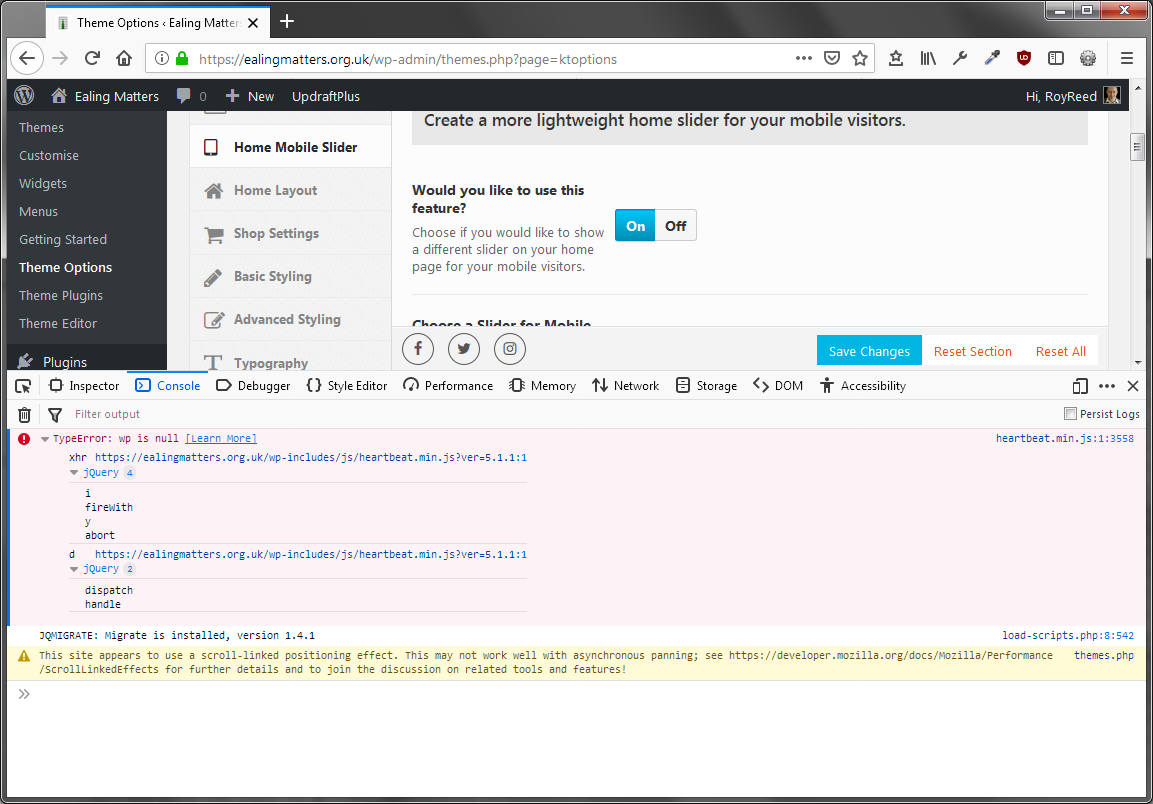
I did see a Console error. I’ve taken a screen grab which you can see here:
https://reeddesign.co.uk/temp/ConsoleError.png
I don’t know if this is related or not, as I can’t get this to repeat. And opening the Inspector seems to cure the fault!
Sorry I can’t be of any more help, other than to say that I installed a copy of InstantWP v5.6 with the Virtue free theme applied and I see the same problem there. (All WP updates applied – same on all instances).
Thanks for the post, I’m looking into this. I do see it though, certainly a bug somewhere when you try to use the button in both pages.
Reloading the page works but I’ll get the issue worked out and update.
Ben
Thanks for your help, Ben.