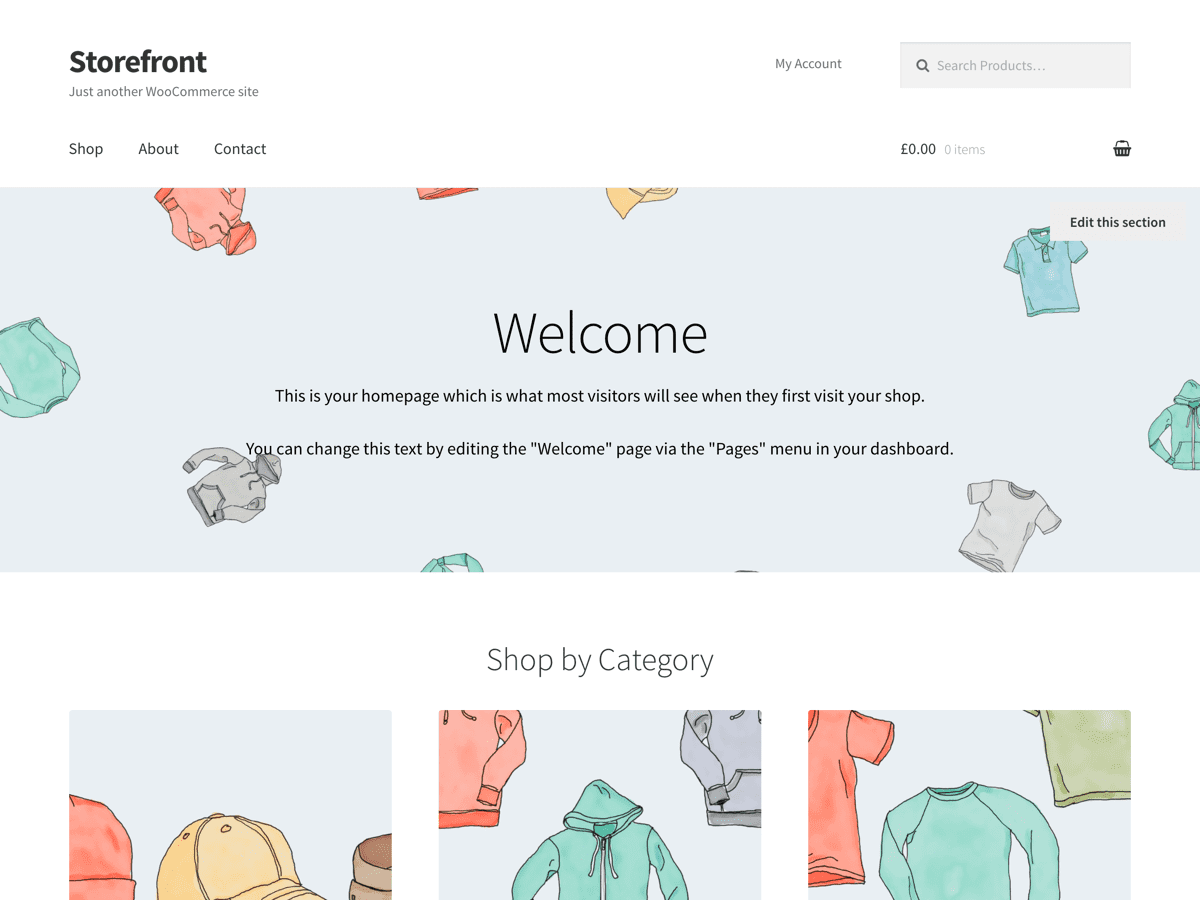
Menu Hide Home Page
-
Hi Guys
I am using StoreFront theme for WooCommerce. As usual stock again “Never Ending Story”. I like to display the Primary menu on all pages other than home. I have placed the function below, but not sure if I am on the right track.
I appreciate any help in advance.# add_action( ‘init’, ‘remove_PrimaryNav’, 50 );
# function remove_PrimaryNav () {
# if(!is_home()){
# remove_action( ‘storefront_header’,’storefront_primary_navigation’, 50 );
# }
# }
-
Hi there,
I am using StoreFront theme for WooCommerce. As usual stock again “Never Ending Story”. I like to display the Primary menu on all pages other than home.
Disabling the primary menu via function for one page can cause issues, as Storefront uses a fallback_cb option when the primary menu is blank and/or deleted. Due to this you can use simple CSS to hide the navigation on the Home page, provided you have the Home page set to a page 🙂 . WordPress adds a class .home to the body attribute in home page, so you can target that particular attribute to hide the menu. Try the following CSS in your Appearance > Customize > Additional CSS area:
/* hide Primary Menu on Home page */ .home .main-navigation ul.menu, .main-navigation ul.nav-menu { display: none; }You may need to replace .main-navigation ul.menu, .main-navigation ul.nav-menu with your own menu class, as I am doing this from my own site which has Storefront but may be different. Let us know how it goes!
Thanks for the reply, your additional css worked for me. Appreciated
Excellent 🙂 Have a super day!
The topic ‘Menu Hide Home Page’ is closed to new replies.