• Resolved chrismeg7

    (@chrismeg7)


    Hello,

    when you hover over the menu “videos” on my page (delaydude.de) you see, that the submenus are in rows and do not flow to the top.
    For example: if I put the menu “brands” in the top row, the menus in the next row start, where the last submenu of “brands” ends.
    Is there a simple solution for this? Thanks.

    The page I need help with: [log in to see the link]

Viewing 9 replies - 1 through 9 (of 9 total)
  • Thread Starter chrismeg7

    (@chrismeg7)

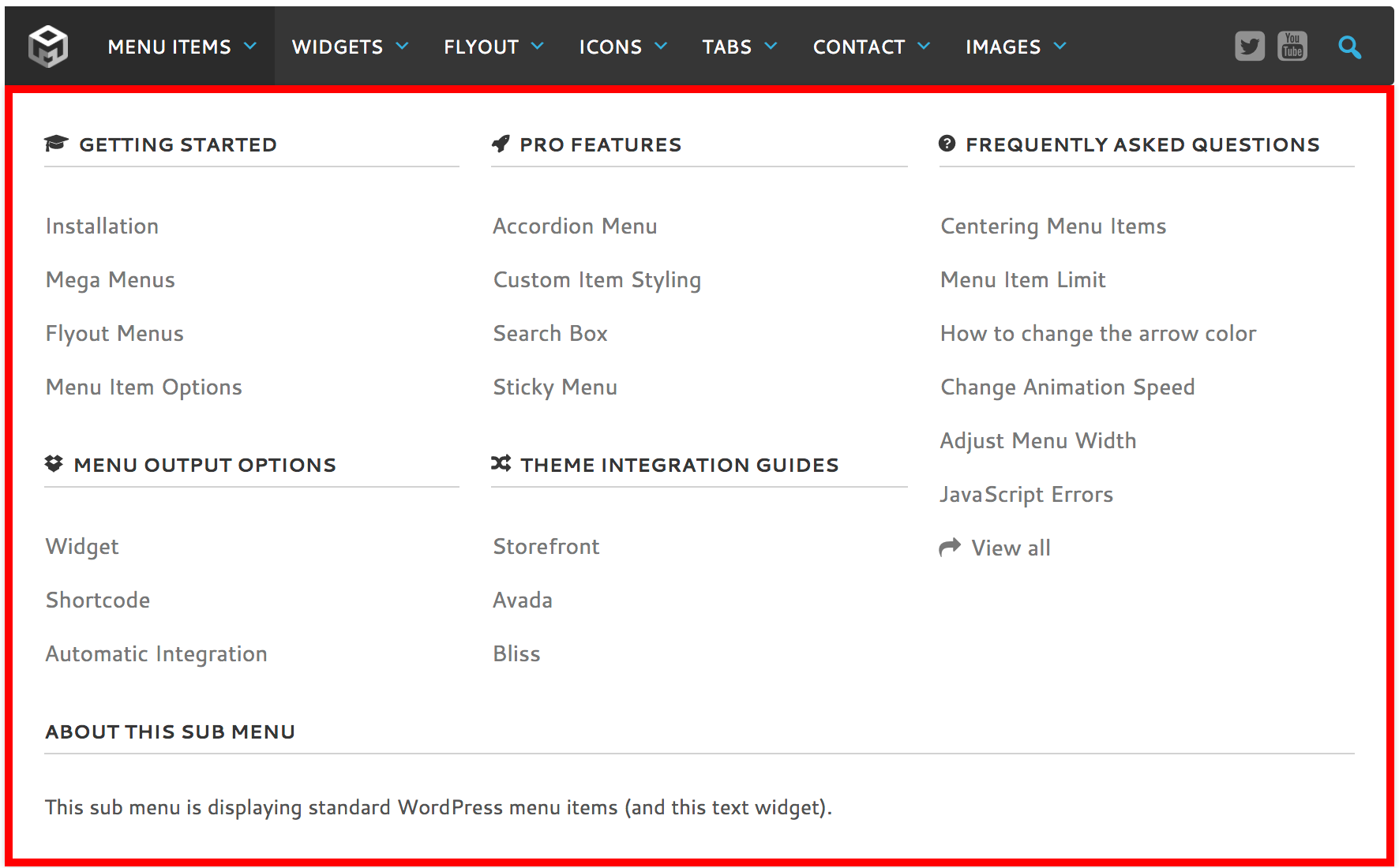
    I would like to have it like this: https://www.megamenu.com/wp-content/uploads/2017/11/mega-menus.png

    (where “menu output options” and “theme integration guides” are closer to the menus above.)

    Plugin Author megamenu

    (@megamenu)

    Hi Chris,

    You’ll need to switch your sub menu layout from “Mega Menu – Standard” to “Mega Menu – Grid”. Please check the second video on this page:

    https://www.megamenu.com/documentation/mega-menus/

    Once you do that you’ll be able to align each block of content in their own columns.

    Regards,
    Tom

    Thread Starter chrismeg7

    (@chrismeg7)

    Thanks Tom for your fast reply!

    I already had it switched to “grid” – but I could not change the background color or the parting line. Is it possible to style the gridview (as a beginner). Thanks!

    Plugin Author megamenu

    (@megamenu)

    Hi Chris,

    The grid layout should use the same styles as the standard layout. Can you switch over to the grid layout so I can see what you’re referring to?

    Regards,
    Tom

    Thread Starter chrismeg7

    (@chrismeg7)

    Hi Tom,

    yes, I have switched it to grid layout now.

    Regards,
    Chris

    Plugin Author megamenu

    (@megamenu)

    Thanks. it’s picking up some styling from your theme.

    Please go to Appearance > Customize > Additional CSS and add the following:

    .main-navigation ul ul li {
        background-color: transparent;
        border: 0;
    }

    Regards,
    Tom

    Thread Starter chrismeg7

    (@chrismeg7)

    Thank you so much for your help! It works!

    Regards,
    Chris

    Plugin Author megamenu

    (@megamenu)

    You’re welcome 🙂

    If you have a spare minute, would you mind leaving a quick review for the plugin at the bottom of this page? It would be much appreciated!

    Regards,
    Tom

    Thread Starter chrismeg7

    (@chrismeg7)

    Yes, of course.

Viewing 9 replies - 1 through 9 (of 9 total)

The topic ‘Mega Menu – margin between submenus in Mega Menu’ is closed to new replies.