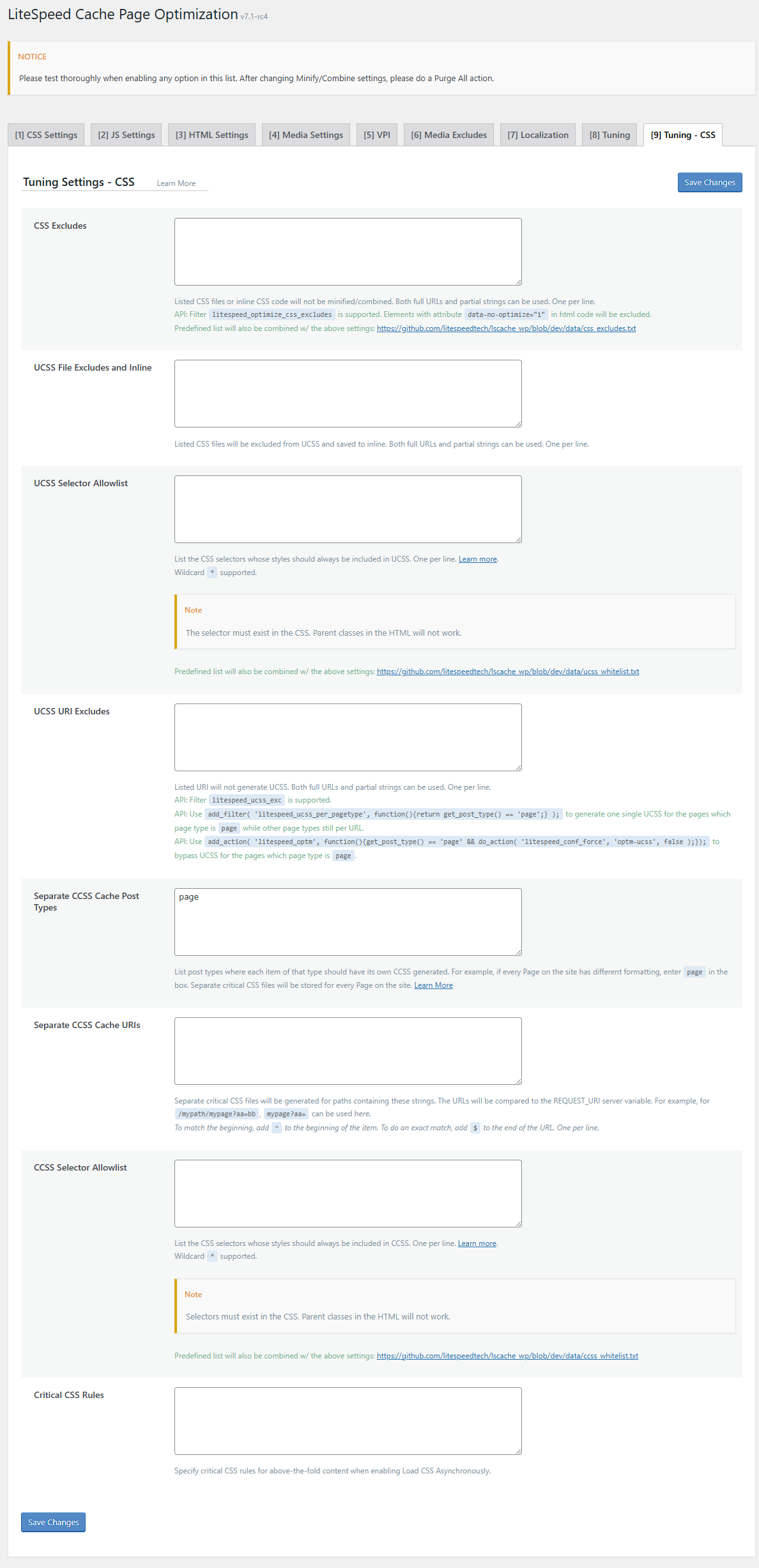
yes I did it but it not enable the critical css
I have enable the Load CSS Asynchronously but nothing
@insecttrojan please create a report and share the ID generated(8 strings characters).
From LSC => Toolbox => Report click on “Send to Litespeed”
We can continue debugging the issue from here
Last Report Number: XRMANFRS
thanks a lot
@insecttrojan
First make sure server IP is completed correctly here.
Make sure the QC is still connected and working.
Purge all cache(from admin menu) and visit the homepage. It should appear in CCSS pages queue.
To see if it started working you can check homepage page source and at the end you should see one of the following messages:
QUIC.cloud UCSS loaded
QUIC.cloud UCSS in queue
can I enable the critical css on the tuning css manual without QUIC.cloud?
@insecttrojan to use Critical CSS it need to be generated on QC servers. You need connection to QC services.
NO CDN required, just register your site
on the critical css rules on tuning css i can’t add the rules there manual ?
https://docs.litespeedtech.com/lscache/lscwp/images/pageopt09.png
@insecttrojan I see what you want to do. We are not able to do that in current LSC coding.
But you can add it yourself by code:
function criticalCSS_wp_head(){
echo '<style>content css here</stlye>';
}
add_action( 'wp_head', 'criticalCSS_wp_head', 0 );
also you can use plugins like: https://wordpress.org/plugins/custom-css-js/ that will allow more flexibility