logo menu
-
I want to put my logo inside the menu, is there any way?
The page I need help with: [log in to see the link]

-
It may be possible, what does your logo look like or do you have a link to it? Would you want it to show up before the Home link?
antes do pagina inicial e no mobili quero que apareça no meio
Do you have a link to your logo already uploaded to your site? I don’t see one showing up anywhere in the header area.
coloquei um agora, mas quero ele no menu
Do you mean the ICON link in the main menu? That doesn’t link to anywhere. I need the actual logo that you want to display. Do you have a direct link to it such as https://enquantoissoemjardim.com.br/logo.jpg?
Would something like this work?
.navigation-bar {
	background-position: center;
	background-size: contain;
	background-repeat: no-repeat;
	background-image: url("https://enquantoissoemjardim.com.br/wp-content/uploads/2019/08/logopaginabicho-1024x855.png");
}
Your logo is pretty large and the nav bar isn’t very tall so its somewhat difficult to see what the logo says.
posso diminuir a logo, mas em qual arquivo coloco esse codigo?
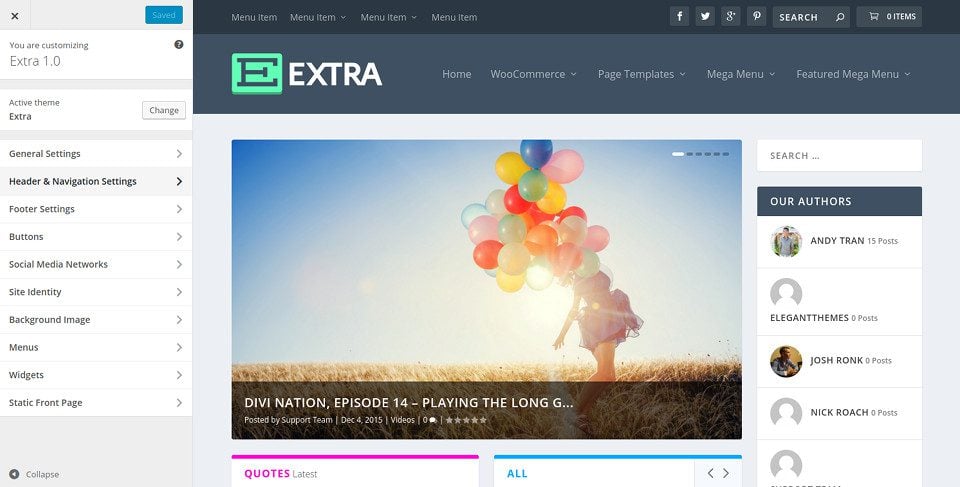
quero no dekstop assim= https://www.elegantthemes.com/documentation/wp-content/uploads/2017/04/header-options-image-1.jpg
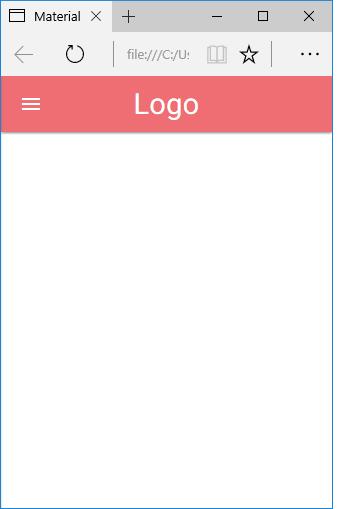
e no mobil assim= https://arquivo.devmedia.com.br/artigos/Joel_Rodrigues/materialize_layout/Navbar_responsivo.png
Try this CSS
.navigation-bar {
	background-position: left;
	background-size: contain;
	background-repeat: no-repeat;
	background-image: url("https://enquantoissoemjardim.com.br/wp-content/uploads/2019/08/logopaginabicho-1024x855.png");
}

.navbar-main {
	margin-left: 50px;
}

@media screen and (max-width: 768px) {
	.navigation-bar-top {
	background-position: center;
	background-size: contain;
	background-repeat: no-repeat;
	background-image: url("https://enquantoissoemjardim.com.br/wp-content/uploads/2019/08/logopaginabicho-1024x855.png");
}
}
The CSS code goes into Appearance->Customize->Additional CSS
Wow very good. Just need one adjustments. In the mobile version by clicking on the menu the page creates a spacing.
and in the desktop version soon it is very in the corner, it would be better if it was next to the home menu.
can you fix it for me? you are very good
consegui arrumar a versão mobili alterando navbar-main {
margin-left: 50px; para 0px(Concertado)
agora so preciso alinhar a logo no dekstop por que está muito no canto
If you want to move the logo over to the right more on desktop, in this CSS
.navigation-bar {
	background-position: left;
	background-size: contain;
	background-repeat: no-repeat;
	background-image: url("https://enquantoissoemjardim.com.br/wp-content/uploads/2019/08/logopaginabicho-1024x855.png");
}
Instead of using
background-position: left;try something likebackground-position: 25px;You can modify the 25px value higher/lower depending upon where you want the logo
quiet it worked sky. Now I need the menu to move a little to hard to align the logo.
by the browser I authorized the code:
“element.style {
margin-left: 40px”but I couldn’t find which folder to auterare in the file.
não sei se seria esse o código certo, mas preciso que o menu fique mais para direita
somente no desktop. no mobili esta ok

The topic ‘logo menu’ is closed to new replies.