Hello @moddingrepair,
If you want to add it in the “/wp-admin/” URL, please navigate to WP Dashboard > Settings > General > Membership and enable the Anyone can register option. It’s a general feature in WordPress. But if you use a third-party plugin, you should check the plugin’s documentation.
I hope that helps.
Best Regards
Thread Starter
 db151
db151
(@moddingrepair)
hello I explained myself male, I have the option to register active, I wanted to add a “register” to the form, I send you photos :
https://prnt.sc/–g3JJZFovSX
Hello @moddingrepair,
I’m afraid that’s not possible.
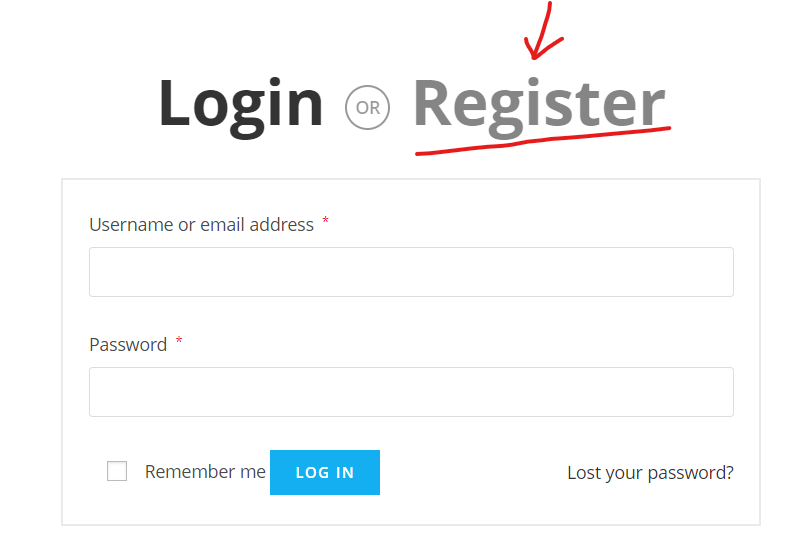
You should click on the “register” tab to see the registration form: https://i.postimg.cc/C1DV9dkb/image.png.
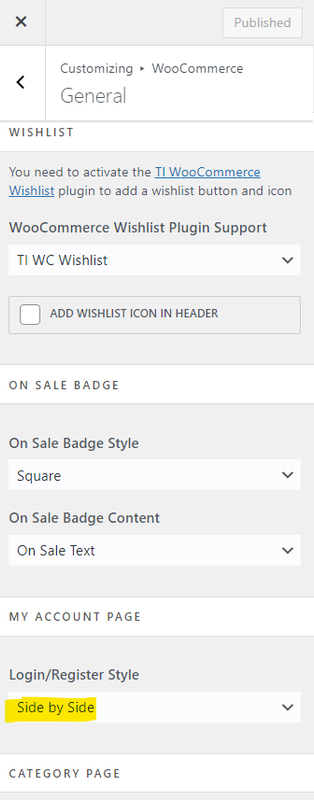
However, You can change the style of the login/register from the Customizer > WooCommerce > General: https://i.postimg.cc/0jsCP5XT/image.png.
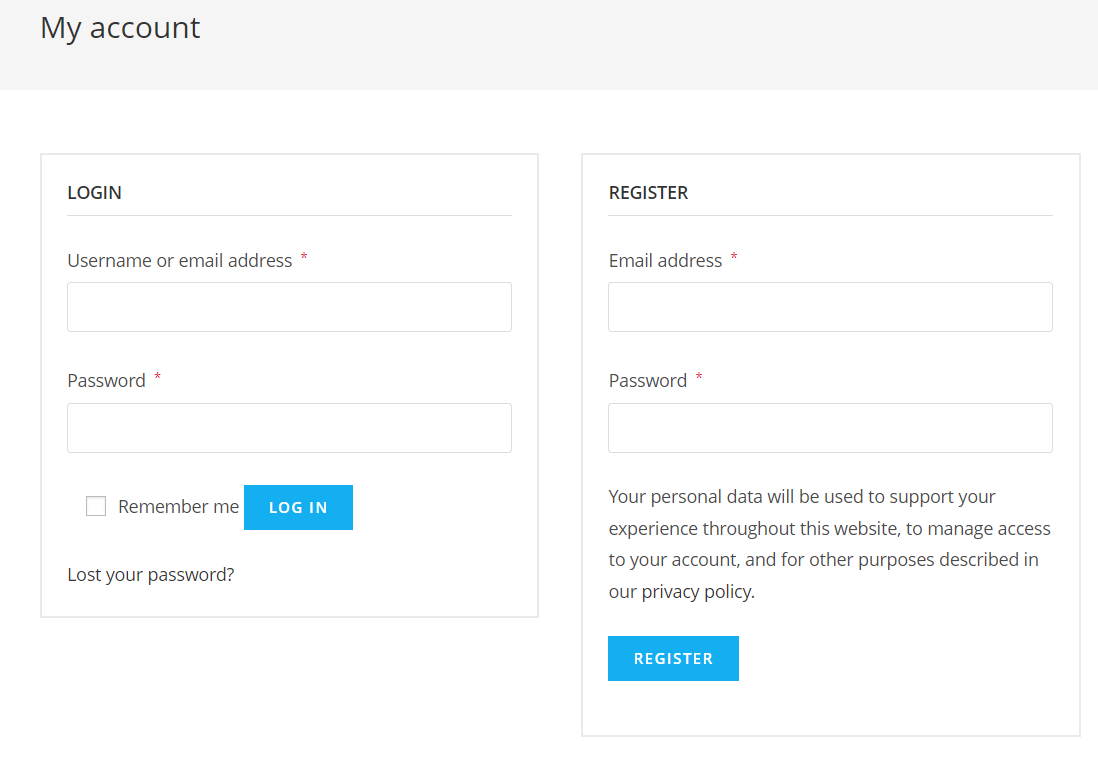
Result: https://i.postimg.cc/W3f9VPcj/image.png.
Best Regards
-
This reply was modified 3 years, 6 months ago by
 Shahin.
Thread Starter
db151
(@moddingrepair)
ok much better so thank you very much : https://i.postimg.cc/W3f9VPcj/image.png.