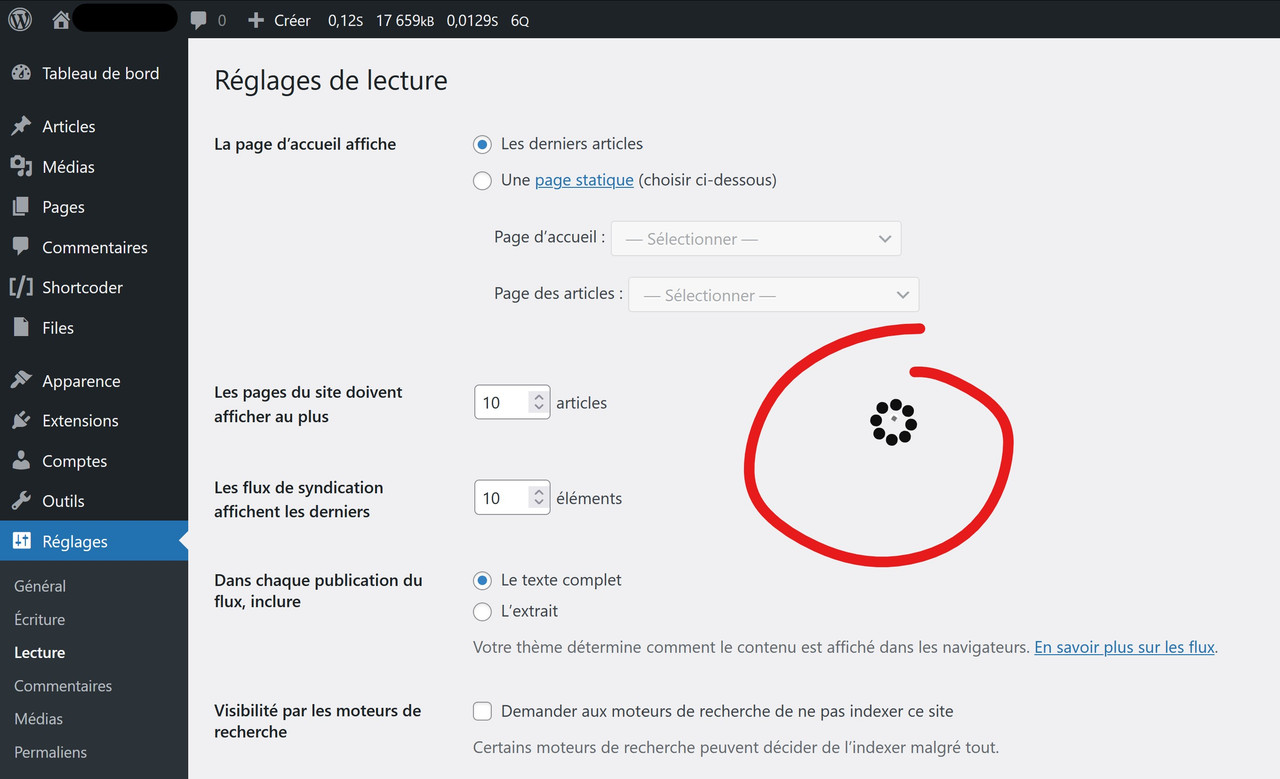
Hello @dreamon11
Thank you for the support topic, AMP Plugin does not add any loading spinner, except the AMP sidebar, which is on the post editing screen.
Can you please share your site URL and health information using this form so we can further investigate this issue
Hello @dreamon11
We tried to recreate your site but I see you have some custom theme and a custom plugin so I am unable to recreate the issue at my end.
We doubt that CSS is getting overwritten specifically the loading class (class=”loading”)
Can you please debug this at your end to check which CSS is getting overwriting it.
1) Open Chrome
2) Visit the Page you are seeing the spinner.
3) Right click on that page -> Inspect (screenshot)
4) Switch to the Elements tab if you are not on it.
5) Press Ctrl + F or Cmd + F
6) Search “loading”
7) Select the span element with class “loading”
8) check inside CSS panel check CSS check what is adding that spinner you can also notice what file is adding that image/ font icon (screenshot)
Hope this helps!
Thank you very much for your help, problem fixed!
The problem was another plugin defined a CSS class loading in admin area, which displays a spinner in position fixed at center of the screen.
So, these two loading classes (from AMP and from the other plugin) come into conflict, and AMP shows the loading defined in the CSS file of the other plugin.
Maybe it could be a good idea to rename the class?
Thank you, really appreciated your speed!
We’ve got a pull request open to fix this: https://github.com/ampproject/amp-wp/pull/6398
This will be included in v2.1.3 next week.
You can install the latest 2.1.x build to have the fix now: https://github.com/ampproject/amp-wp/wiki/Development-Builds