Hi Brikke,
this sounds like it is a bit outside the scope of the support here, as it sounds like a more advanced feature you are looking for (with the tooltip, and clickable link).
While it’s not possible to easily create a tooltip containing a clickable link, you certainly can insert an image into a page and make it clickable so it links to a separate page.
You can do so by following these steps:
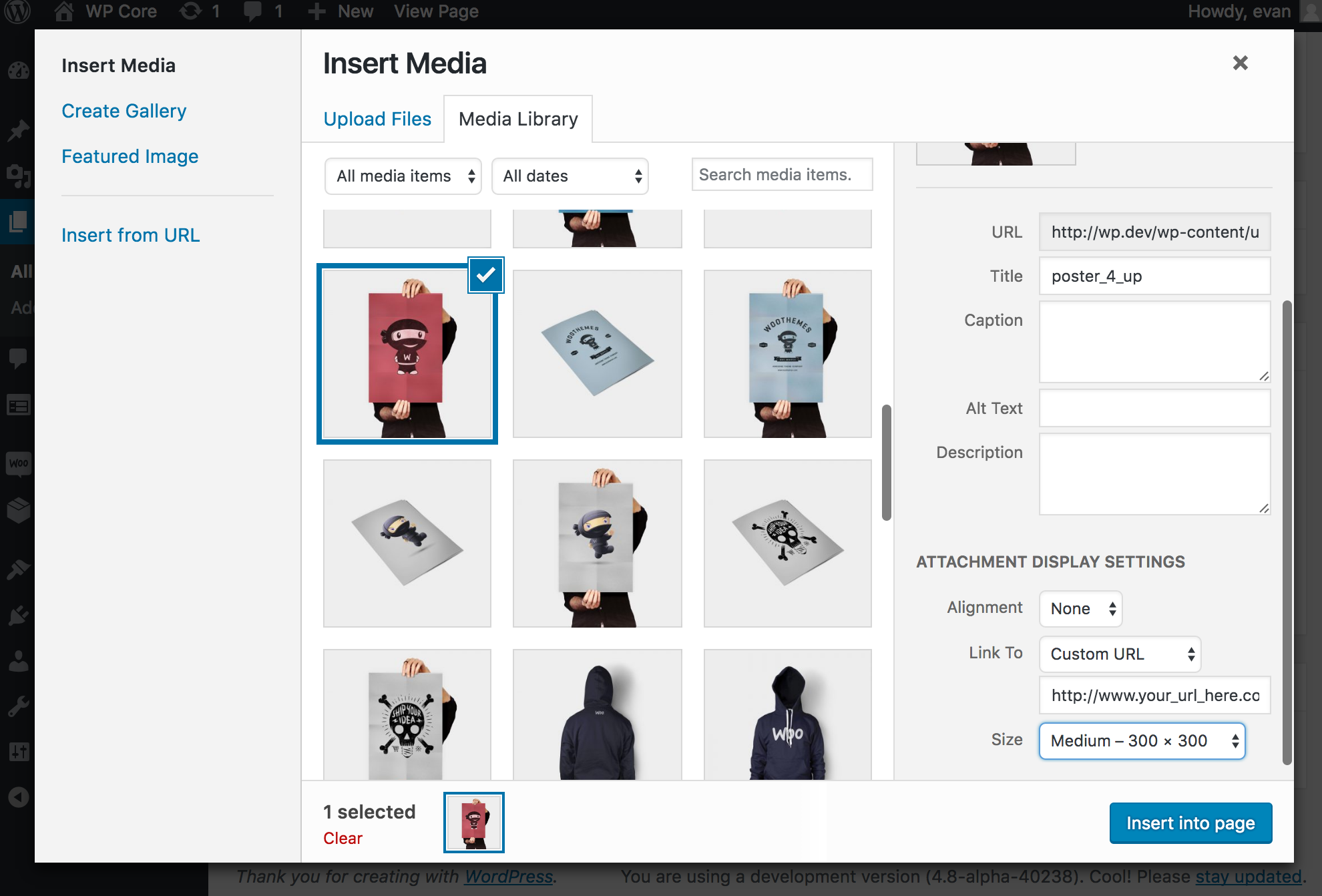
From the page edit page, when you go to insert the image into the page (by clicking ‘Add Media’ above the page content) you can select where you want that image to link to (if at all).
You can click the image you want to insert into the page one time, and scroll down in the right hand menu and alter the ‘Link To’ image option.
Here is a screenshot to help illustrate what I am explaining: https://cldup.com/nPQAohRw3e.png
You’ll want to set the ‘Link To’ option to ‘Custom URL’ and then enter the page URL, where you want the image to link to, into the input field just below.
That should allow you to add an image to a page/post while making the image link to another page/post on your site (or an external URL if you so choose).
Let us know if that helps out.
Thread Starter
 brikke
(@brikke)
Evan,
Thanks for the reply.
I am trying to show visitors my ‘Project List’. The project list itself is divided into sections. I have 8 sections. I will show all 8 sections of the project list via 8 independent images on one page. Each image will represent each section of my project list. As visitors ‘hover the cursor’ over each image, I would like a title to pop up over the image (ie. ‘Hospitality project list’ or ‘Transportation project list’) and allow visitors to click on that title to view the respective project list on a separate page.
Essentially, I am trying to create the same experience as a ‘drop down’ menu, but through a clickable image (with text that will show up over the image once the cursor is hovering over the image).
1. Is the title considered a tooltip? I am unfamiliar with a lot of terminology here.
2. Do I need an URL to link to a different page on my website? My website is still under construction so I am not sure what I would use as an URL.
Does this make any sense at all or am I creating confusion?
Any further info you might have, or if you need further information, please let me know.
Cheers.