Hello @lazyfoxus,
The colors are being inherited from the theme active in your website, specifically the style definition:
input[type="text"],
input[type="email"],
input[type="url"],
input[type="password"],
input[type="search"],
input[type="number"],
input[type="tel"],
input[type="range"],
input[type="date"],
input[type="month"],
input[type="week"],
input[type="time"],
input[type="datetime"],
input[type="datetime-local"],
input[type="color"],
textarea,
.select2-container .select2-choice {
  color: rgba(34, 34, 34, 0.5);
  border: 1px solid rgba(34, 34, 34, 0.1);
  -webkit-border-radius: 3px;
  border-radius: 3px;
  padding: 0.75rem;
  resize: none; }
into the “http://www.lazyfox.us/wp-content/themes/velux/style.css” file.
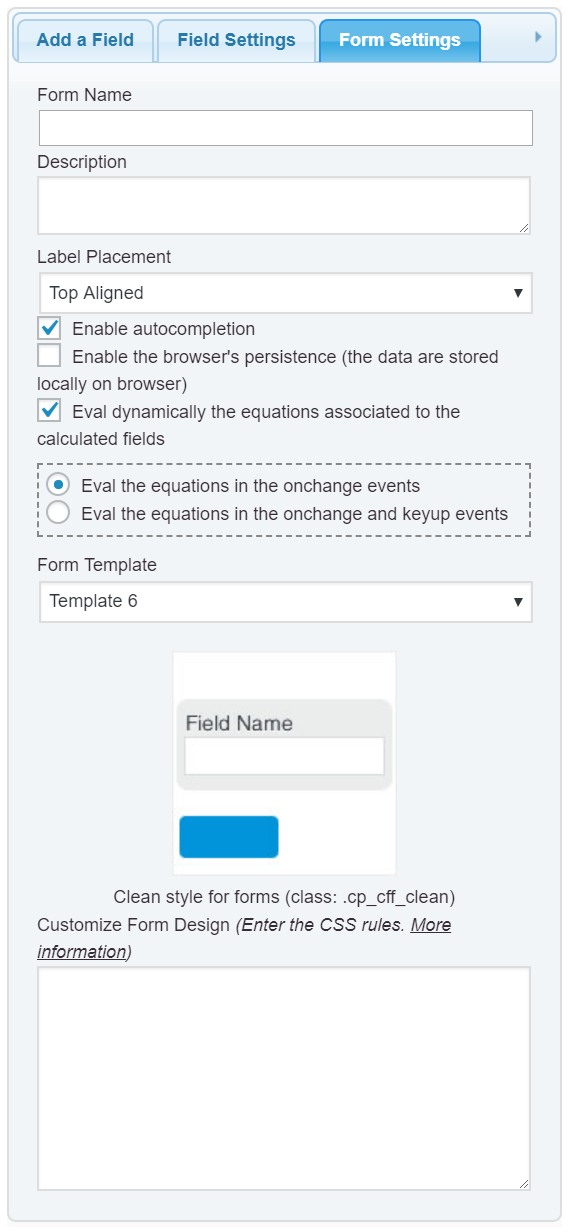
A solution would be redefine the styles of the theme directly from the form. Please, enter the following style definition through the “Customize Form Design” attribute in the “Form Settings” tab (https://cff.dwbooster.com/images/documentation/form-settings-tab.png)
#fbuilder textarea, #fbuilder select, #fbuilder input[type="text"], #fbuilder input[type="number"], #fbuilder input[type="password"]{color: #000000 !important;}
and that’s all.
Best regards.