Plugin Author
 Yani
Yani
(@yaniiliev)
Hi Bryan,
I hope you are well.
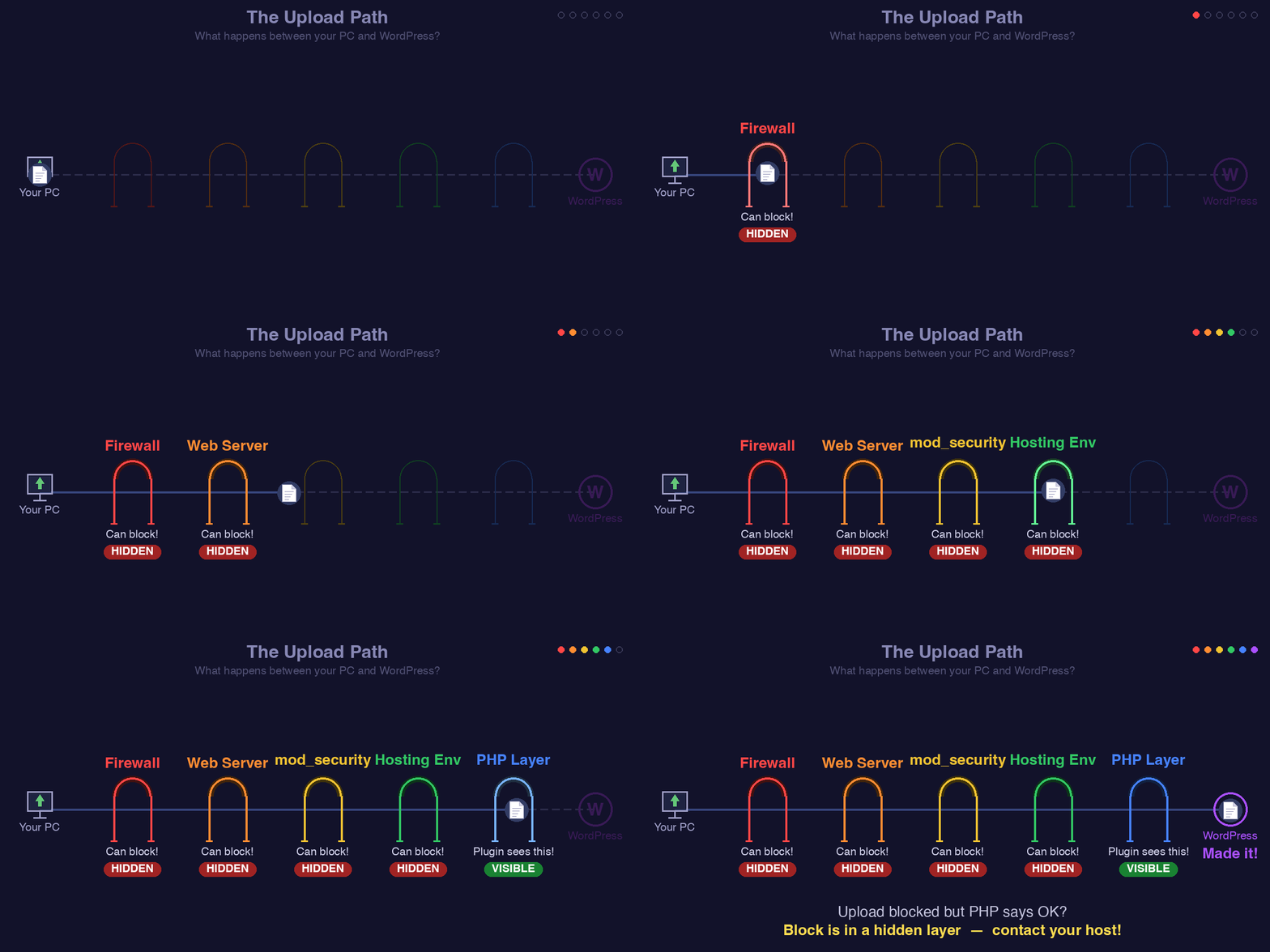
There are layers that the plugin cannot see. These layers happen before the file even reaches the PHP server and WordPress. I created this gif animation to illustrate the layers and that each of them can block the upload due to limits or restrictions. Please take a moment to see it here: https://help.servmask.com/wp-content/uploads/2026/02/upload-pathway.gif
I have the same problem with a local dev environment using Laragon.
Trying to import a site for a client to do some development work using a file they created using your plugin. The file is only 1.1G and I have my upload limit set to 4G (which your plugin correctly shows on the import page). I also cranked up my post max size, memory limit, and anything else that might affect. Your plugin shows the progress bar as it “imports” the file, and then gives the message that it exceeds the upload limit size, which is false. Seems like something coded in your plugin to try to sell the pro version rather than anything having to do with the server. There is no firewall or mod security of other things you show in your .gif animation. This is a simple local dev environment, and I have no such issues uploading very large files with other plugins.
Also, copying the file into your backups directory and attempting to restore backup also wants you to purchase the pro version. Just a money grab, severely limiting functionality.
Plugin Author
Yani
(@yaniiliev)
Hi @dbar-productions. I hope you are well.
The plugin is open source, and you are welcome to inspect the code on WordPress.org to verify that there is no artificial restriction. The free version has no hidden upload size cap.
As a quick test: try uploading this same file through WordPress Media Library (Media > Add New). If it also fails, that confirms the issue is in your environment and not in our plugin.