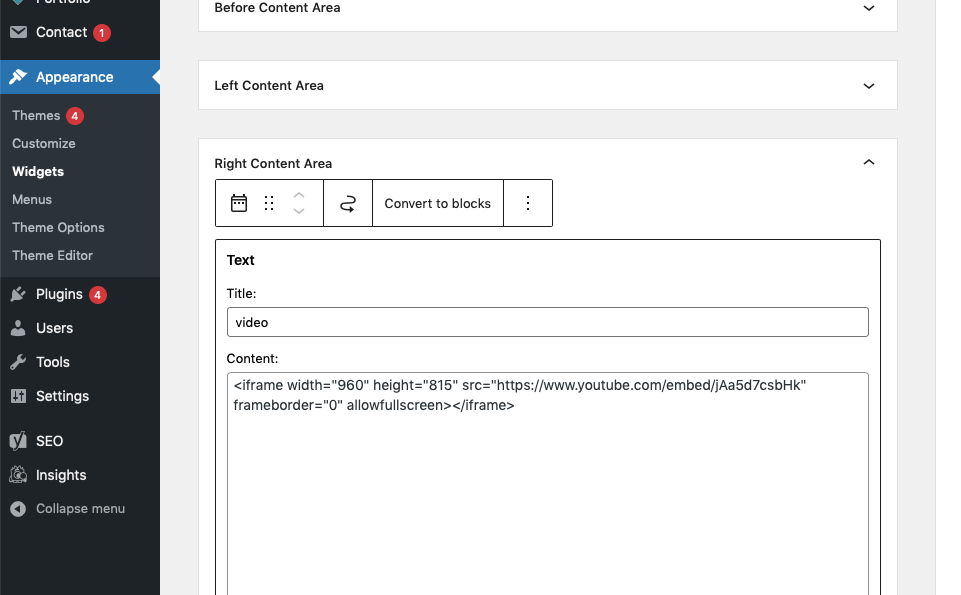
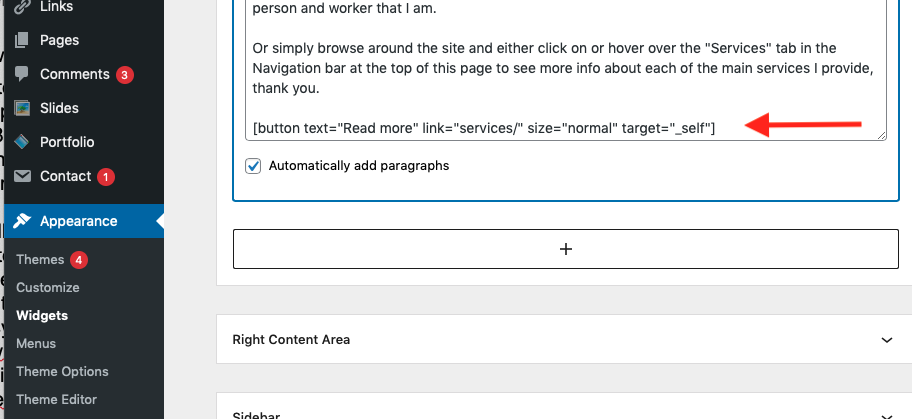
It seems the services page with slug “services” is missing. You may need to recreate it. If the desired services page does exist, but with a different slug, you could update the button’s link. How to do so depends on how it came to be in the first place. Try opening the home page for editing and see if it’s at the bottom of page content.
The video at correct size for the page is much smaller than 960 wide, it’s 460. Are you using a retina display which has double resolution? Add this to the Additional CSS customizer section:
.home #text-5 iframe {
    width: 460px;
    height: 259px;
}
Yes that works for the video, thank you very much!
This is where I can get to the code under Appearances-Widgets:
https://i.postimg.cc/sXkvVYwB/Screen-Shot-2021-08-20-at-2-21-30-PM.png
This is the Services page url:
https://www.pcandnetservices.com/wp-admin/customize.php?url=https%3A%2F%2Fwww.pcandnetservices.com%2F
I am thinking that url needs to be place inside the button code? If yes, would you be able to add and give me the full code for the Read More button please?
I am seeing this her sin my searches but I don’t know what the entire code should be:
https://www.freecodecamp.org/news/how-to-create-an-html-button-that-acts-like-a-link/
-
This reply was modified 4 years, 9 months ago by
 mikehende.
The widget content is where to change the link destination. But the customizer link is not the URL to use. You want the page slug for the correct page to replace what is currently “services/” For example, if you want the button to link to pcandnetservices.com/computer-repair-nyc/, replace “services/” with “computer-repair-nyc/”.
Those How_To instructions can be used in place of the [button] shortcode. The shortcode essentially does all of that for you, given the right parameters (text, link, size, etc.) If you’d like to learn do more HTML coding for yourself, you could replace the shortcode with custom HTML from the How-To, but my giving you the answer won’t help you learn 😉 TBH, if I were you, I’d simply replace “services/” with the correct page slug.