HTTP to HTTPS Migration Issue and Solution
-
This is not a bug report, this is a tip for others who might be experiencing issues switching from HTTP to HTTPS.
I recently switched to HTTPS but this plugin was still loading via HTTP. I did all kinds of things to test what could be the problem and eventually I figured it out.
This particular install of WordPress was using hardcoded permalink stuff in config.php however the database still had HTTP set. This resulted in some plugins only seeing HTTP while the main system used HTTPS.
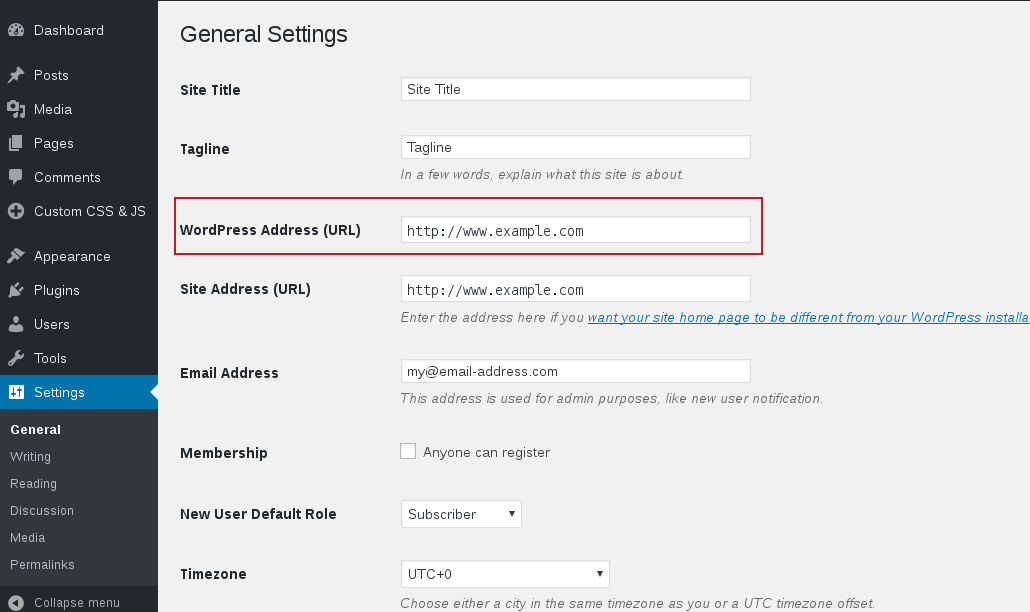
I removed the code from config.php and the database values were then displayed in WP Settings -> General. I changed those to HTTPS and Simple Custom CSS and JS started to work perfectly after that.
If you are using this plugin and experience this sort of problem, check to see if your permalinks are hardcoded in config.php or not. 🙂


The topic ‘HTTP to HTTPS Migration Issue and Solution’ is closed to new replies.