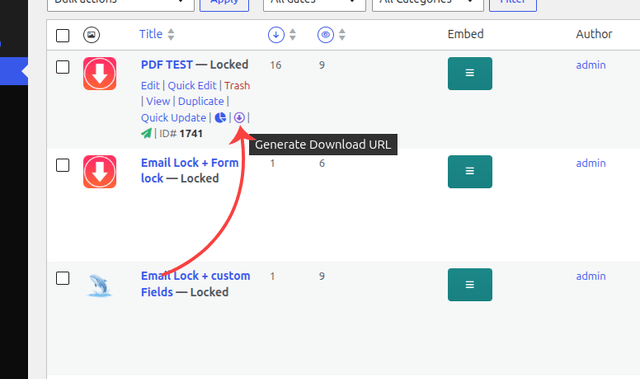
Hi there. I am trying to figure out how to use the Master Key to create a direct download link. I can’t seem to find any documentation online or anywhere really to help me understand where to put the Master Key in the URL. Can you provide some guidance?
Hope you are well. The Master Key feature is available in BOTH FREE AND PRO versions of WordPress Download Manager. Here’s the complete guide on how to use it: WHAT IS THE MASTER KEY?
The Master Key is a unique, auto-generated cryptographic key assigned to each download/package. It allows you to create direct download links that bypass authentication and access restrictions. WHERE TO FIND YOUR MASTER KEY
Follow these steps:
Go to Downloads → All Packages in your WordPress admin dashboard
Click on the package you want to create a direct link for
Scroll down to the Master Key section in the Package Settings tab
You’ll see a read-only text field with your unique Master Key
Click the Copy button to copy it to your clipboard
IMPORTANT NOTE: The Master Key section only appears for EXISTING packages that have been published.
✓ The download starts IMMEDIATELY without login ✓ Access restrictions are BYPASSED ✓ Access control settings are IGNORED ✓ Download statistics and logs are STILL RECORDED ✓ The system validates the Master Key server-side before processing
Ah, thank you very much. I had been trying various combinations to try and end up with a URL that worked, but hadn’t landed on the format you sent. It worked perfectly.
Is there any way you could add a button within the Master Key section of the file page so that it would be easier to generate the link? Something that would take the published permalink, post id and Master Key, then smash them all together into the correct format with one click?
Glad to hear that. However, if you need further help with anything else, then please don’t hesitate to open a new topic. If you get some free moments, can you please give us a 5* here https://wordpress.org/support/plugin/download-manager/reviews, It will inspire us a lot. Thanks in advance