Thread Starter
 rob33
rob33
(@rob33)
Hi, this is still unresolved – width issue in mobile – can u pls advise what “Can you please share the TOC settings setup screenshots once” means exactly. Tks
We mean TOC dashboard settings configuration screenshots. Please share them once if possible.
Thank you soo much for sharing it. Its a valid issue, For this I’ve raised the GitHub ticket in our repository. We will fix this issue in the upcoming plugin updates. Once it gets fixed then we will get back to you with an update.
For reference, Here I’m sharing the GitHub link to track updates: https://github.com/ahmedkaludi/Easy-Table-of-Contents/issues/374
Thread Starter
rob33
(@rob33)
Ok thanks. It pushes back to top” arrow out to far right so people scrolling are unable to access it fyi – will keep my eyes posted for update, cheers.
Thanks for the information. We will fix the issue and once its done then we will get back to you with an update soon.
Thread Starter
rob33
(@rob33)
Hi – any news pls? Mobile still skewwhiff.
We have added this issue to the upcoming milestone 2.0.44. We will fix this in that update and we will let you know back once we pushed the update.
Hi, We have fixed the issue in the latest update 2.0.45. Kindly update the plugin to the latest version and let us know back if the issue is happening or not, So that we will get to know about it and assist you accordingly.
Thread Starter
rob33
(@rob33)
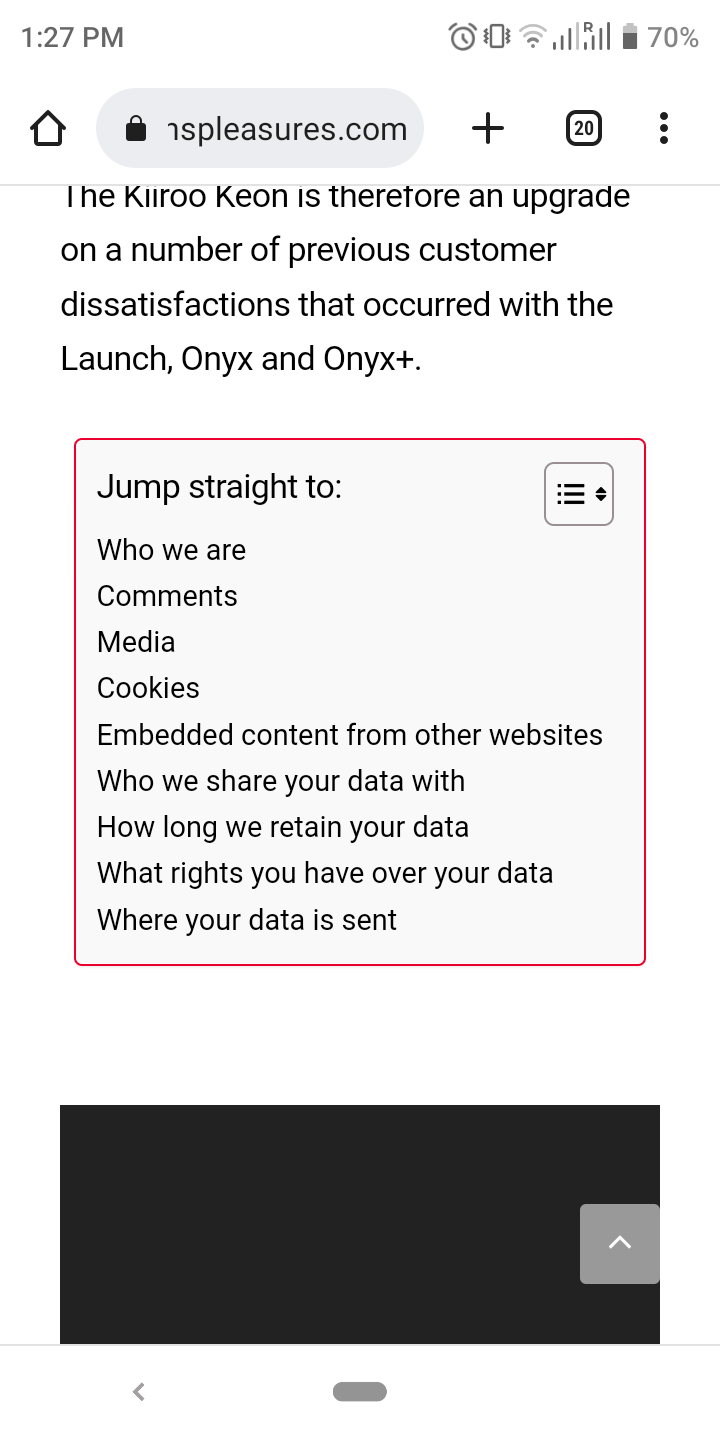
Hi – the mobile width is now fixed however the TOC are showing either the previous pages TOC’s or some random headings, unless I refresh a few times, thanks
https://menspleasures.com/wp-content/uploads/2023/02/Screenshot_20230202-132741.png
Thread Starter
rob33
(@rob33)
Hi – the mobile width is now fixed however the TOC are showing either the previous pages TOC’s or some random headings, unless I refresh a few times, thanks
Thread Starter
rob33
(@rob33)
Hi -I’m replying to your email here as advised but replies are not appearing – pls advise. Your update has fixed width but now the headings are skewwhiff.
Sorry for the inconvenience caused you extremely. We will assist you here to fix the issue. We will check the scenario at our end and get back to you shortly once tested it.
Hi, It seems valid issue. We are fixing the issue kindly please wait for some time. We are working on this issue and we will get back to you with an update once it gets fixed. we appreciate your patience.
Thread Starter
rob33
(@rob33)
That’s ok. For some reason I can’t view mine or your comments, just my original post in this thread but hopefully you can view this message.
i just see your replies via email
i will disable for now to avoid any potential SEO issue.
please advise when you have an update
thanks