Help!
-
I’ve activated your plug in but is there a way to add some text
like the first paragraph of the post?
also is there a way to add the “read more” button?
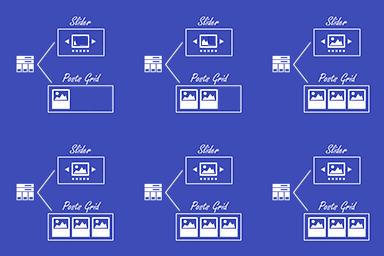
also can i have the posts going along horizontal like
post post post
or does it have to be
post
post
posthelp!

-
btw my website is http://www.pubshed.co.uk
Hi,
There are some attributes you have to add to make it look like you want, or maybe it is just a matter of custom CSS.
What is the shortcode you use?[latest-selected-content limit=”3″ type=”post” display=”title” image=”thumbnail” elements=”1″ status=”publish” orderby=”dateD”]
OK, try this one
[latest-selected-content limit="3" type="post" display="title" image="thumbnail" elements="1" status="publish" orderby="dateD" css="three-columns"]OR for two columns use[latest-selected-content limit="3" type="post" display="title" image="thumbnail" elements="1" status="publish" orderby="dateD" css="two-columns"]ok i tried [latest-selected-content limit=”3″ type=”post” display=”title” image=”thumbnail” elements=”1″ status=”publish” orderby=”dateD” css=”three-columns”] and that worked.
is there a way to modify the css?
like so i can have a background color instead of it blending in with my next section
also it seems to be post postpost
i’m assuming that’s down to padding/css?
also i would like to add a snippet of the post and a read more button
For the tile spacing, you could add in the code something like that
<style>.latest-post-selection.three-columns article:nth-child(3n) {
	margin-right: 1% !important;
}
.latest-post-selection.three-columns article:nth-child(3n+1) {
	margin-right: 0 !important;
}</style>
The background color of the section can be added for a wrapping element, I do not know how you actually embed the shortcode in your site.
For the other elements like buttons, post type, text, use the plugin button above the editor to see all the options, there are more combinations available.
I’m just using shortcode and custom php
add_action( 'generate_after_header','generate_add_homepage_slider' ); function generate_add_homepage_slider() { if ( ! is_front_page() ) return; echo do_shortcode( '[smartslider3 slider=3]' ); echo do_shortcode( '[latest-selected-content limit="3" type="post" display="title" image="thumbnail" elements="1" status="publish" orderby="dateD" css="three-columns"]' ); echo do_shortcode( '[sc name="Opt In Form Frontpage"]' ); }where can i edit the code to add teh css you have mentioned?
actually i just added that to the custom css plug in i’m using and that sorted out the gaps between the posts.
still unsure what i need to choose to get the read more button and a snippet of the post
I am not sure if you are seeing and using the visual configuration of the plugin (you can generate the shortcode in a post and just copy the shortcode when you are satisfied with the output and paste it in the final code), that is available if you click the button like in the image
https://ps.w.org/latest-post-shortcode/assets/screenshot-1.png
And that will show something like https://ps.w.org/latest-post-shortcode/assets/screenshot-2.pngAnyway, if you don’t use that, you can add to your shortcode something like:
[latest-selected-content limit=”3″ type=”post” display=”title,content-small” image=”thumbnail” elements=”5″ status=”publish” orderby=”dateD” css=”three-columns” chrlimit=”120″ url=”yes” linktext=”Read more …”]
Let me know if this works.
yeah it’s brought up the snippet and a read more link
is there a way of making the snippet smaller text?
also when you put an image, is that the featured image?
is there a way of having the image on the homepage but not at the top of the article as it’s already in the article but somewhere else?
Yes, the images from the plugin tiles are the featured images of the posts selected. The customization of the CSS is all up to you, the plugin gives you only the starting point.
Related to altering the image place, that in made in the theme, not from my plugin. I am not familiar with your theme, so I have no suggestion on what files you could change.
what css would i need to add to make the snippet text smaller?
also still not sure how to add a background behind the posts?

The topic ‘Help!’ is closed to new replies.