Hi there!
Thank you for reaching out. I understand how frustrating this can be, especially when products keep getting removed from Google Merchant Center and require repeated manual synchronization.
In most cases, products are automatically removed from Google Merchant Center due to one of the following reasons:
- Missing or invalid product data (price, availability, GTIN, brand, etc.)
- Products going out of stock temporarily
- Sync delays or failed scheduled syncs
- Merchant Center policy or disapproval issues
- Server timeout or cron-related issues preventing proper synchronization
To help narrow this down, could you please share the following:
- Any error or warning messages shown in Google Merchant Center
- Your WooCommerce System Status Report (WooCommerce > Status).Please use https://pastebin.com/ or https://gist.github.com/ and share a link to that paste in reply here.
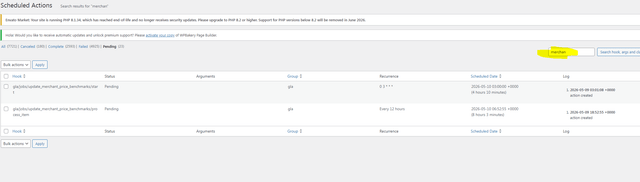
- Please go to WooCommerce > Status > Scheduled Actions and check whether you see any pending, failed, or stuck tasks related to Google sync
Also, please check under:
Marketing > Google for Woocommerce > Report
to see if there are any sync errors or account issues reported there.
Once we have this information, we’ll be able to investigate further and better understand why the products are being removed automatically.
Hi there!
Thank you for sharing the details about the issue. Currently, everything appears fine in the System Status Report. However, from the screenshot, I can see that the products are not being updated, which is why they are disappearing from Google.
To keep product information displayed in Shopping ads and listings up to date, all products synced to Google Merchant Center expire after 30 days if they are not updated. A daily update job is scheduled to run at 3 AM (store time) to re-sync expiring products and keep them active. A product is marked as expiring if it will expire within three days.
To assist you further, please create a ticket here: https://wordpress.org/support/plugin/google-listings-and-ads/ as issues related to Google for WooCommerce are handled separately.
You do not need to explain everything again. Please include the URL of this ticket when creating the new ticket with them.
Thank you for your cooperation and understanding