Hi Terry
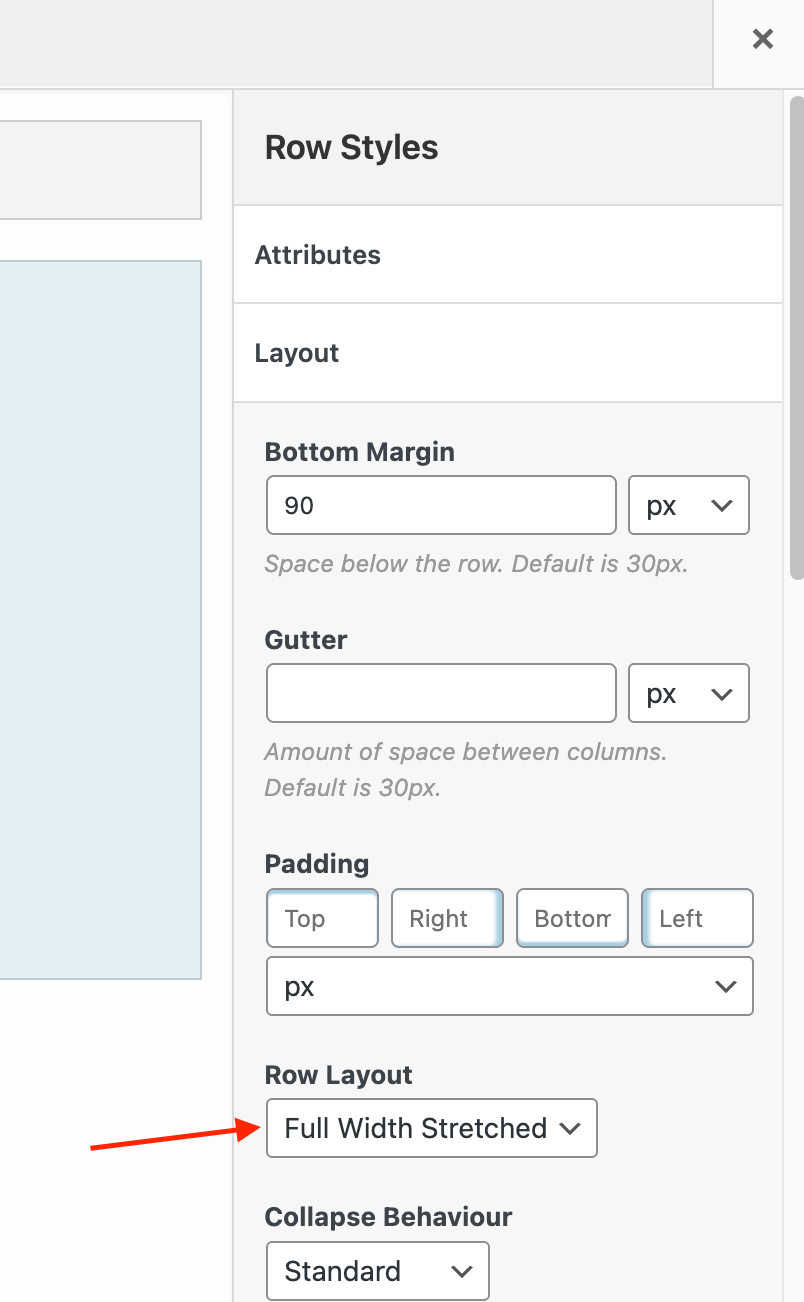
Thanks for your kind feedback. If you’re using SiteOrigin Page Builder, you can edit the row and in the Layout section set the Row Layout to Full Width Stretched.
I was not actually using the page builkder, had to change that 🙂 Now I see how to get the image full width, thank you.
Now if I could get rid of the theme (/) breadcrumbs, would be ready to build. The breadcrumbs are right above the full width image and below the header.
I can disable by hiding them with css, but not sure best way to proceed.
Breadcrumbs should ideally be disabled in the settings of the plugin that’s adding them. Likely a SEO plugin (https://siteorigin.com/corp-documentation/breadcrumbs/). The filter at the bottom of the following page can be added via the Code Snippets plugin as an alternative method https://siteorigin.com/vantage-documentation/advanced-customizations/#heading-disable-all-breadcrumbs.
My pleasure! Best. Andrew