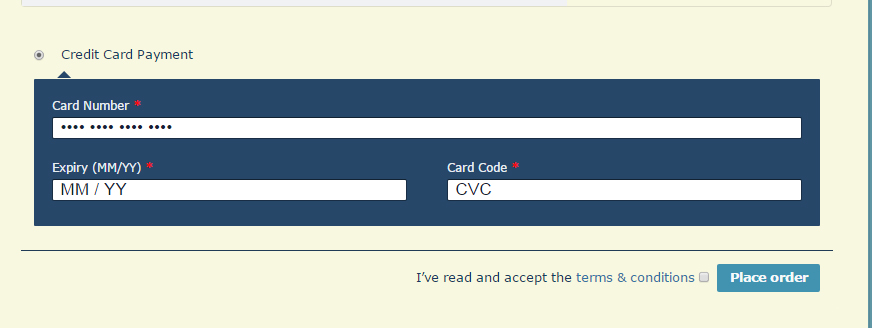
I did find where I could change “Credit card payment” to “Enter your credit card information.” Now I would just like to display a Paypal and credit card icon. Looking forward to your help. 🙂
Hello dianawest,
Thanks for support ticket!!
Please allow me one day to add icon and label feature which you suggested.
Thanks,
johnny manziel
Thanks so much! I’m away for the long US holiday weekend, so no huge rush. 🙂
Really appreciate your attention to this!
I have resolved issue which you suggested above.
Also I found some two issue on your website:
1) Blocked loading mixed active content “http://dianawest.com/wp-content/plugins/woocommerce/assets/js/jquery-cookie/jquery.cookie.min.js?ver=1.4.1”
[your website running on https and some jquery run with http that why jquery running with conflict mode, you need to fully https with all the css and js url]
2) https://dianawest.com/wp-content/themes/dandelion/style.css?ver=3.1.0
also this css file conflict with credit cart form in checkout page.
Thanks.
Thanks so much for your help. I don’t see any new icon or label feature. How can I access that?
I also don’t understand the two issues you found on the site. Can you explain them a bit further and also tell me what I need to do to fix them?
Thanks very much!
The icons are there now! Thank you!!!!
Now I just need to know more about the two issues you found…
Thanks again!
Also I found some two issue on your website:
1) Blocked loading mixed active content “http://dianawest.com/wp-content/plugins/woocommerce/assets/js/jquery-cookie/jquery.cookie.min.js?ver=1.4.1”
[your website running on https and some jquery run with http that why jquery running with conflict mode, you need to fully https with all the css and js url]
2) https://dianawest.com/wp-content/themes/dandelion/style.css?ver=3.1.0
also this css file conflict with credit cart form in checkout page.
Thanks.
Hi, answered this two weeks ago when it was posted, but never received a response. I don’t understand these two issues. Can you explain them a bit further and also tell me what I need to do to fix them?
Thanks very much!
I checked with my hosting service and they said I need to find out where this font spec is going wrong – it’s supposed to specify a .css file not a font name:
http://dianawest.com/code1.png
It appears in several cached files this way, which makes her think that these were generated on the fly from some setting in WordPress or a theme pack. The question is whether I have specified a font name incorrectly or whether the code which generates the lines is buggy. Can you determine where this is error is coming from ? Where we need to look for it ?
http://dianawest.com/code2.png
Nevermind. We figured it out!
Resolved.