Hello @civilvicky
I’ll try to describe first how the plugin works.
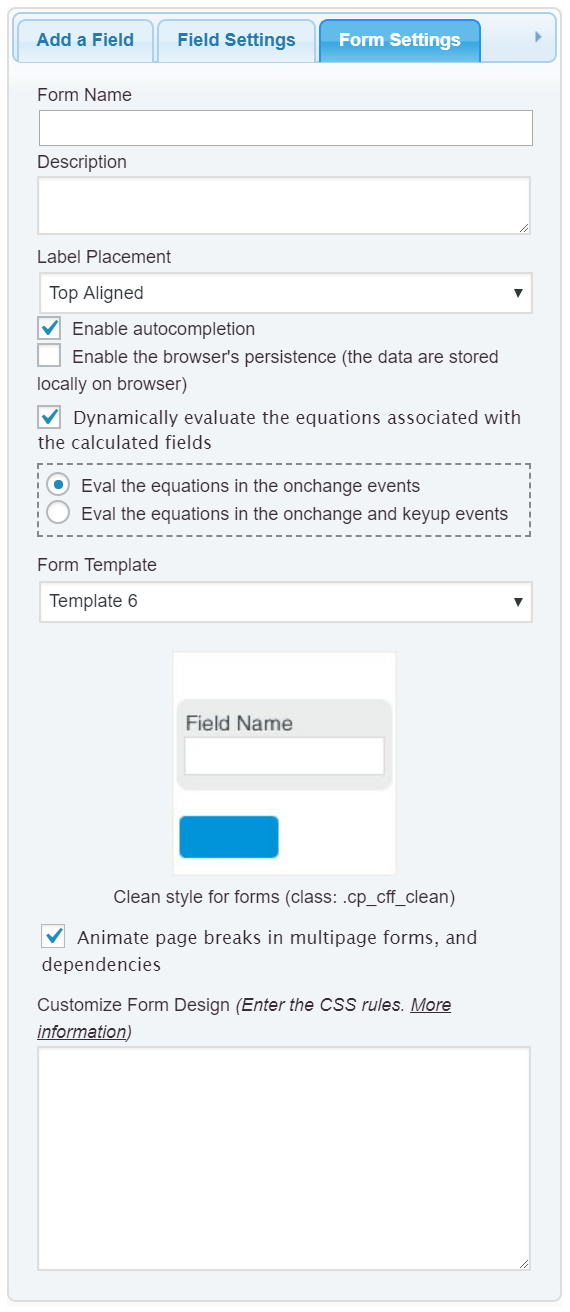
The plugin includes a checkbox in the “Form Settings” tab to enable/disable the dynamic evaluation of the equations.
If the dynamic evaluation of the equations is enabled, every time a field’s value varies, the plugin identifies every equation affected by this field, and evaluate them.
However, evaluate the equations modifies the values of the calculated fields, and the plugin repeats the process. It identifies the equations affected by these new fields set and evaluates them. The plugin epeat the process until no field varies its value.
The process described above is susceptible to endless loops, if the person that creates the form does not have special care about the definition of the equations.
For example, if you use field A in the equation of field A, you would be generating an endless loop. That happens too with larger fields chains. If field A is used in the equation of field B, field B in the equation of field C, and field C in the field A equation, closing the circle.
To identify if you have an endless loop, untick the “Dynamically evaluate the equations associated with the Calculated Fields” checkbox in the “Form Settings” tab (https://resources.developers4web.com/cff/images/documentation/form-settings-tab.png), and press the “Preview” button to check the form performance.
Best regards.
this has made the form to load little bit faster than previous approach, but now the ‘calculated fields’ are not working.
this is the link to form : https://thedreambg.com.au/?cff-form=6
-
This reply was modified 3 years, 10 months ago by
 civilvicky.
-
This reply was modified 3 years, 10 months ago by civilvicky.
Hello,
You can enable the equations once the form is generated by inserting an “HTML Content” field in the form with the following piece of code as its content:
<script>
fbuilderjQuery(document).one('showHideDepEvent', function(evt, form_id){
ENABLEEQUATIONS();
});
</script>
Best regards.
-
This reply was modified 3 years, 10 months ago by
 codepeople.
yes, now the calculations are working.
Is this the only best practice to make the form load at much better speed?
My website only has this single form on home page and nothing else.
have a look here : https://thedreambg.com.au/ (password : 1234)
Hello @civilvicky
The Professional version of the plugin includes a checkbox in the plugin settings that allows you to cache the form to increase the loading process.
Best regards.
K. thank you for the help. If the speed can be increased more from the current version then definitely will go for it.
THANK YOU ONCE AGAIN, REALLY APPRECIATE.