Hello @vanbrel,
Would you please share a live URL from your issue?
Also, please tell us, where did you set the background image? Sometimes using third-party plugins is a cause of these kinds of issues. So if you are using a third-party plugin for images, please deactivate that plugin temporarily and recheck your issue.
Please keep us posted.
Best Regards
Hi
sorry the site isn’t online yet; I can send a screenshot if you want.
I didn’t use a plugin – I just added a few lines to the custom CSS:
#footer-widgets
{background-image:url(“https://gutmann.design/wp-content/uploads/2022/07/Footer_3840-scaled.jpg”)
}
Regards
Hi,
If you added the custom CSS, you can change the image URL instead of using this URL: https://gutmann.design/wp-content/uploads/2022/07/Footer_3840-scaled.jpg, please use this one: https://gutmann.design/wp-content/uploads/2022/07/Footer_3840.jpg.
#footer-widgets {
    background-image: url(“https://gutmann.design/wp-content/uploads/2022/07/Footer_3840.jpg;)
}
Note 1: You can create a custom footer. Please follow the steps explained in this link:
https://docs.oceanwp.org/article/600-how-to-create-a-custom-footer.
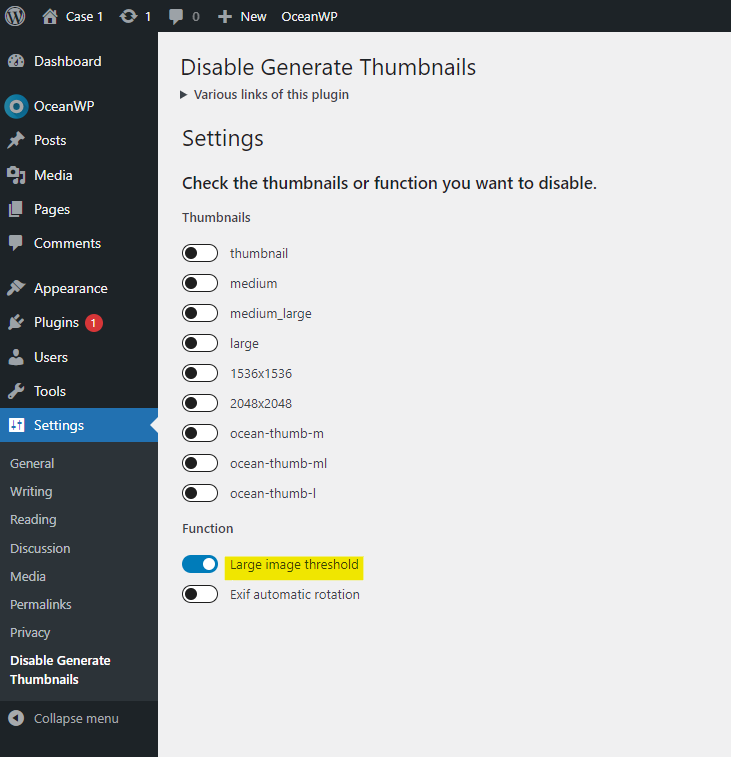
Note 2: To disable the generate thumbnails on the site, you can use this plugin: https://wordpress.org/plugins/disable-generate-thumbnails/. Settings example: https://i.postimg.cc/Z5BCLM7Q/image.png.
Best Regards