Forums
Forums / Plugin: Calculated Fields Form - AI Form Builder for WordPress - Contact, Payment, Quote, Quiz & More / font size Instruct. Text
(@wp-opti)
8 years ago
How can I change the font size of a Field Type: Instruct. Text ?
So far as i can see the font size is 80% by default. I would like to set the font size to 15px.
How can I do that?
Thank you, Alwin
(@codepeople)
Hello @wp-opti,
You simply should redefine the style:
#fbuilder .uh{}
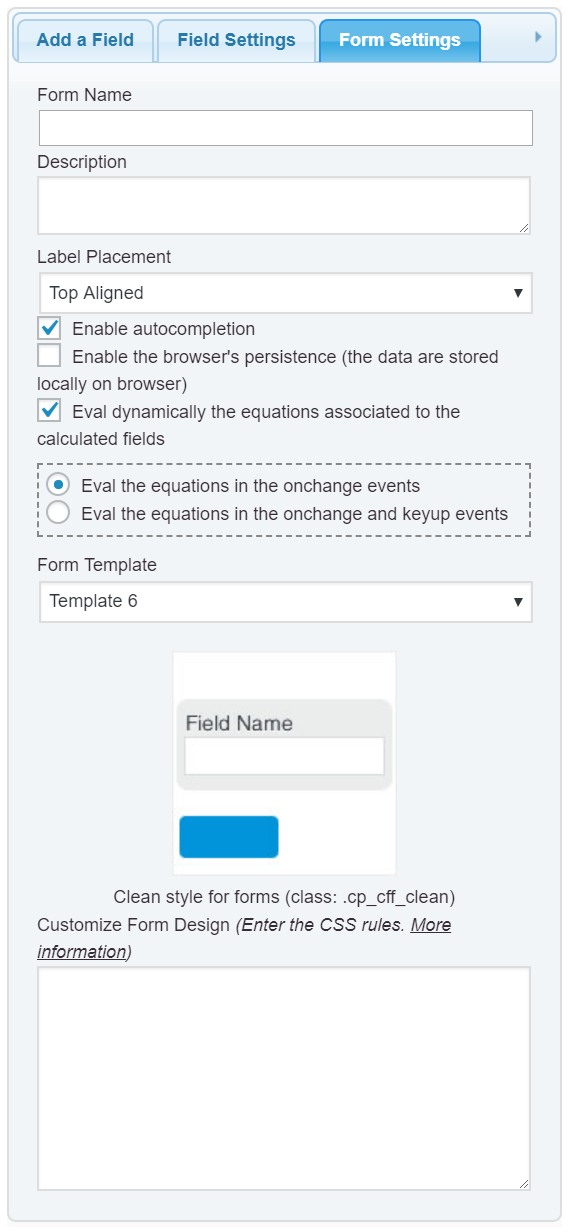
through the “Customize Form Design” attribute, into the “Form Settings” tab (https://cff.dwbooster.com/images/documentation/form-settings-tab.png), as follows:
#fbuilder .uh{ font-size:15px !important;}
Best regards.
That worked; thanks!
The topic ‘font size Instruct. Text’ is closed to new replies.