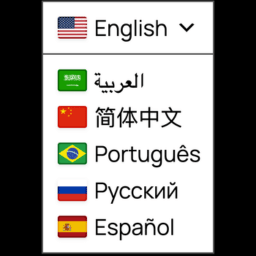
Hi, in the plugin settings you can customize the styling by going to “Advanced” -> “Custom CSS”.
As examples you can do some of the following modifications:
1. See only flags with no text:
.wpat_lang_name,
.wpat_lang_name_code,
.wpat_lang_code {
  display: none !important;
}
2. If you prefer to see the country code BR instead of the language code PT you can use this code
.wpat_flag.br ~ .wpat_lang_code {
  font-size: 0 !important;
}

.wpat_flag.br ~ .wpat_lang_code::after {
  content: "BR";
  font-size: 15px;
  line-height: 19px;
  vertical-align: middle;
}
Regarding the styling in https://www.huge-networks.com/, what part of that styling do you like?
Could you also share your website link? I might help you with getting the styling matching your website’s
What I find cool is seeing only 2 letters (country code) and when we click, it shows the 2 letters and the name, giving it a professional feel.
This, word perfect!!!!!!!
.wpat_flag.br ~ .wpat_lang_code {
font-size: 0 !important;
}
.wpat_flag.br ~ .wpat_lang_code::after {
content: “BR”;
font-size: 15px;
line-height: 19px;
vertical-align: middle;
}
What I find cool is seeing only 2 letters (country code) and when we click, it shows the 2 letters and the name, giving it a professional feel.
thanks for your feedback, we’ll definitely take this into account for future releases