Hi,
backup your previous theme and upload fresh copy of the same theme again. some codes might have caused issue while save from admin editor.
how can i backup, if the page is already down?
do you know where i can find the right file?
isn’t there a way to manually change the file from the ftp, or where is the file thhat is usually displayed on my dashboard when i go “design” > “edit css”?
i cannot make a backup after the page is already down right?
btw. i also cannot enter my wp-admin page, nothing works anymore.
if you have a solution for my probelm, please tell me.
wp-admin will not work, the only way is FTP, what plugin you are using to edit the CSS file ?
plugin? usually i write directly into the “custom css”
but i cannot find the file on my ftp. there has to be another file than style.css and editor-style.css
ok let me explain you again:
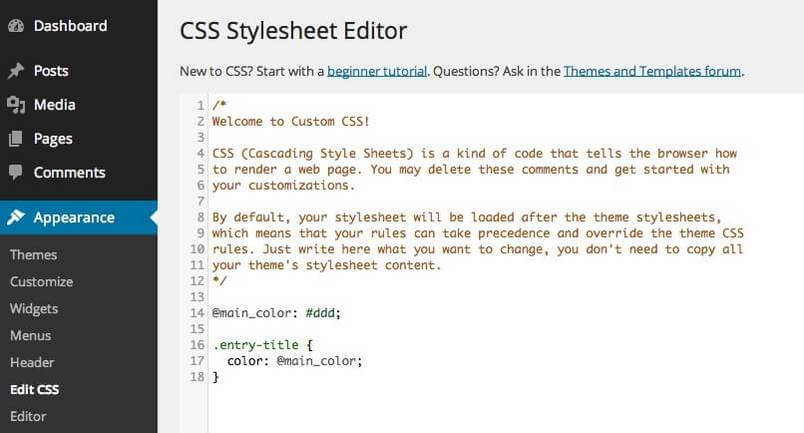
i made a small change here: https://www.gavick.com/blog/wp-content/uploads/2014/12/Edit-CSS-JP-Custom-CSS-plugin.jpg (this is a random image from the web, just so you know where i made the change)
after savin the file nothing worked anymore, my webpage is a white screen, also my wp-admin page. i can only access through ftp anymore.
but my problem is, that i cannot find the right file, namely the file that is changed when i write something into the custom-css in the wp-admin page.
i hope you understand my problem now.
and i think the plugin i used is jetpack, but i’m not 100% sure, and i cannot find out anymore
Ok, you goto plugins directory and rename the Edit Css plugin, then try to login wp-admin
you mean, rename the whole folder or only a speciffic file?
is this the right place:
/html/apps/wordpress-26660/wp-content/plugins/jetpack
btw. on my ftp server is no file that is called custom.css
so as far as i understand, the custom css acts after the style.css. this is why the custom “overwrites” the style.css. so this is how this system works
im my case, i made my last change in the custom css. if i could rename the file or rechange what i did, i could solve the problem.
BUT i cannot find the file, i assume there should be a file that is called custom.css, but there is not.
the really strange thing is that i only worked on the wp-admin and i only saved my custom css. after that nothing worked anymore.
can it be possible that there was some fatal error and the file is deleted?
this is pretty shit…
Do you have any error log report ?
no, if you go to my website, its just white:
http://thomasmedicus.at/
http://thomasmedicus.at/wp-admin/
i already went to here, the place with the advanced stats:
https://wordpress.com/pages/thomasmedicus.at
it only says, that “This site cannot be accessed”.
i found this folder on the server:
/html/apps/wordpress-26660/wp-content/plugins/jetpack/modules/custom-css/custom-css/css
there are some *.css files there, but no custom.css
there is css-editor.css but it’s not the right file
As you said, just rename ‘jetpack’ and check home page