• I want the Featured Image to link to the Homepage. I update the Template Link Settings for the Featured Image Block and put in the homepage URL. It only reloads the page. The link is always the page it’s on. Even if I set it as a totally different link to another new page and to open in a new tab, it just opens the same page in a new tab.

    Is this not working properly, or am I confused about how that’s supposed to link?

    The page I need help with: [log in to see the link]

Viewing 2 replies - 1 through 2 (of 2 total)
  • Moderator jordesign

    (@jordesign)

    Hey @cspaceb,

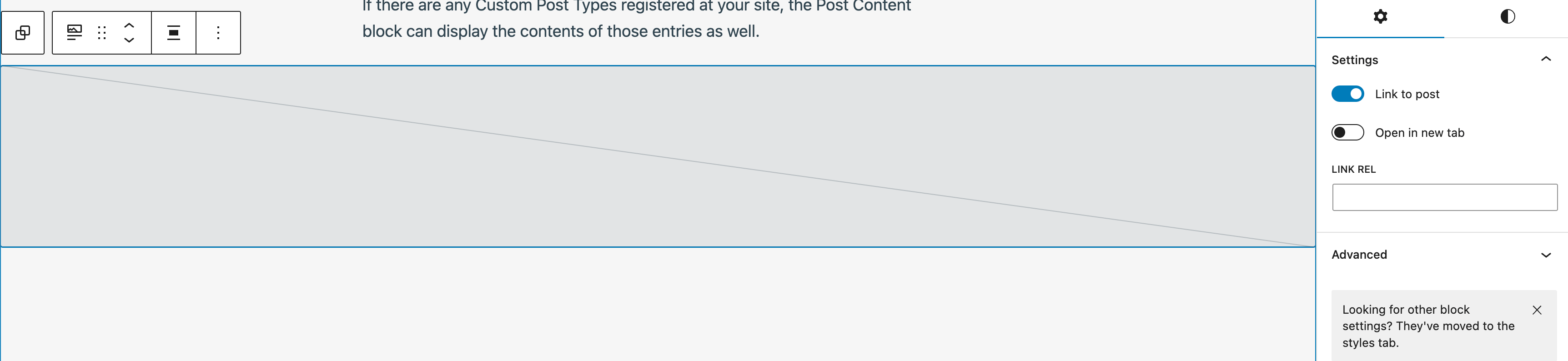
    As far as I’m aware – the expectation is that the Featured Image Block can only ever link to the post it refers to. I haven’t seen a setting you can use to set a specific URL. I’ve included a screenshot I get of the link settings below:

    Could you please let me know the steps you took to try and add the link to a Featured Image block? If you could share a video of you doing it – that would be even better.

    Thread Starter C(space)B

    (@cspaceb)

    I just realized I just wanted that the box says “Link REL” not “Link.” I just didn’t see it until you reposted it.

    Thank you for making the obvious more obvious!

    Ugh.


Viewing 2 replies - 1 through 2 (of 2 total)
The topic ‘Featured Image Link Just Reloads Page’ is closed to new replies.