Hi @casper-braske,
Thanks for reaching out.
Our developer shared a clue on how a similar integration was implemented for the Dokan PDF Invoice plugin when adapting order actions to the new UI.
The implementation can be reviewed in this pull request: https://github.com/getdokan/dokan/pull/34
You may find it helpful to review the PR itself, especially the Files changed tab, to see exactly how the custom order actions were added and wired into the new UI.
In summary, the solution consists of two parts:
- PHP – Use the
dokan_rest_prepare_shop_order_object filter to add your custom action data to the order REST response. For example, add a URL under a unique key within the actions array. Be sure to merge with existing actions rather than overwrite them.
- JavaScript – Use the
dokan_orders_data_view_dataviews_actions filter (via wp.hooks) to register a corresponding DataViews action. The JS action key should match the key added in PHP and can then perform the desired action (for example, opening a URL in a new tab).
The important thing to note is that the new DataViews-based UI only has access to data exposed through the REST response, so custom actions need to be added to the REST payload first and then registered on the JavaScript side.
The PDF Invoice integration uses this exact pattern to add its “View Invoice” and “View Packing Slip” actions, and it should serve as a useful reference for implementing similar custom actions in your own integration.
Hope this helps!
Hello, @sazdhossain
Thanks for replying.
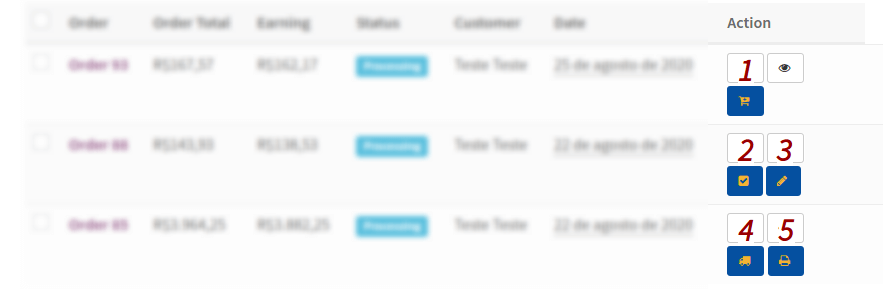
I’ve already managed to add an action button to the table, but I wanted it to not reopen the orders page, i.e., use a URL, like the native status actions. Is it possible?
This is what I have so far.
Hi @casper-braske ,
Whether this is possible depends on how you’ve implemented the custom action button. In general, if you’re adding your own custom action, you can point it to a custom URL rather than reopening the orders page, similar to how native order action buttons work.
I couldn’t find the related code or implementation details in your GitHub discussion. Could you please reopen the discussion and share:
- The code you’ve used to add the action button
- The hook/filter you’re using
- What URL or behavior you’re trying to achieve when the button is clicked
Once we have those details, we’ll be happy to review your approach and provide guidance within our support scope.
Thanks!
Hello, @sazdhossain
I’ve added a new comment there. Thanks a lot.
Hi @casper-braske,
Thanks for your commend on the GitHub discussion. We’re discussing with our developers regarding that and will update you soon. Kindly keep an eye in that GitHub discussion.
Take care!
Hi @casper-braske,
Due to inactivity, we are marking this topic as resolved. Feel free to open a new one if you face any further issues.
Thanks!