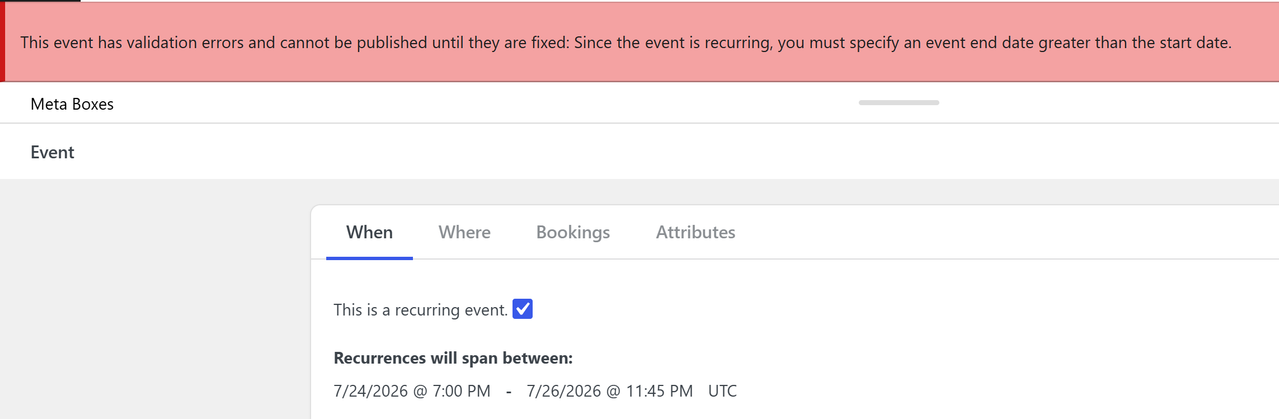
After running into a bug with ongoing investigation in a different support thread, I tried a completely new site with nothing but EM installed, and now seem to be getting more errors related to the date/time. This time, it says my end date must be greater than my beginning date, which, as far as I can tell, it is:
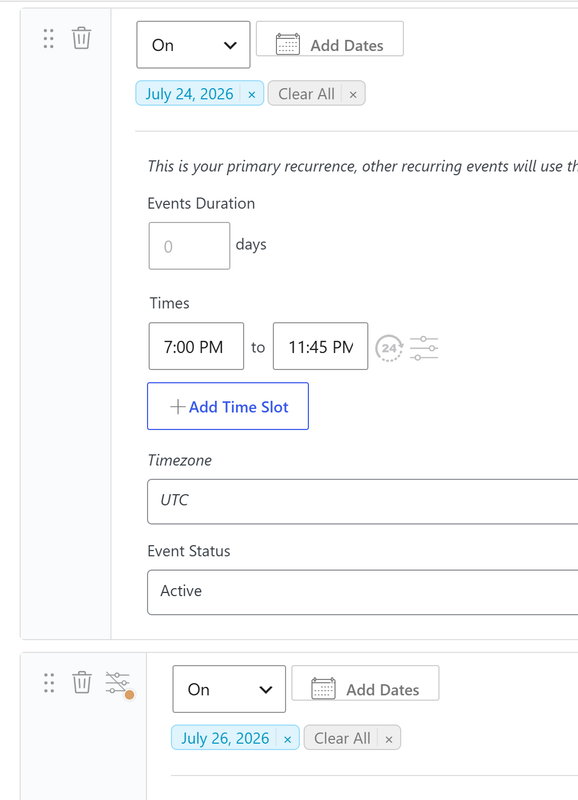
Yes but as shown in the screenshot, the first date is July 24th and the last date is July 26th. It’s saying the second date is earlier than the first, when in fact it’s not. I set two dates, each with the “On” selection so I could choose specific dates.
It worked fine for me. I added two recurrences first I added July 24th and then I clicked on Add Dates and added July 26th. Then I specified the start time as 7PM and then end time as 11:45 pm and then I published the event and I did not get any error.
I added them as two separate dates each with a different time. They’re too big to fit in a screenshot but you can kind of see here. But this is a completely fresh site, so unless this is also an object cache issue, there shouldn’t be any conflicts.
Looks like the way you did it is not working. For now, I would suggest you use the method that I did which is to add a single On occurrence with two dates instead of two dates with On occurrences with a single date.