Are the files actually on your server? They should be in “plugins > ultimate-member > templates > email”.
If they are, check the permissions are correct.
Thread Starter
 Prince
(@sourcebranding)
Hey, thank you for you reply. The files are on the server. The email settings are deactivated and I want to active it from the backend. @cebuss
-
This reply was modified 5 years, 9 months ago by
 Prince.
Thread Starter
Prince
(@sourcebranding)
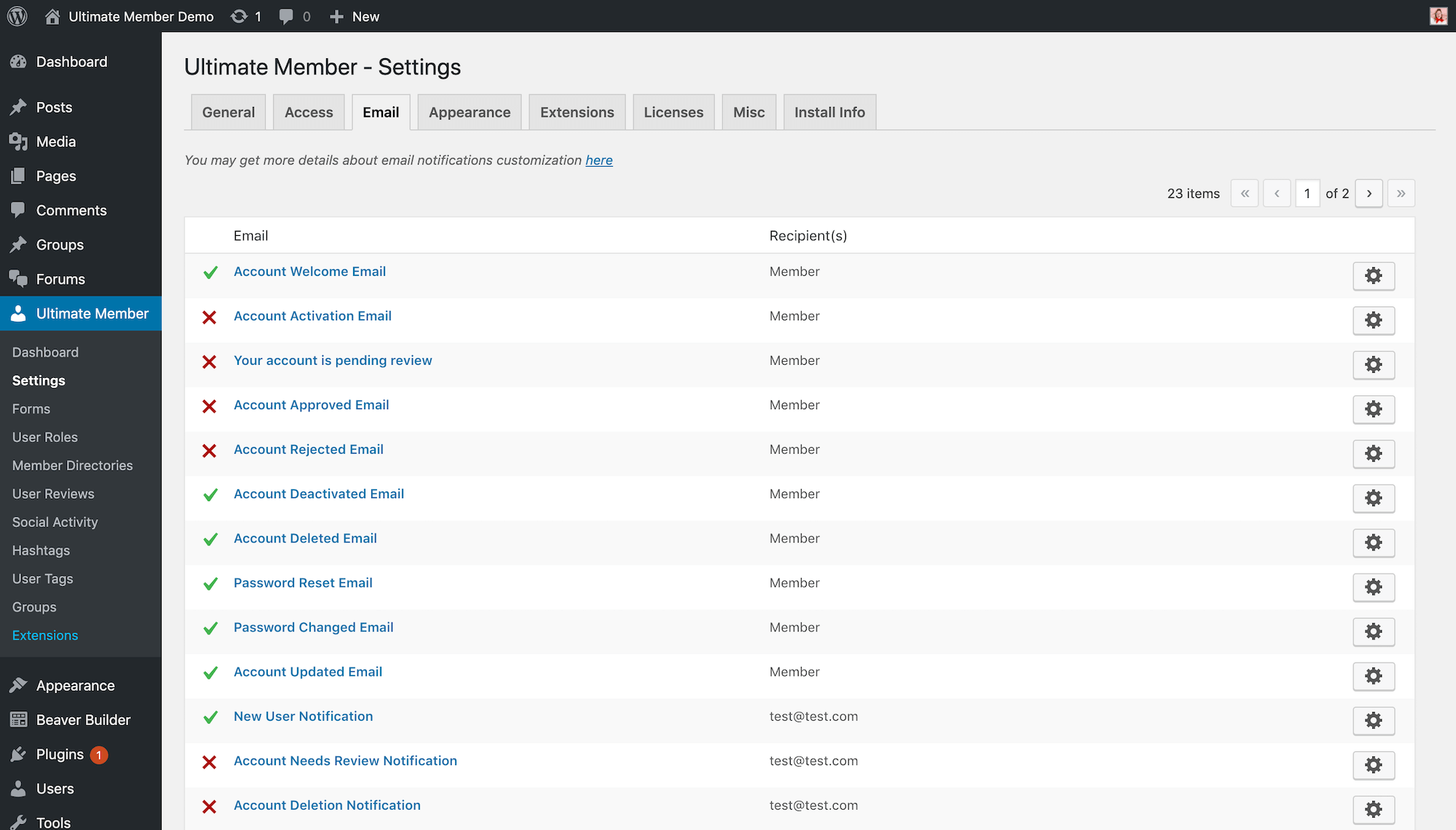
email setting looks like this
https://ultimatemember.com/wp-content/uploads/2019/07/user-emails.png
and I want everything activated. From the backend seeing that I get a 404 page not found if I try it from the dashboard. @cebuss
-
This reply was modified 5 years, 9 months ago by Prince.
Just did a test and worked fine for me as per screen shot; have you tried turning debugging on and checking if there’s any errors getting thrown.
Edit: I see you added a post while I was testing lol. Should be able to switch on in the database … I’ll have a look.
-
This reply was modified 5 years, 9 months ago by
 Diabolo.
Thread Starter
Prince
(@sourcebranding)
No errors returned. The screenshot shared is just an example. It’s not the actual site.
If I can find the file that enables the email setting I will be grateful.
@sourcebranding
Very strange, I can’t find it in my database anywhere … running multisite (basically just playing at the moment to get my head around things) and totally at a loss, didn’t see what I expected to find.
The code that sets the emails up originally starts from line 307 in “ultimate-member > includes > class-config.php”.
If urgent perhaps you could edit and enable using the code examples as a quick fix until you figure out why you’re getting hit with 404s. Comes down to how confident you are with code and how mission critical it is.
Thread Starter
Prince
(@sourcebranding)
@cebuss Thank you very much. Let me work through the file and see if I can enable it.
Thanks very much for your help.
@sourcebranding
are you solved ? can you help me ? i am facing same problem
Thread Starter
Prince
(@sourcebranding)
@ataur360
Not yet. After enabling it. Am still not getting an email notification. Debugging pages now.
@ataur360 @sourcebranding Bit of a long shot but a lot of people are having problems since the update with jQuery … worth giving this plugin a try to see if it fixes the issue for you: https://wordpress.org/plugins/enable-jquery-migrate-helper/
@cebuss
i test this plugin . but still facing same problem .
Sorry, but as I’m not experiencing the same issue and unable to replicate I’m out of ideas other than the usual – set a default theme, turn other plugins off, turn on debugging to try and pinpoint the problem.