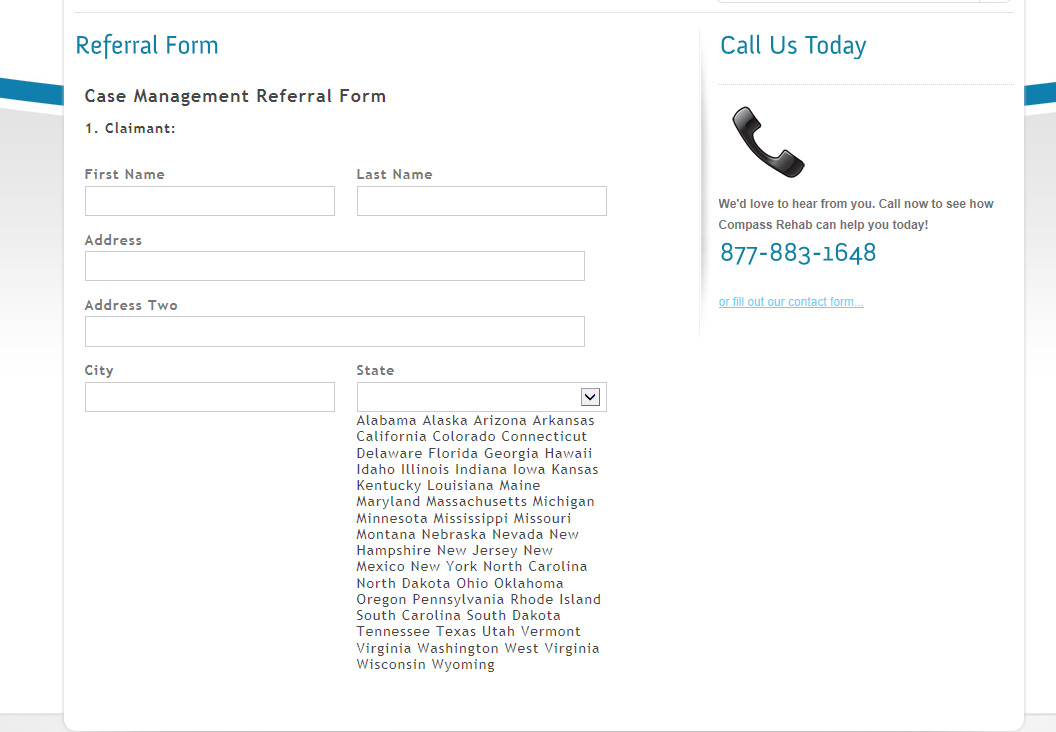
I checked this with the new plugin version and its working fine. What version of plugin and WordPress are you using?
Sorry should have mentioned.
guiform version 1.5.4
WordPress version 3.8.1
I think I found a fix did not try a submit yet (still working on form).
I opened the html field ion the guiform table in wordpress database.
It showed <guiform name=”field_3458″></guiform>
wrapping the options but no select. So I put <select></select>
outside the guiform tags.
It now displays correctly, this may effect the post of the form I’ll
follow up when done with the form. Any further ideas welcome.
Fix no good drop down value does not get sent, also gets overwritten
with edit or auto-save in editor.
It appears an issue with the theme conflicting with the form, when viewing outside theme works fine.
Fine here
The theme uses jquery 1.7.2 link above uses 1.9.2 I’ll try to update the theme and see if the works. Long as that does not screw the theme.
Still no go on this:
I set up a static page that calls the quiform iframe and shows the issue
Iframed Shows Problem
Here is the form (iframe) it is calling which works fine:
Non-iframe works fine
Something is goofing the iframe of the form, any ideas appreciated.
Thanks
Your theme is not responsive, use the following short code below to display your form exactly the same without IFRAME.
[GuiForm id="1"]
or
<?php echo do_shortcode("[GuiForm id='1']"); ?>
Do not edit this line <guiform name="field_3458"></guiform> in your database table. I replaced the select tag because this cause 404 error when saving your work. Please use jQuery version 1.9.2+ to make it work.
GuiForm are using jQuery v1.10.2 and Iframe to prevent conflict from theme CSS and JavaScript.
I upgraded jquery to 1.11.0 and removed the responsive=”desktop”
Still behaving the same, works outside theme not inside.
Use links in previous post to see.
What am I missing?
Just realized works in firefox & chrome as of the jquery update.
Just not in IE so getting closer.