Hello @itsthea
The checkbox tags in the HTML standard do not offer many customization alternatives. So, the most widely used solution is to hide them totally and emulate their behavior with images.
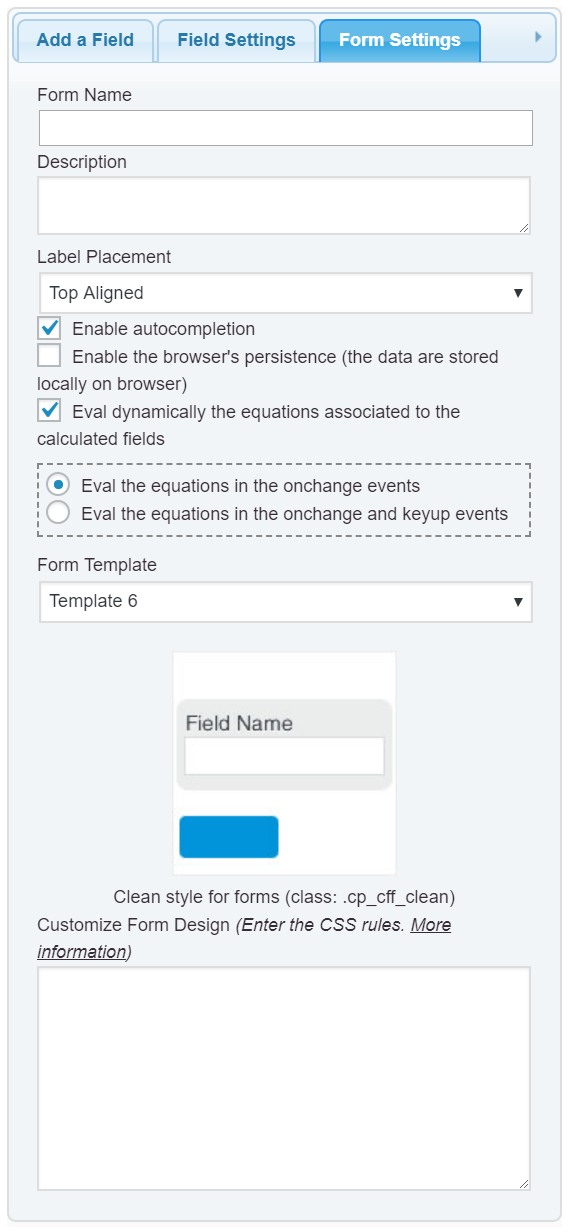
Please, enter the style definition below through the “Customize Form Design” attribute in the “Form Settings” tab (https://cff.dwbooster.com/images/documentation/form-settings-tab.png):
#fbuilder .cff-checkbox-field .dfield label input{display:none;}
#fbuilder .cff-checkbox-field .dfield label span{
	background-image:url("https://icon-library.com/images/icon-checkbox/icon-checkbox-12.jpg");
	background-repeat: no-repeat;
	background-size: 20px 20px;
	padding-left:30px;
	line-height:30px;
}
#fbuilder .cff-checkbox-field .dfield label input:checked+span{
	background-image:url("https://icon-library.com/images/icon-checkbox/icon-checkbox-27.jpg");
}
Best regards.