Hey there,
Thanks for reaching out to us!
We deeply apologize for the delayed response.
There has been a great load on our support team in the past few days, but such a long reply time is very uncommon.
The strings that you can’t translate like First Name, Last Name those are probably not localized or you can change them directly from the plugin. Think of them as actual content, like something that’s inside a post. We’re expecting the content to be written in the original language, thus you can’t select those strings.
My suggestion would be to use Loco Translate: https://wordpress.org/plugins/loco-translate/
If you want to translate a gettext string using Loco Translate, you will first have to exclude that string from being translated by TranslatePress.
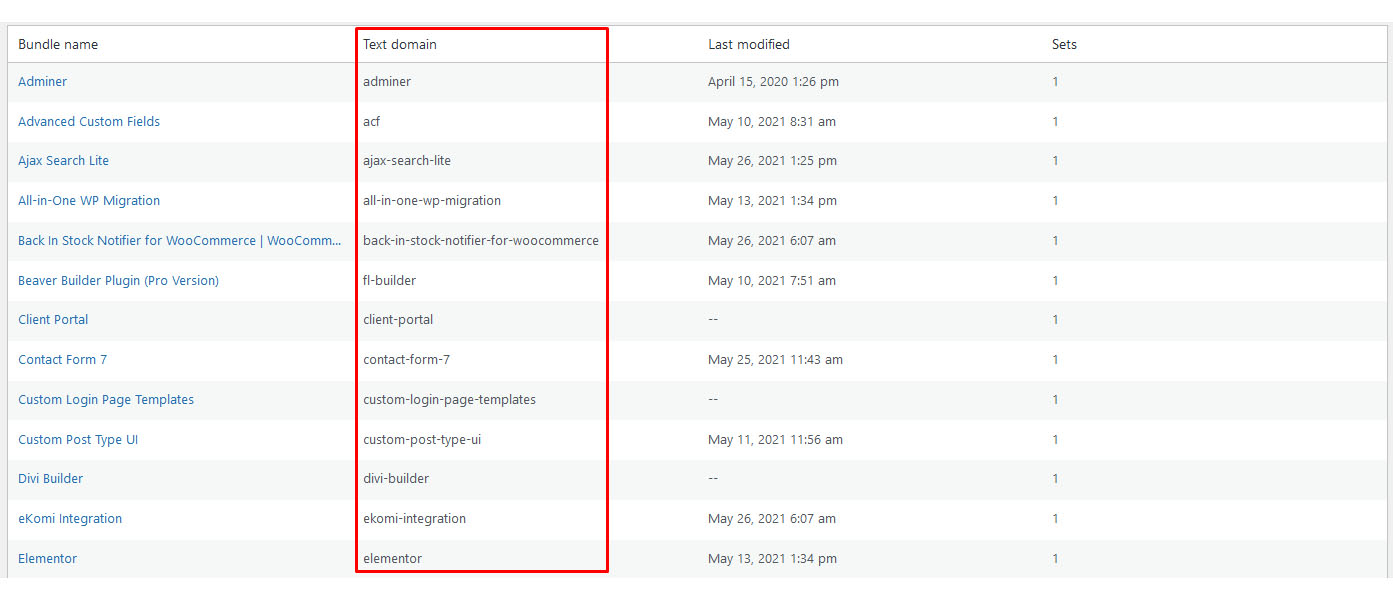
You can find a plugin’s domain by going to: Loco Translate -> Plugins and each plugin’s domain is displayed in the Text domain column.
https://www.cozmoslabs.com/wp-content/uploads/2021/06/loco_text_domain.jpg
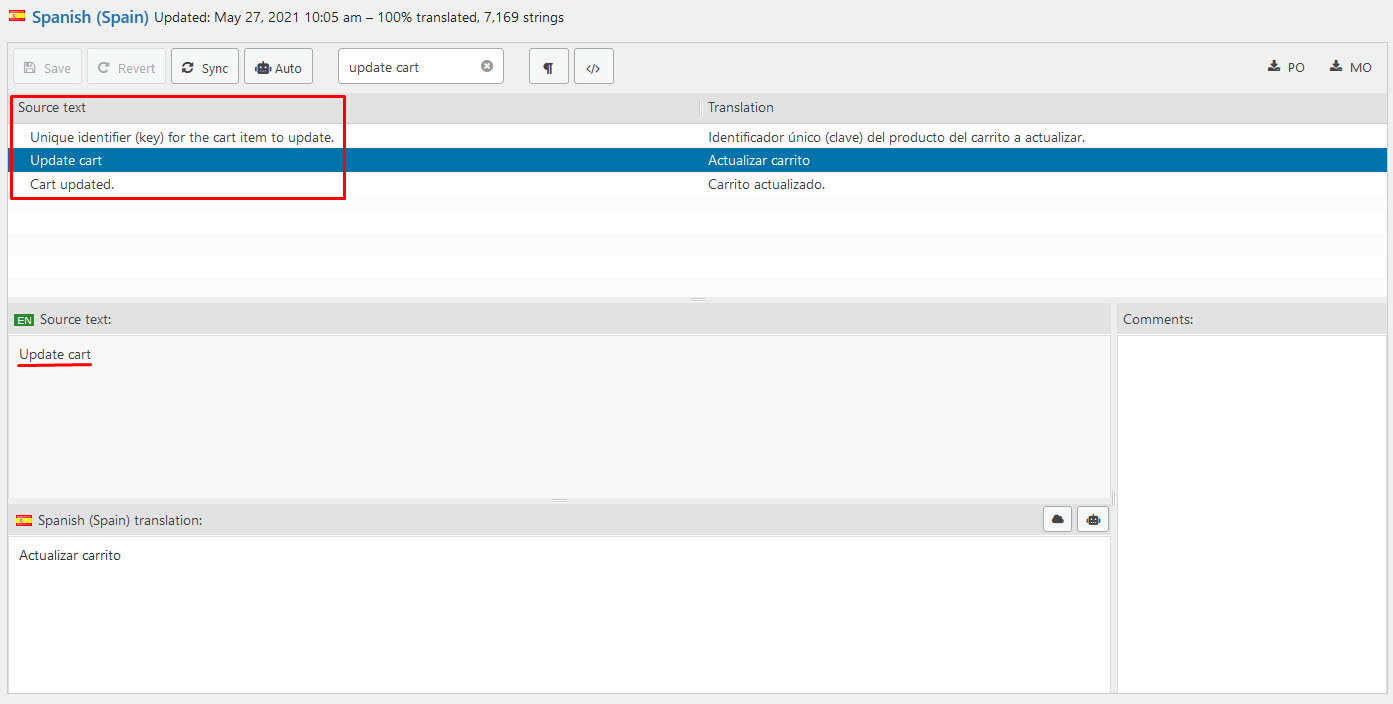
You can find the original string by accessing the desired plugin in any translated language. The original text is the one found in the Source text column.
https://www.cozmoslabs.com/wp-content/uploads/2021/06/loco_find_source_text.jpg
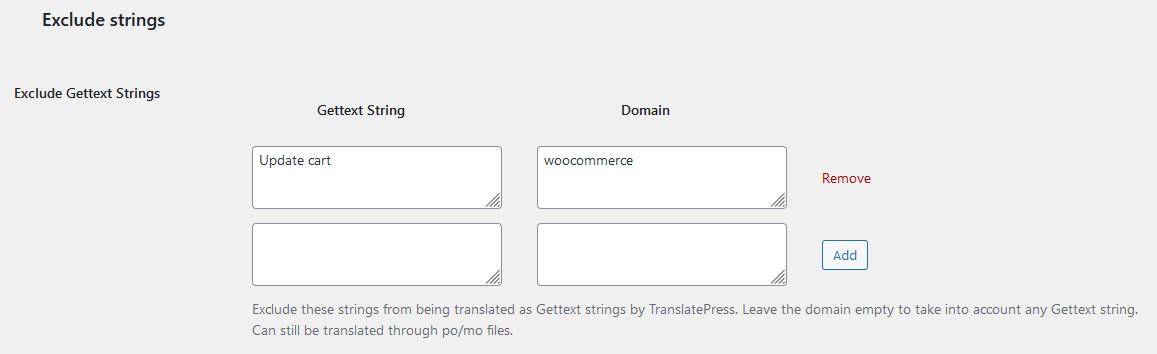
After you have found the desired string, you need to insert it in the Gettext String field (the domain is optional).
https://www.cozmoslabs.com/wp-content/uploads/2021/06/tp_disable_gettext.jpg
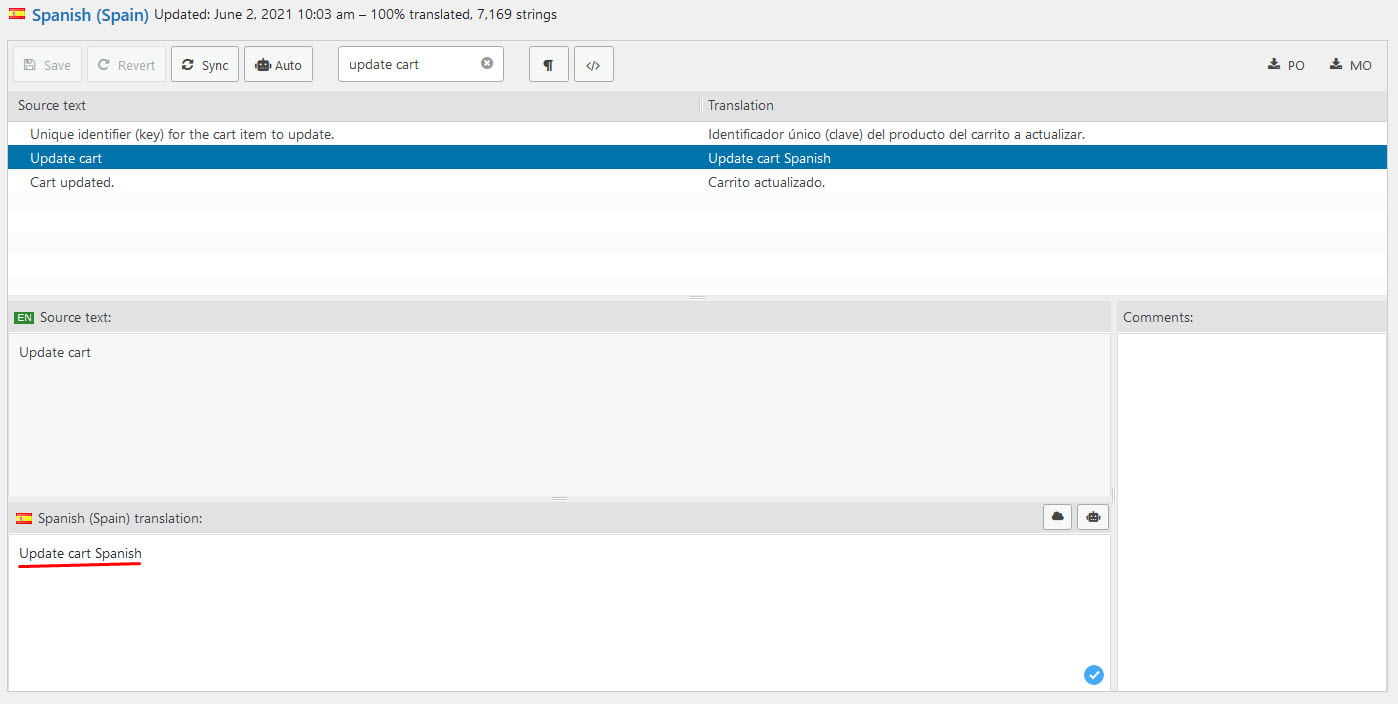
Now you can properly change the translation for that string using Loco Translate.
https://www.cozmoslabs.com/wp-content/uploads/2021/06/loco_translate_text.jpg
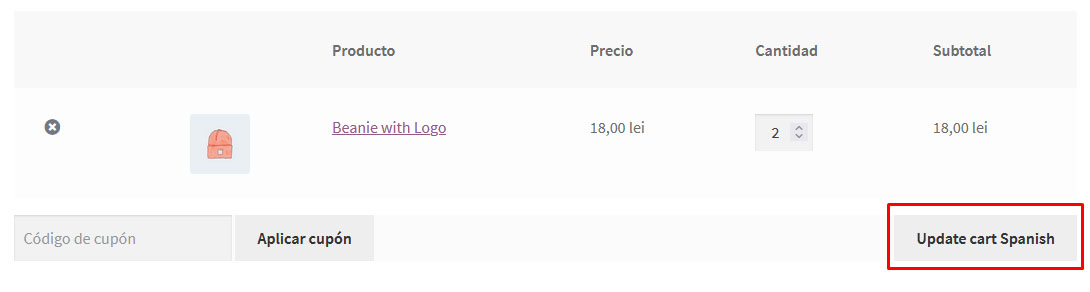
The translated result can now be seen in the front end of your site.
https://www.cozmoslabs.com/wp-content/uploads/2021/06/update_cart_loco_text.jpg
Let me know if this approach works properly in your case.
Best Regards,