Forums
Forums / Plugin: Modern Events Calendar Lite / Date Format incorrect
(@iantresman)
6 years, 1 month ago
An event’s date is showing in the date box as: May 21 2020 I have Wordperfect (Date format: j F Y): 21 May 2020
Is this a bug? I can’t see anywhere else to change it so that the event date matches my WordPress date format preference.
(@webnus)
Hi @iantresman,
Thanks for contacting us,
Please follow the steps explained in this article: https://webnus.net/dox/modern-events-calendar/modern-event-calendar-time-format/
Best Regards
I tried that, but I do not think it works.
I tried changing theme, but it makes no difference. I also tried deactivating all plug-ins but it did not help.
Thanks for providing more detail.
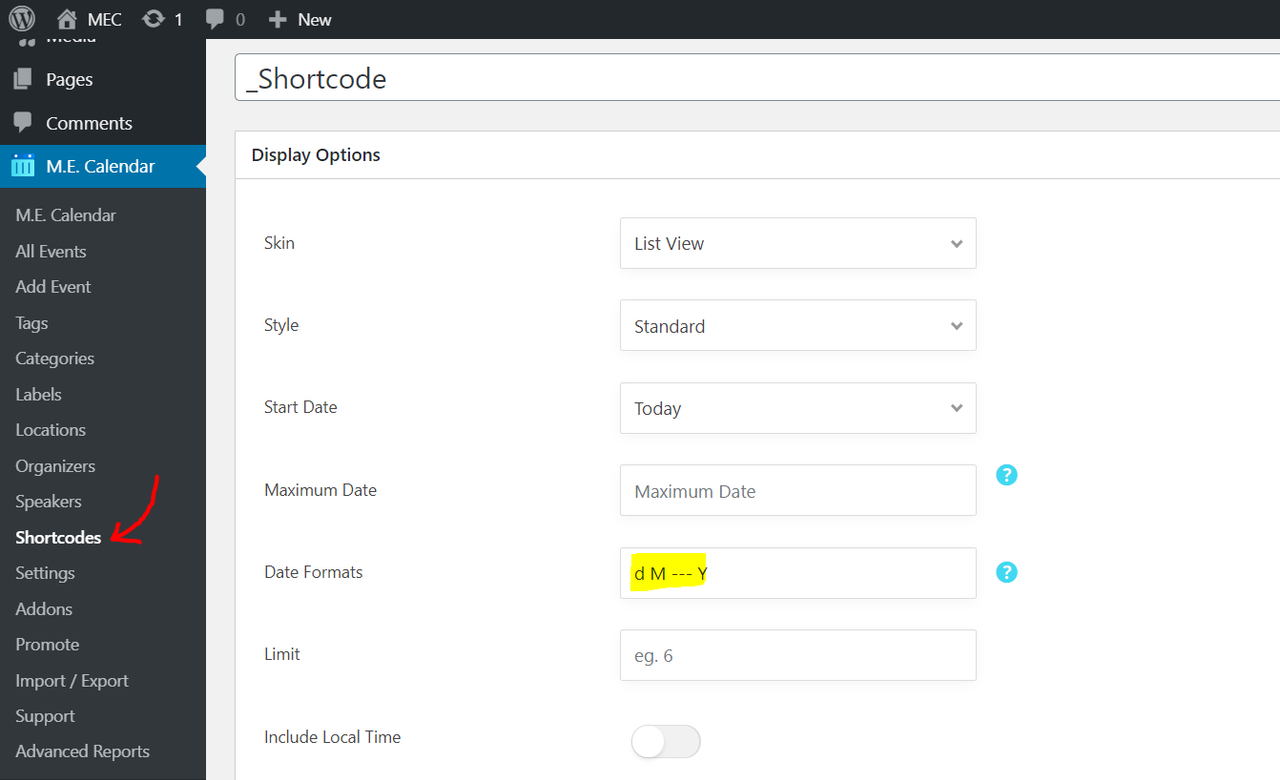
“List of events page” is shortcode, so you can manage date format from shortcode settings: https://i.postimg.cc/BvqV7nTL/image.png then you can see the result when you use the shortcode on the front-end: https://i.postimg.cc/LsK1mJC5/image.png
Shortcode: https://webnus.net/dox/modern-events-calendar/making-advance-shortcodes-in-modern-event-calendar/
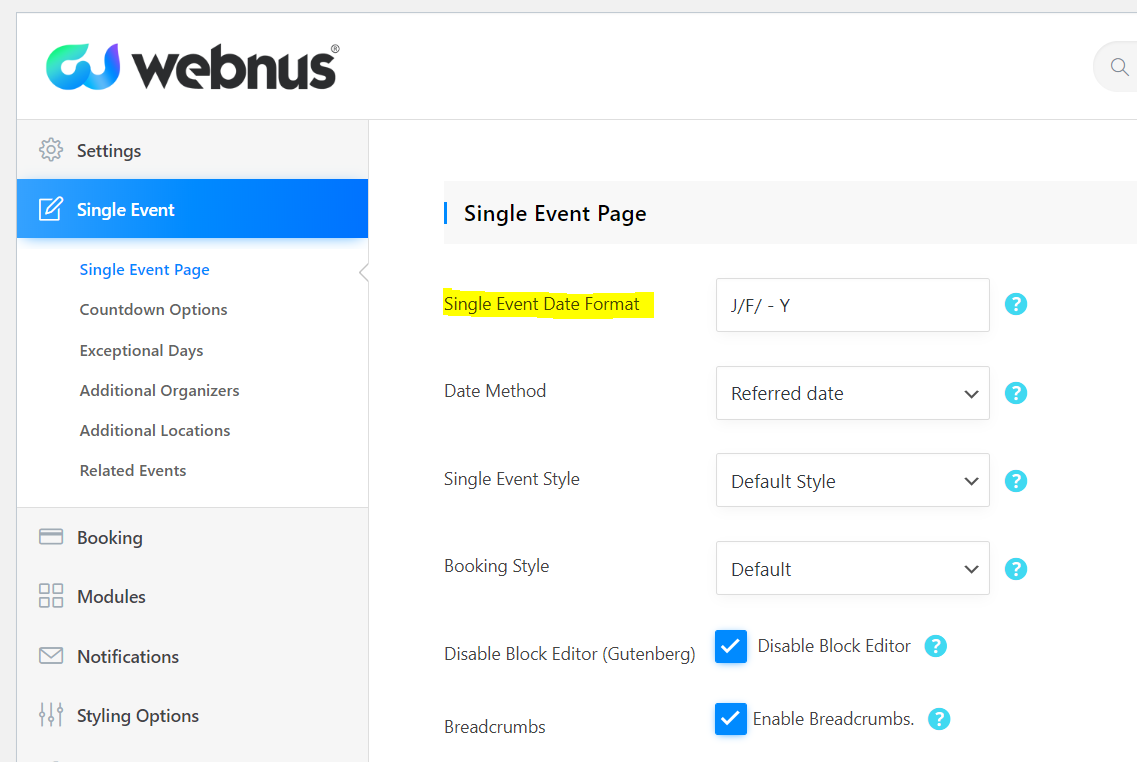
Also about the “Singe Event Page”, you can head over to MEC Settings > Single Event > Single Event Date Format: https://i.postimg.cc/Jh3WGh8P/image.png and then you can see the result on the front-end of all single events with your desired date format: https://i.postimg.cc/YCzHS9M8/image.png
Sigle event: https://webnus.net/dox/modern-events-calendar/event-detailssingle-event-page/
All Date Formats: https://webnus.net/dox/modern-events-calendar/all-date-formats/
Thank you, the MEC Settings > Single Event > Single Event Date Format, solved the problem.
I’m glad it is solved.
The topic ‘Date Format incorrect’ is closed to new replies.