Hi,
In Exceptions Tab -> Apply Settings On uncheck All contents (the whole page) and just leave the sub checkboxes checked.
Solved. Thank you very much.
Sorry, still an error that disappears when I enable your plugin.
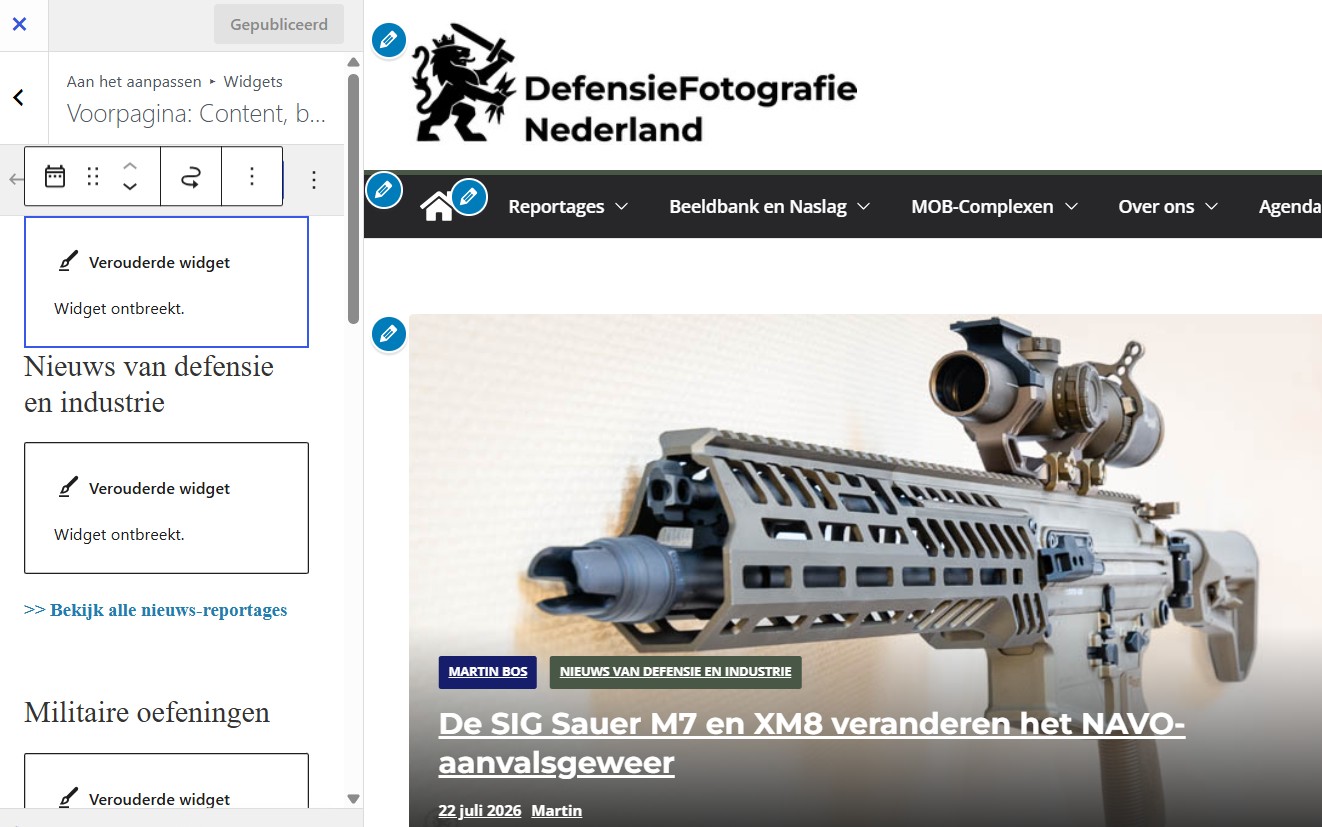
Screen: https://defensiefotografie.nl/wp-content/uploads/2026/07/Error-message-customizer.jpg
Verouderd=Outdated / Ontbreekt=missing
Unchecking “all widgets” in your Exceptions screen does not solve it.
Hi,
I tested with multiple default themes and GeneratePress and found no issues even with All Contents enabled. So it must be something theme specific or maybe a compatibility issue with another plugin. If you can tell me what theme you are using I can add it to our ToDo list to check but being summer and vacation season now I really can’t give you any dates 🙁
Thanks for the reply. Enjoy the summer and your holiday!
I’m using the free ColorMag theme. Now that I know disabling ‘External Links’ is the solution, it’s fine by me. Luckily, I don’t need to do this very often. I’ll mark this topic as resolved.
Thank you! I’ll look into ColorMag as soon as I get a chance 🙂
There is some more disturbance.
When editing a post, WordPress says it is not able to fetch the featured image.
In Nextgen Gallery there are no photos shown in the gallery sort screen.
When saving a post it says ‘Updaten mislukt. De reactie is geen geldige JSON-reactie.’ (no valid JSON reaction). This message also appears in the Google Site Kit widget on my WordPress dashboard.
Disabling your plugin during editing is the solution for this erronous behavior.
And ‘fun fact’: when I check All contents (the whole page), the mentioned errors are gone (as is the customizer as well)
I am not able to see any interference with other plugins (I do not know how).
Enjoy your holidays.