Hello, I am having 2 issues with the AI Forms & Image generator. Using current version: 2.4.54
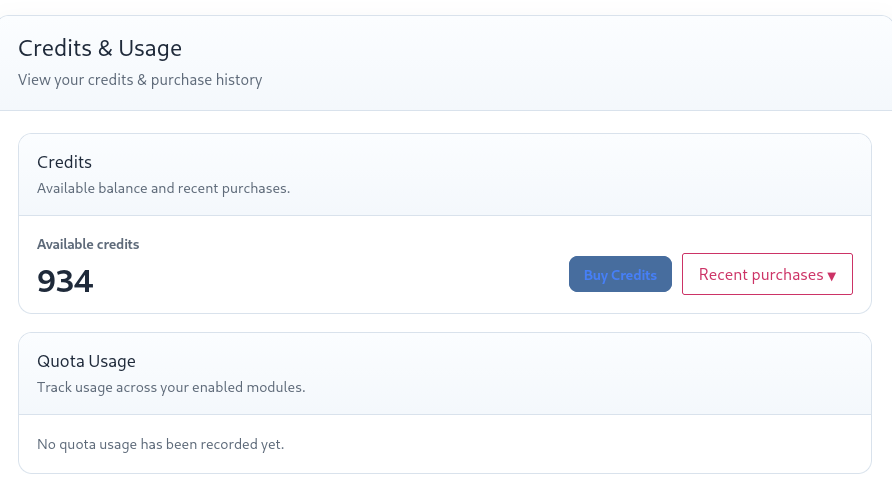
First, on the customer credit dashboard. There is an option to enable or disable reports like “show chatbot usage”, “show AI Forms usage” and “show image generator usage”. These options are enabled, but there is no reporting of usage on the page using the shortcode [aipkit_token_usage]. It only shows the available credits and quota usage.
The user has created a post with AI Forms, and it does show in both the activity log and conversation logs, but there is nothing reported here. Should this be displaying the post history or something?
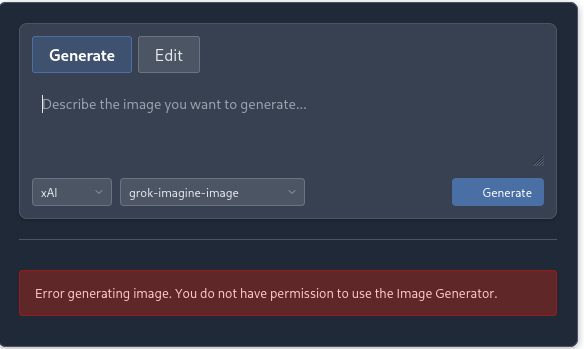
The second issue is with the image generation. I created image pricing rules and have the shortcode [aipkit_image_generator history=”true” mode=”both”] placed on a page. When a logged in user tries to use this feature, the following error appears: Error generating image. You do not have permission to use the Image Generator.
I can use this feature as the site admin just fine. Is there permissions somewhere that need adjustment for a logged in user to access this feature using their purchased credits?
The customer credit dashboard does not currently display generated posts or AI Forms content history. Its usage section reports module quota consumption. Purchased credits are deducted before module quota, so while the user’s purchased balance covers the generation, the quota section may continue to show “No quota usage has been recorded.” The Activity and Conversation Logs are currently where generation activity is recorded.
I agree the dashboard wording could make this distinction clearer and i will make that wording change 🙂
For the Image Generator, access is controlled separately from credits. Please go to Role Manager – Core Modules, locate Images, and enable the WordPress role assigned to that customer, such as Customer or Subscriber. Purchased credits and pricing rules control billing but do not automatically grant module permission.
If Images is already enabled for that exact role, please send me a screenshot of the Role Manager row and the user’s assigned WordPress role so i can investigate further.
For the Image Generator, access is controlled separately from credits. Please go to Role Manager – Core Modules, locate Images, and enable the WordPress role assigned to that customer, such as Customer or Subscriber. Purchased credits and pricing rules control billing but do not automatically grant module permission.
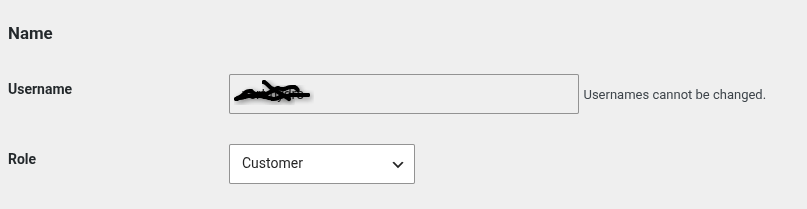
I am assuming you are referring to the role manager in WordPress? If so, I have the user assigned the “customer” role. (see attached)
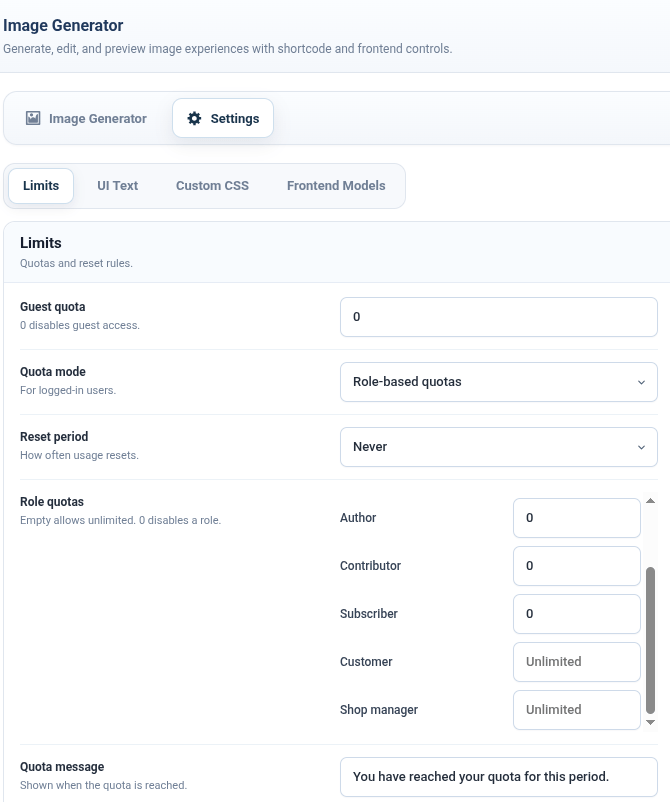
Under the Image Generator Settings -> Limits I have Quota Mode set to “roll based quotas” and Roll Quotas set to Unlimited for Customer.
Is the correct settings or am I looking in the wrong place?
Ahh, Ok I found it. That resolved the issue, thank you!
Real quick back on the customer credit dashboard, is there a way to display the user’s AI Form or Image Generator credit usage like what is displayed in the activity ledger?
As someone who is not using the Quota system, I believe displaying this information for the user would be much more useful. Those details would them user a better sense of how their credits are being spent.
On a second thought, I think i agree with you. Displaying credit deductions would be useful.
The current customer dashboard displays;
– available balance,
– purchase history,
– and quota usage,
but it does not yet display the user’s individual credit deductions.
There is currently no built-in shortcode option to enable that ledger history. The transactions are being recorded correctly, but they are only visible to administrators at present.
I am going to improve that customer dashboard incoming versions