• Resolved bodaw

    (@bodaw)


    Hello I really like the plugin, however not even with demo didn’t found solution for my use case.

    Usecase: We are having gym, and we want to have possibility for our trainers to book their time in the calendar, with custom times (1,5hour, 10hours, etc).

    1) I want to create for to select timeframe for reservation (not slots) fx from 9:00-13:00 14:10-15:40, etc. Is there possibility to use this, or we are limited only to timeslots?

    2) I didn’t saw possibility to display a timeline for reservation? I saw only usage of the calendar, but I want to have a timeline for a week per days and hours.

Viewing 1 replies (of 1 total)
  • Plugin Author codepeople

    (@codepeople)

    Hi,

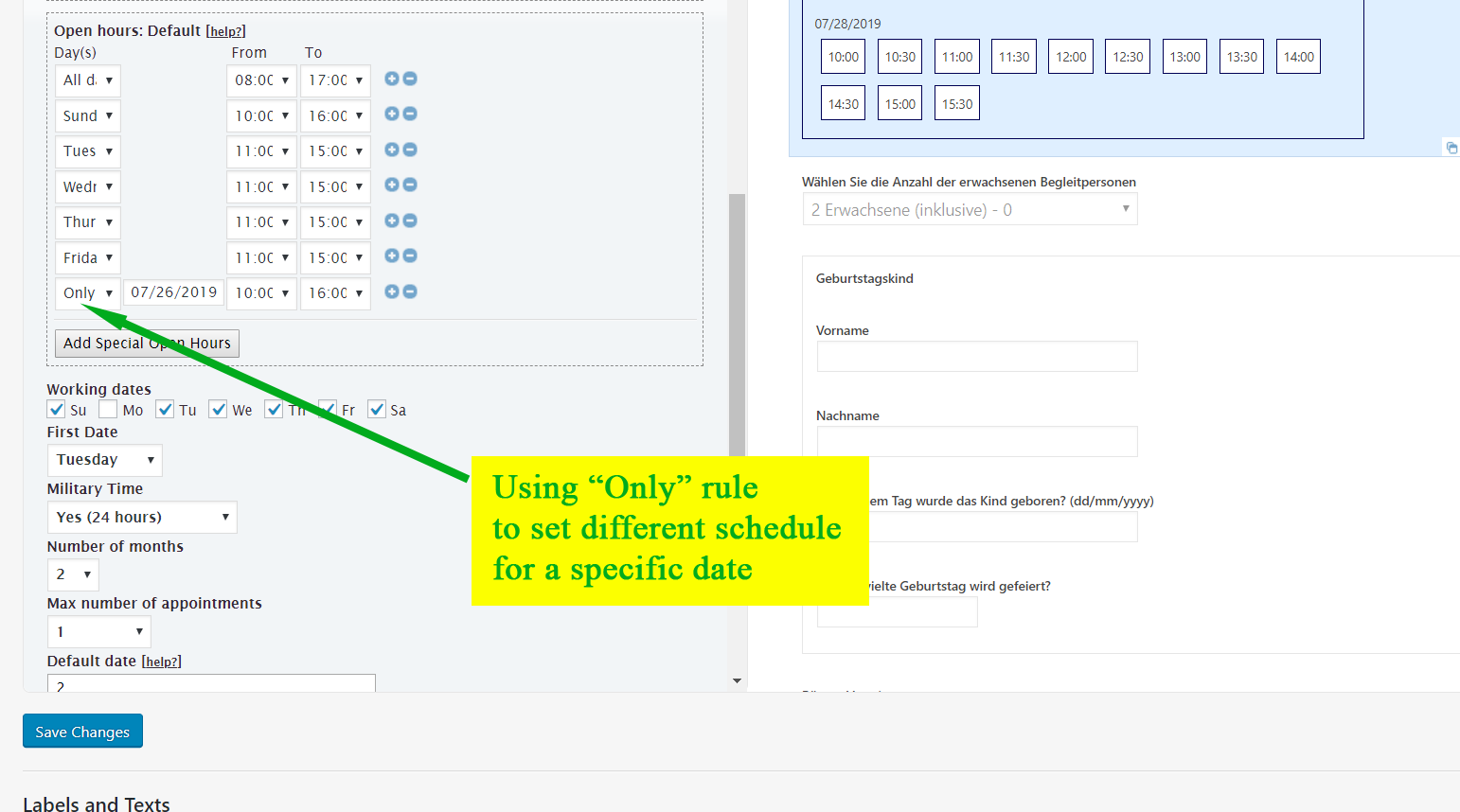
    You can create services of different duration and by selecting the service you will have the option to book its defined duration. The time slots can be generated based in the service duration or fixed every some time interval. There is an option to “block” the available times from the administration section and also there are options to define different schedules for different dates:

    https://apphourbooking.dwbooster.com/customdownloads/only-date-rule.png

    Regarding to timeline for reservation are you referring to the “Schedule” calendar already available in the dashboard area? It displays the booked time in a multi-view calendar (day / week / month / multi-month).

    Thank you for using the plugin!

Viewing 1 replies (of 1 total)

The topic ‘Custom reservation time, show timeline’ is closed to new replies.