I have managed to style the menu using this code:
.menu ul {
list-style:none;
}
.menu li {
list-style:none;
}
.menu-item a {
color:#333333;
font-size:14px;
font-family:Arial, Helvetica, “Nimbus Sans L”, sans-serif;
background: #e7e7e7;
padding: 3px 3px 3px 3px;
line-height: 20px;
}
.menu-item a:hover {
color:#FF9900;
text-decoration: none;
font-size:14px;
font-family:Arial, Helvetica, “Nimbus Sans L”, sans-serif;
background: #e7e7e7;
padding: 3px 3px 3px 3px;
line-height: 20px;
}
Do’s anyone know how to add image links to the header?
Thanks Sarah.
Hi,
Hope this helps a bit. Not sure if this is what you are looking for.
I haven’t finished locating the “title” and re-scripting it, but it shows what exist now.
You can go to “quiltronpress.com” and with FF view the source and then click the style link to the CSS
Below: The “header-right” info contains a CSS link, which, although I know nothing of WordPage yet, I imagine the link would bring up an image if it contains an image link.
#title-right{
position:absolute;
top:155px;
right:10px;
font-family: Arial, Helvetica, Geneva, Swiss, “SunSans Regular”; “sans serif”; color: # #F85403;
font-weight:900;
font-size: .7em;
text-align: center;
text-decoration: blink;
vertical-align:text-middle;
padding-left: 0px;
z-index:5;
}
#header-right {
position:absolute;
top:-15px;
right:0px;
width:125px;
height:175px;
padding-left: 0px;
text-decoration:none;
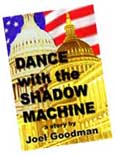
background-image:url(http://quiltron.net/products/books/dance/dance_cover_115.jpg);
background-repeat:no-repeat;
background-position: 10px 20px; /* first value = horizontal, second = vertical */
z-index:4;
}
[please use the pastebin as per forum rules – and mark code here using backticks or the code button]
Thanks bb_45, this is exactly what I need 🙂
Sarah2230,
You’re welcome. Had no idea – just supos’d –
By making the suggestion, I just learned something about WordPress and how I can use my knowledge of CSS to modify my own WP site; which I will be doing ere’ long.
BTW – if you look at the CSS style page – you’ll see another CSS style element for “product” and another for “site-logo”(?) I use those as containers to hold the “product image and the “title” (actually “text” – just a holdover name from a previous use)
The extra div is really not needed in most cases – as I find that “p” elements work fie on their own most of the time.
Dorian Jones