• Resolved nitrospectide

    (@nitrospectide)


    I am inserting the tool into my template using the shortcode:

    <div class="lang"><?php echo do_shortcode('[auto_translate_button]'); ?></div>

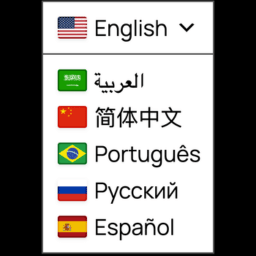
    And the CSS sheet (auto-translate-global.min.css) is not loading (JS, too?), so the selector UI is broken – it does not display/function as a dropdown. But if I add a redundant instance using the “Menu placement” section, the CSS sheet comes through, and both instances of the UI look and function properly. I don’t know if this is a bug, or if I have something improperly configured.

Viewing 3 replies - 1 through 3 (of 3 total)
  • Plugin Author Pampa Dev

    (@juangirini)

    Hi nitrospectide,

    Thank you very much for your feedback, you have identified a bug in the plugin.
    We have fixed it and released it as v2.1.2, though WP plugin repo takes 24 hs to release it to sites.
    If you prefer to download it earlier, you can do it manually from manually from https://downloads.wordpress.org/plugin/auto-translate.2.1.2.zip.

    Best,
    Juan

    Thread Starter nitrospectide

    (@nitrospectide)

    Juan,

    Thank you! I downloaded from your link, and while the zip says 2.1.2, when I uploaded it, it was identified as 2.1.1. I installed anyway, thinking it that maybe the just version number was not incremented, but the bug persists. It seems this may just be the 2.1.1 version.

    Plugin Author Pampa Dev

    (@juangirini)

    I checked, and that link indeed downloads v2.1.1 even though it is named 2.1.2, I thought WP would allow manual download, but that isn’t the case, it only shows the wrong version on the name. Unfortunately, you’ll need to wait until tomorrow for it to be available. Sorry for the wait!

Viewing 3 replies - 1 through 3 (of 3 total)

You must be logged in to reply to this topic.