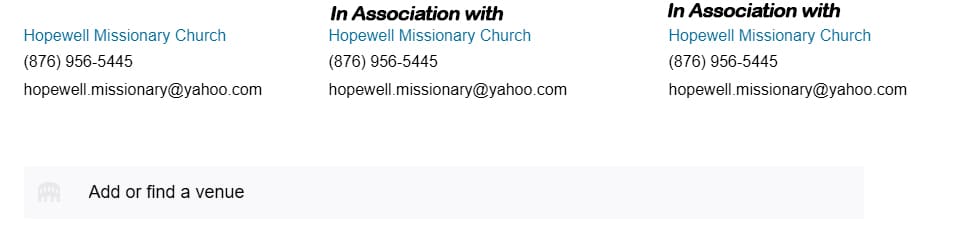
Is there any way to create an event with multiple organizers other than duplicating the block? It would be nice if there was a way the block could reflect “In Association” or “In Collaboration with” or “Joint Organizers”. Something to that effect.
Maybe there is and I am not seeing it.
The page I need help with: [log in to see the link]
In the block editor, multiple organizers are added by duplicating the block, and the label stays as “Organizers.”
To make sure I suggest the right approach, could you send a screenshot showing where you’d like the text to appear? It would also help to know whether you want to replace the existing label or add wording above it, since those need different solutions.
Once I can see what you’re after, I’ll check what’s possible on our end.
The original setup for Organizers is one block across the page. You can duplicate the block but then the organizers are listed below each other with no mention that they are “in association with”. There could be an option available (possibly a check box ) to add collaborators that could convert the block to 3-columns with the first organizer nested in the first column. The words “in association with” could be shown above the additional organizers. I have added a jpeg showing what I thought could be done.
One option worth trying: place your Organizer blocks inside a Columns block set to three columns. That should give you the side-by-side layout you’re after, with each organizer in its own column.
In the block editor, add a Columns block, choose the three-column variation, then drop an Organizer block into each one.