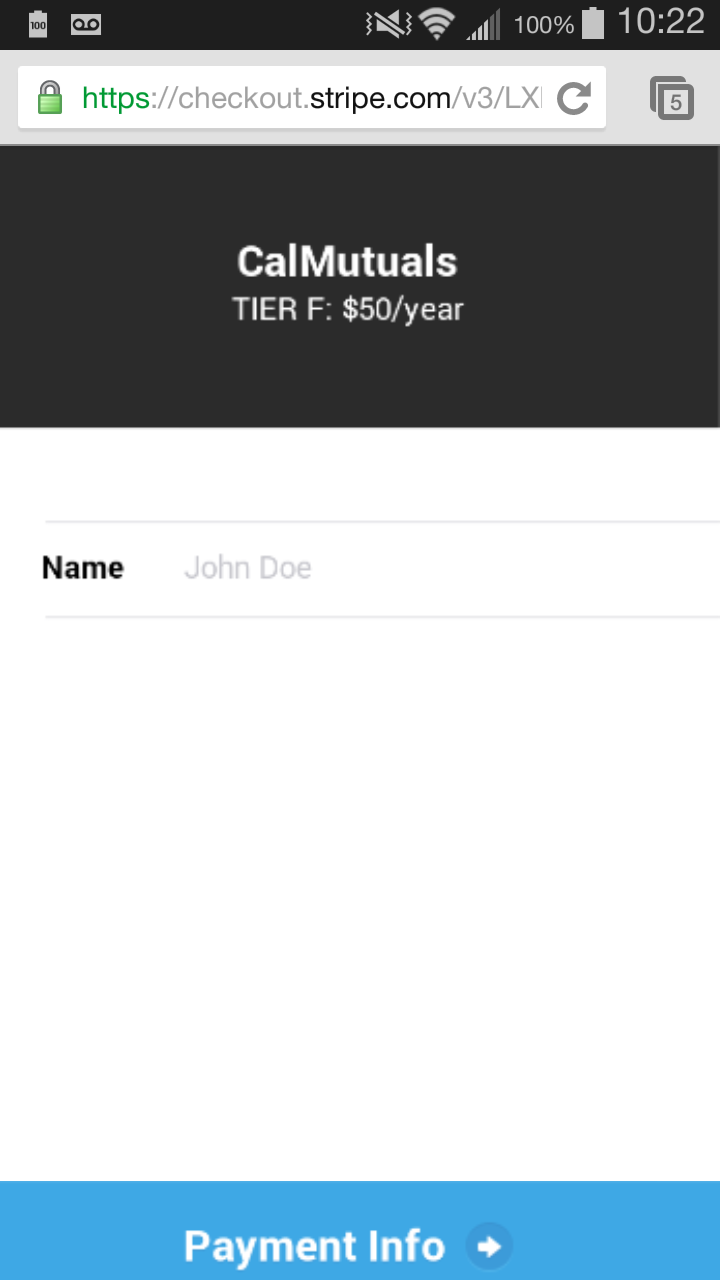
Hello,
The payment info button on that page worked just fine for me, but I tested on Chrome on my iPhone.
Does it still happen if you try the test donate button on Stripe’s main example at https://stripe.com/checkout ?
Does anything change if you temporarily remove the address requirement?
Phil
Thread Starter
 Zmokin
(@zmokin)
Hi Phil,
Thanks for checking this out.
I removed the address requirement and it went straight to the credit card info which displayed correctly. However, after I entered the cc info and click on the pay button, nothing happens.
I also tried removing the zip code verification, but no change.
(I’ve added the address requirement back since it didn’t seem to make a difference.)
Here is a screenshot of what I’m seeing:
Screenshot
I am using Chrome on the Galaxy III with Android 4.4.2
I’ve also sent a support request to Stripe just in case it is on their end.
Thanks again for your time.
Thanks for the detail, but did you test on https://stripe.com/checkout to rule out a plugin issue?
In either case, I’d love to hear if you get any feedback from Stripe.
Thread Starter
Zmokin
(@zmokin)
Hi Phil,
It seems that it is only with the Chrome browser. Although it works correctly with the standard stripe checkout link, when I go through the plugin, it messes up.
Stripe support is working on trying to figure out the issue. They asked me to send them my user agent which I’ll provide for you also in case it can help:
Mozilla/5.0 (Linux; Android 4.4.2; SPH-L710 Build/KOT49H)
AppleWebKit/535.19 (KHTML, like Gecko) Chrome/18.0.1025.166 Mobile
Safari/535.19
Although I can use the built-in Sprint browser (which does work correctly btw), I prefer Chrome due to multiple tabs.
I would assume others use Chrome too.
Thanks again.
Thanks for the update and keep us posted.
Hey guys, was this resolved? I’m also having issues when using the plugin on Chrome. Works as it should via https://stripe.com/checkout but as soon as I use my own website store through woocommerce (with the plugin activated), I can’t seem to click the proceed to payment button. It goes from blue to black and then back to blue again with no pop up or message or redirection?
Any ideas?
thx
Can you link to your page please? How are you integrating this with WooCommerce, maybe there could be a conflict there that is causing this to happen?
http://www.hiveswimwear.eu/checkout
I simply installed the plugin and set the parameters. Is there something else needed?
thx
@mikexavier,
Well part of the reason I ask is because the plugin is not built to be an add-on for WooCommerce. It would take some tweaking somewhere I would think to get it working.
Or perhaps you are using a different WooCommerce specific plugin and it got confused here?
That’s mainly what I am trying to decipher at the moment.
Thanks!
Plugin = Simple Stripe Checkout V1.3.3 by Phil Derksen (not upgraded to pro version).
Are you saying Stripe will work with woocommerce natively without the need for a plugin?
thanks Nick
Are you saying Stripe will work with woocommerce natively without the need for a plugin?
No not quite. I just mean that our plugin is not built to integrate into WooCommerce. It may be possible to do but it is not something we have tested with or applied to the plugin by default.
ok, so the plugin is designed for putting a buying option within posts or pages, pretty much anything except dedicated shopping pages?
Is there another option that would integrate better?
Having this same issue with Chrome specifically on iOS devices.
Website url is http://soworldwide.org/join-us/ and it’s the “donate” button. It works well on safari browser.
@mikexavier,
It is just not intended for that and we have not tested uses of it yet. There are some Stripe plugins for WooCommerce that might be more of what you are looking for.
@hollart13
Are you referring to the problem in the very first post or a problem similar to @mikexavier?
We’re having the same problem. Doesn’t work on Chrome on iOS, works fine in safari. Nothing happens when we click the button. Unfortunately debugging chrome on iOS is impossible. Any help would be appreciated.