• Resolved fasadmalning

    (@fasadmalning)


    Where can I change text in other language after submission, after you press the submit button
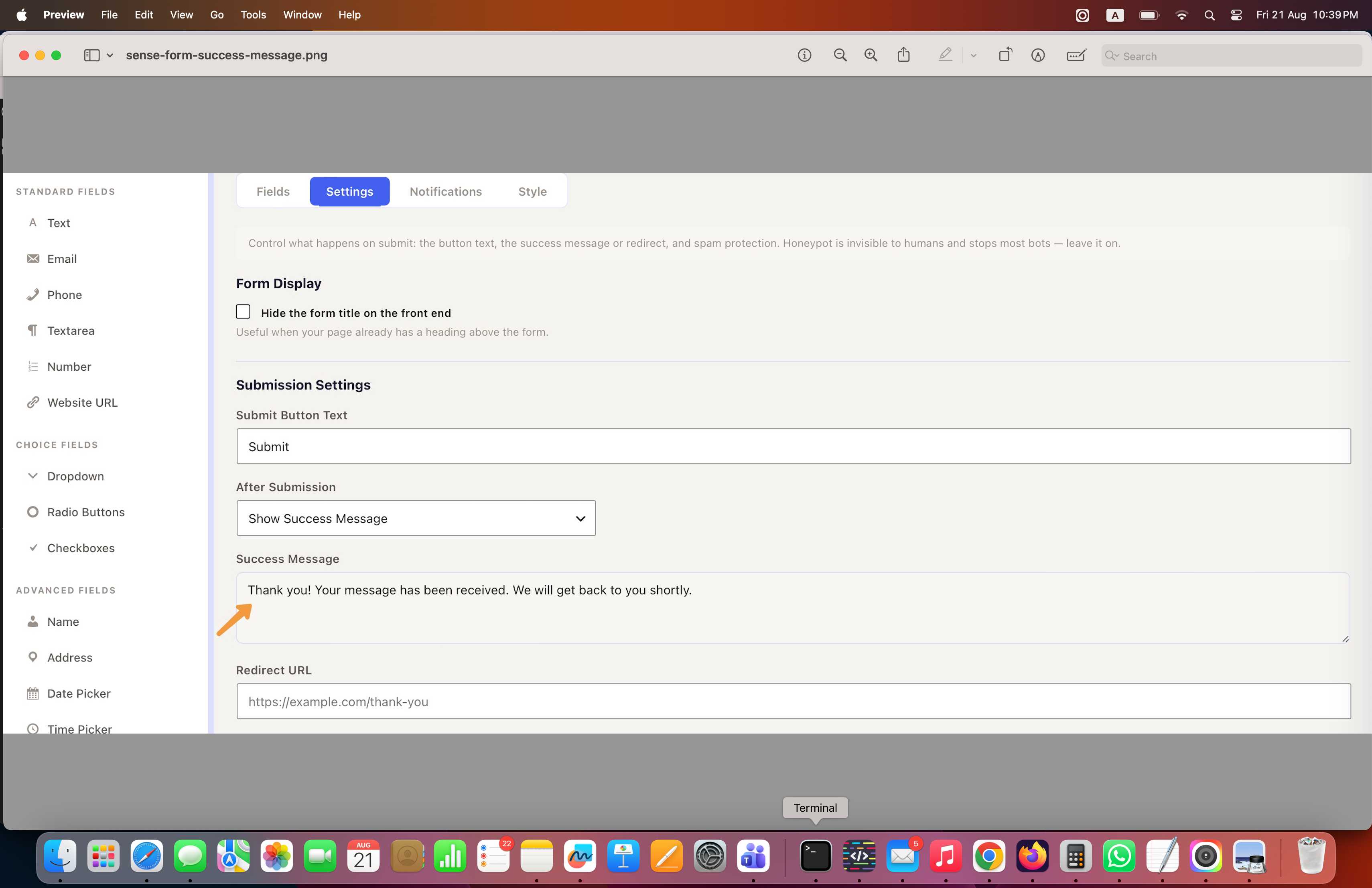
    Thank you! Your message has been received. We will get back to you shortly.

Viewing 1 replies (of 1 total)
  • Plugin Support parvindarsinghsaini

    (@parvindarsinghsaini)

    Hi @fasadmalning,

    Thanks for reaching out. That message is the form’s confirmation (success) message, and it’s fully editable, you can type it in any language you like.

    You’ll find it in the form editor under [CONFIRM EXACT PATH: e.g. Form Settings → Submission Settings → Success Message]. Just replace the default text with your own wording and save; the new text will show after submission.

    If you are running a multilingual site with WPML or Polylang, you can also register that string there so it switches automatically per language.

    I hope that helps.

Viewing 1 replies (of 1 total)

You must be logged in to reply to this topic.